
15+ GTA 6 AI Photo Prompts for Custom Covers, Posters, and More
Want to see yourself as a character in GTA 6? An AI GTA 6 photo generator can transform an ordinary selfie into a game-inspired portrait, place you on the streets of Vice City, or turn your photo into a custom game cover. You can also create original posters and scenes that capture the distinctive look of the Grand Theft Auto universe.
The key is finding the right prompt for the style you have in mind. Below, you'll find a collection of GTA 6 AI photo prompts covering personal portraits, cover art, posters, and Vice City-inspired scenes. Simply copy and paste a prompt into ChatGPT or another AI image generator, then customize the details to create an image that matches your vision.
15+ GTA 6 AI Photo Prompts | Copy & Paste
These GTA look prompts cover different creative directions, from transforming personal pictures into game characters to designing custom covers and Vice City-inspired artwork. Upload a reference photo when needed, then copy the corresponding prompt into your preferred AI image generator.
GTA 6 Photo Prompts for Personal Photos
The easiest way to try the GTA 6 photo trend is to use your own picture as a reference. These GTA prompts focus on different character appearances, outfits, and situations while maintaining recognizable personal features.
Classic GTA 6 Character Transformation
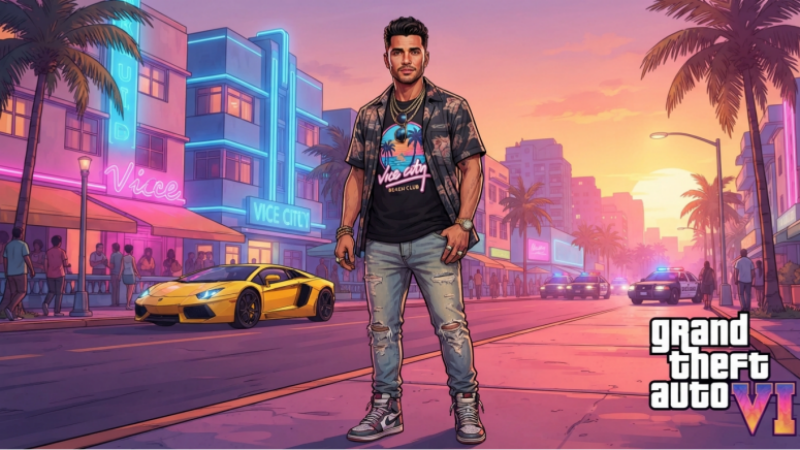

Prompt:
Transform the person in my uploaded photo into a character from a GTA 6-inspired open-world crime game. Preserve their original facial features, face shape, hairstyle, and skin tone. Replace their everyday clothing with a stylish casual streetwear outfit, including a graphic T-shirt, layered accessories, and a gold chain. Place them on a vibrant Vice City-inspired street with palm trees, colorful buildings, and parked sports cars. Use bold outlines, detailed digital painting, saturated colors, and cinematic video game promotional artwork. Make the person the main focus of the composition.
GTA 6 Female Character Portrait
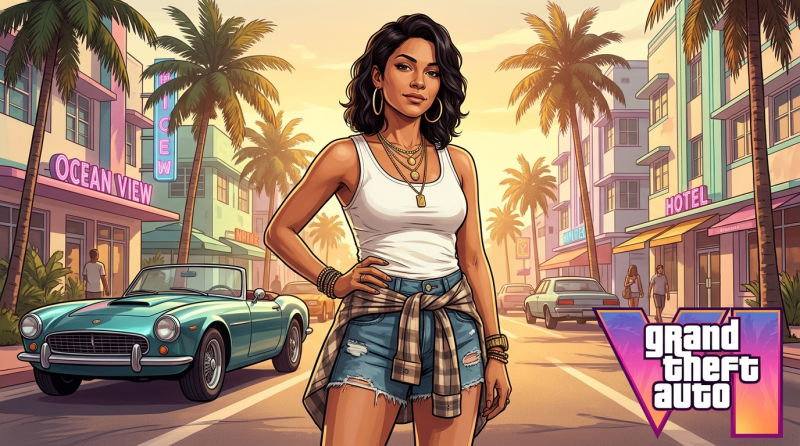
Prompt:
Use my uploaded photo as the facial reference and transform me into a stylish female character in a GTA 6-inspired video game universe. Preserve my recognizable facial features, hairstyle, and skin tone. Dress me in a fitted white tank top, denim shorts, hoop earrings, and layered gold necklaces. Give me a confident expression and a relaxed standing pose. Set the scene on a sunny Miami-inspired street with tropical plants, pastel-colored buildings, and a vintage convertible in the background. Use polished digital illustration, expressive character details, warm sunlight, and bold video game cover art aesthetics. Create a vertical character portrait.
GTA 6 Male Character Portrait
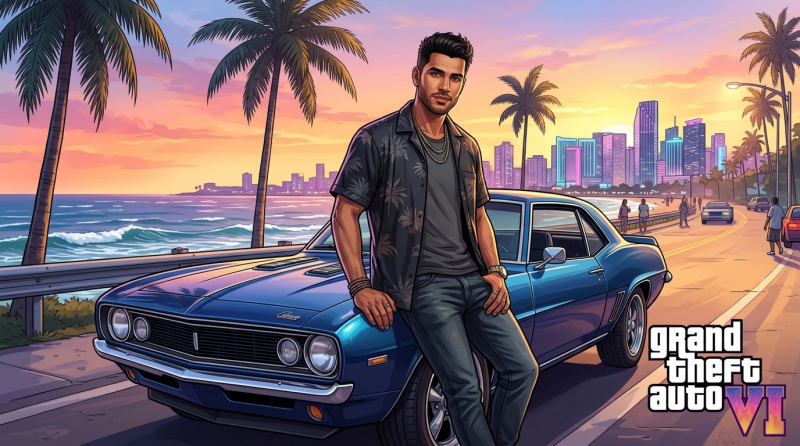
Prompt:
Recreate the person in my uploaded photo as a male protagonist in a GTA 6-inspired game world. Keep the original face, hairstyle, and skin tone recognizable. Dress him in a relaxed short-sleeved button-up shirt, dark jeans, and a wristwatch. Position him leaning casually against a customized muscle car on a coastal road. Add palm trees, distant skyscrapers, and a bright tropical sky. Use a semi-realistic illustrated style with sharp outlines, detailed textures, dramatic shadows, and vibrant colors. The final image should resemble a professionally designed video game character promotional poster rather than a realistic photograph.
GTA 6 Couple Photo Prompt
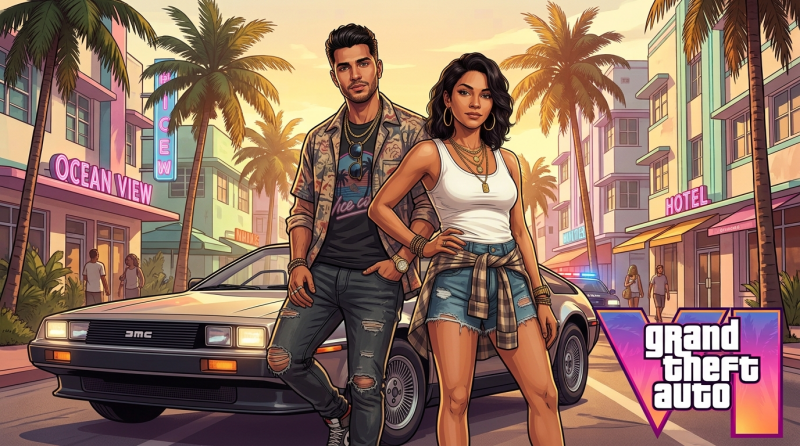
Prompt:
Transform the two people in my uploaded photo into a stylish duo in a GTA 6-inspired Vice City setting. Preserve both individuals' facial features, hairstyles, and recognizable identities. Dress them in coordinated summer streetwear with contrasting colors. Position them standing side by side in front of a vintage sports car, with one person leaning against the vehicle and the other looking confidently toward the camera. Add palm trees, neon storefronts, and a warm sunset in the background. Use bold illustrated outlines, detailed digital painting, cinematic lighting, and vibrant game artwork colors. Keep both people clearly visible and naturally proportioned.
GTA 6 Group Photo Prompt
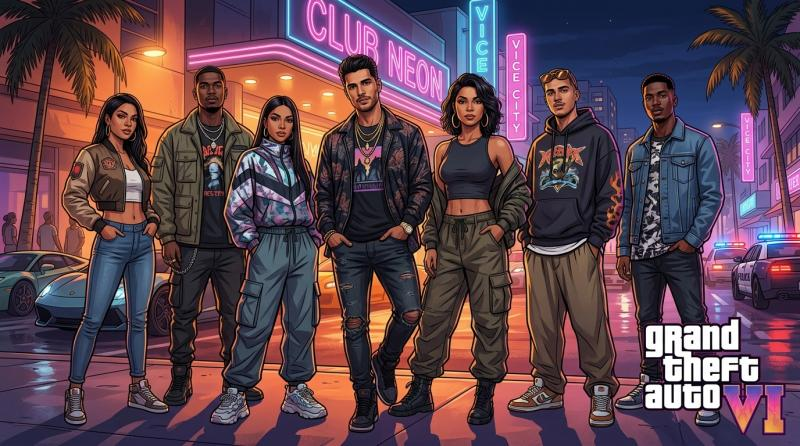
Prompt:
Turn everyone in my uploaded group photo into a crew of characters in a GTA 6-inspired open-world game. Preserve each person's individual facial features, hairstyle, and recognizable appearance. Give each character a different modern streetwear outfit, including oversized jackets, sneakers, sunglasses, and accessories. Arrange the group in a dynamic lineup outside a neon-lit nightclub in Vice City. Include colorful signs, palm trees, parked cars, and a busy nighttime street. Use a detailed digital illustration style, bold outlines, dramatic neon lighting, and rich colors. Make sure every person remains distinguishable and no one is cropped out.
GTA 6 Beach Lifestyle Character
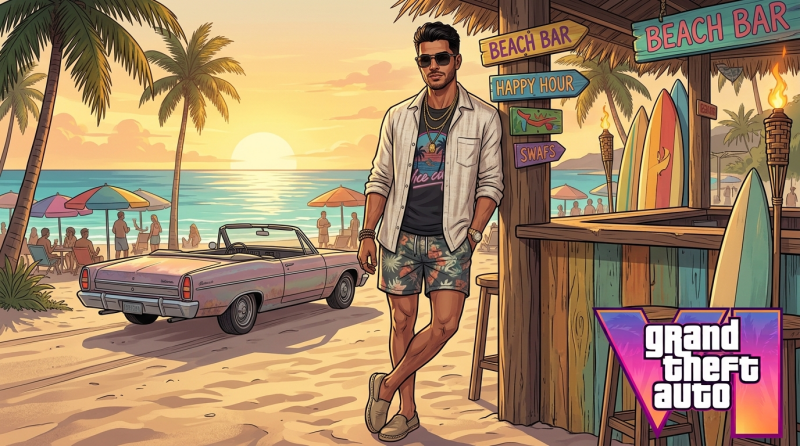
Prompt:
Use my uploaded photo to create a GTA 6-inspired beach lifestyle character portrait. Preserve my facial identity, hairstyle, and skin tone. Dress me in a relaxed tropical outfit with an open linen shirt, sunglasses, and casual shorts. Place me beside a beachside bar overlooking a turquoise ocean, with palm trees, colorful umbrellas, and a parked convertible in the distance. Capture a laid-back summer atmosphere with golden-hour sunlight, warm shadows, and vibrant pastel colors. Use polished illustrated video game artwork with expressive details and clean outlines. Frame the image as a full-body character illustration.
GTA 6 Style Photo Prompts for Cover Art and Posters
If you want something more recognizable than a standard character portrait, try creating a custom game cover or promotional poster. These GTA 6 poster AI prompts use different layouts, character arrangements, and visual themes inspired by video game marketing artwork.
GTA 6 Loading Screen Artwork
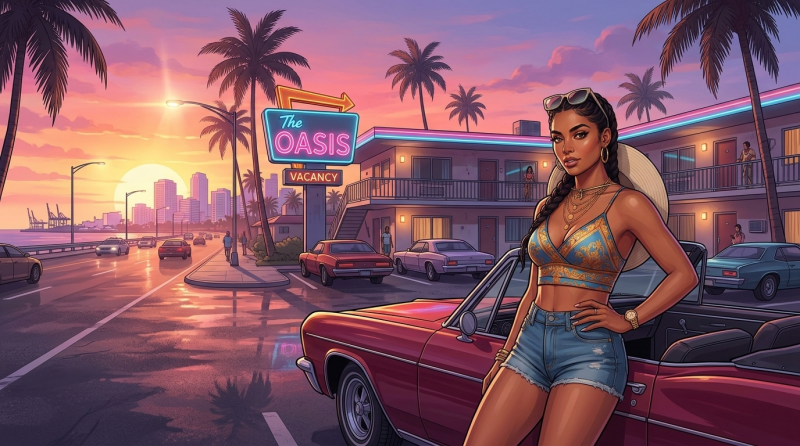
Prompt:
Create a GTA 6-inspired loading screen featuring the person in my uploaded photo as a recognizable game character. Preserve their facial features, hairstyle, and skin tone. Place the character leaning against a classic convertible parked beside a tropical motel at dusk. Add glowing neon signs, palm trees, distant traffic, and a warm pink-purple sunset. Use a wide cinematic composition with the character positioned slightly to one side and plenty of atmospheric background detail. Apply bold outlines, smooth digital painting, vibrant colors, and polished open-world game promotional artwork aesthetics. Do not include text, logos, loading indicators, or watermarks.
GTA 6 Cover Girl AI Prompt
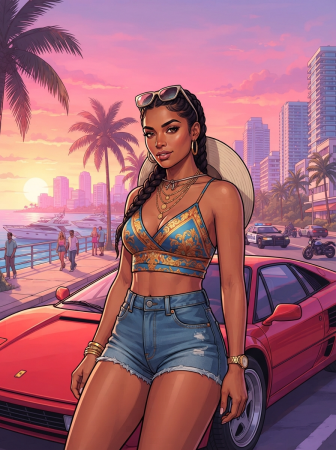
Prompt:
Create a GTA 6-inspired game cover featuring the woman in my uploaded photo as the central female protagonist. Preserve her facial identity, hairstyle, and skin tone. Dress her in a fashionable summer outfit with gold jewelry and sunglasses. Place her in the foreground with a confident pose, while a tropical coastal city, palm trees, luxury cars, and a pink-orange sunset fill the background. Use a layered composition with detailed illustrated elements, bold outlines, saturated colors, and polished digital painting. Make the artwork resemble a premium open-world video game cover. Leave some clean visual space around the composition for a title, but do not add any text or logos.
GTA 6 Custom Game Cover Prompt
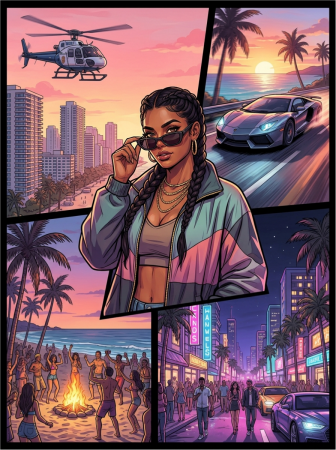
Prompt:
Design a custom GTA 6-inspired video game cover using my uploaded photo as the main character reference. Keep my facial features and overall appearance recognizable. Show me standing confidently in the center, wearing modern streetwear and sunglasses. Surround the character with several smaller illustrated scenes, including a sports car driving along a coastal highway, a neon-lit city street, a beach party, and a helicopter flying above the skyline. Arrange these elements into a dynamic collage with clear visual hierarchy. Use bold digital illustration, vibrant tropical colors, dramatic lighting, and detailed game promotional artwork. Do not include official logos, titles, or watermarks.
GTA 6 Character Selection Poster
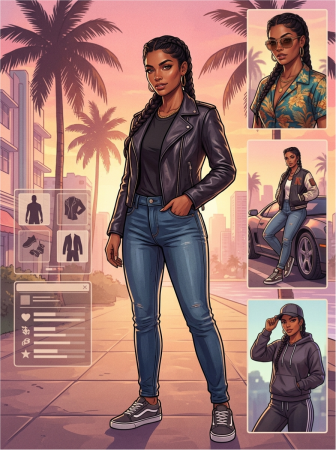
Prompt:
Create a GTA 6-inspired character selection poster featuring the person in my uploaded photo. Preserve their original facial features and hairstyle. Show a full-body character wearing a dark leather jacket, fitted jeans, and sneakers. Position the character against a clean, stylized Vice City background with a few palm trees and distant buildings. Add several subtle visual panels around the character suggesting outfit options, character details, and different poses, without using readable text or interface logos. Use sharp digital illustration, balanced composition, bold colors, and polished video game concept art aesthetics.
GTA 6 Wanted Poster AI Prompt
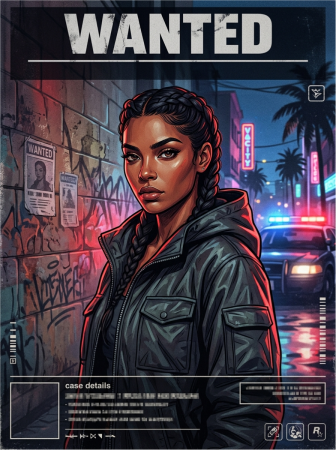
Prompt:
Turn the person in my uploaded photo into a fictional wanted character in a GTA 6-inspired crime game. Preserve their facial identity and hairstyle. Show them in a dramatic chest-up portrait wearing a dark streetwear jacket and looking directly at the viewer. Place them against a weathered city wall with subtle graffiti, police car lights, and a nighttime Vice City street in the background. Use a gritty illustrated style, strong contrast, cinematic red and blue lighting, and detailed digital painting. Design the composition like an in-game wanted poster, leaving space for fictional case details but without generating readable text, real police department names, or official logos.
GTA 6 AI Image Prompts for Game-Style Scenes
You don't always need to upload a selfie to create GTA-inspired artwork. These GTA Vice City prompts focus on environments, vehicles, and fictional game moments, making them suitable for both text-to-image and image-to-image generation.
GTA Vice City Sunset Street Scene
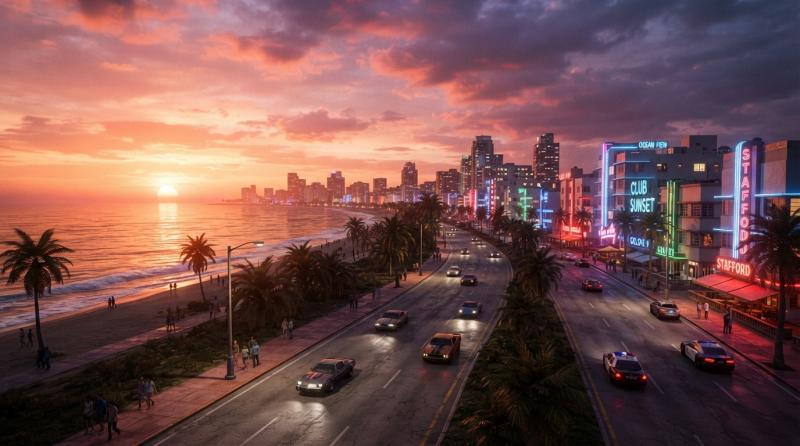
Prompt:
Create a cinematic open-world scene inspired by GTA 6 and Vice City at sunset. Show a coastal highway stretching along the ocean, with palm trees lining the road, colorful Art Deco buildings in the distance, and a warm pink-orange sky reflecting on the water. Add a few cars driving along the boulevard and subtle city lights beginning to glow. Use a vibrant tropical color palette, dramatic sunset lighting, detailed 3D game graphics, and a wide cinematic composition that captures the atmosphere of a fictional open-world crime game.
GTA 6 Sports Car Prompt
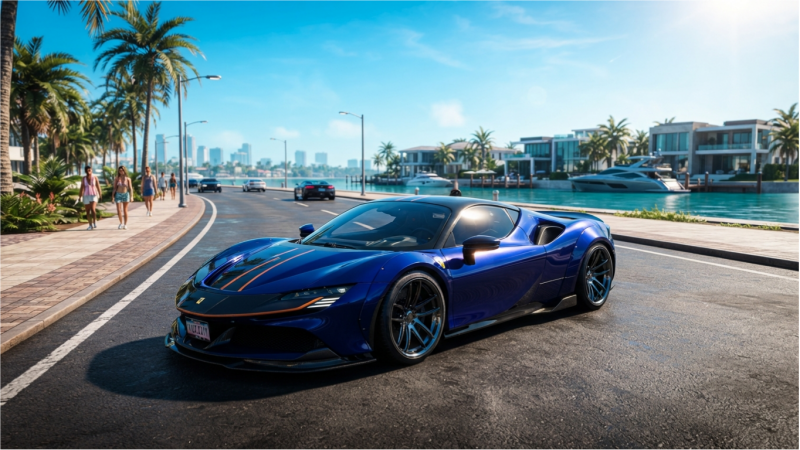
Prompt:
Create a highly detailed sports car scene inspired by GTA 6. Feature a sleek, customized supercar with a glossy metallic finish parked on a luxurious waterfront road in Vice City. Show palm trees, modern waterfront mansions, and the ocean in the background under bright tropical sunlight. Use a dynamic low-angle camera view to emphasize the car's design, realistic reflections, detailed bodywork, and dramatic shadows. Render the scene in polished open-world video game graphics with a vibrant, cinematic atmosphere.
GTA 6 Neon Night City Prompt
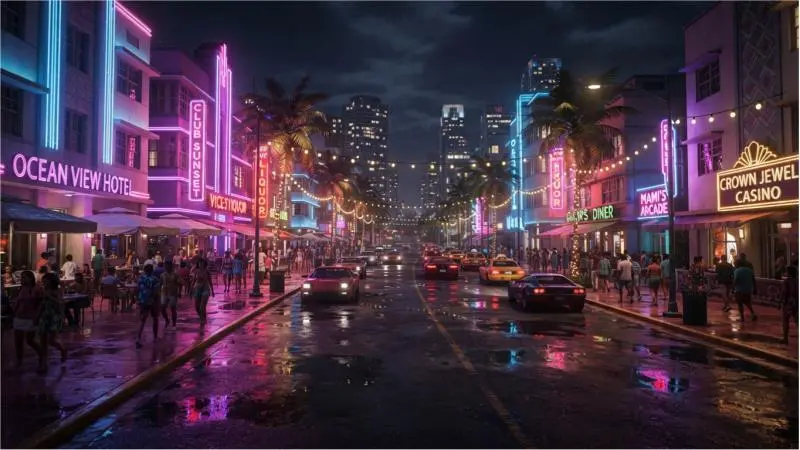
Prompt:
Create a neon-lit Vice City-inspired street scene at night, viewed from a low street-level angle. Fill the scene with glowing neon signs, illuminated skyscrapers, palm trees, wet asphalt reflecting pink, purple, and blue lights, and busy nightlife along the sidewalks. Include distant traffic, colorful storefronts, and a moody tropical night atmosphere. Use realistic 3D open-world video game graphics, cinematic lighting, rich reflections, and intricate environmental details.
GTA 6 Game Screenshot Prompt
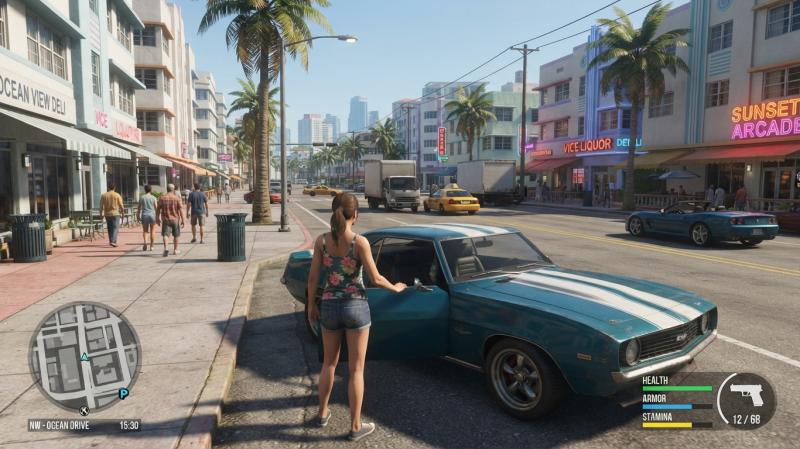
Prompt:
Create a fictional gameplay screenshot from a GTA 6-inspired open-world action game set in Vice City. Show a third-person view of a character standing beside a car on a busy urban street, with palm trees, shops, traffic, and pedestrians filling the environment. Include a subtle, fictional game HUD with a minimap in the lower-left corner and a few simple interface indicators. Use realistic 3D game graphics, natural environmental lighting, detailed city textures, and an authentic open-world gameplay perspective. Do not use official game logos or reproduce actual copyrighted interface elements.
GTA 6 WASTED Screen Prompt
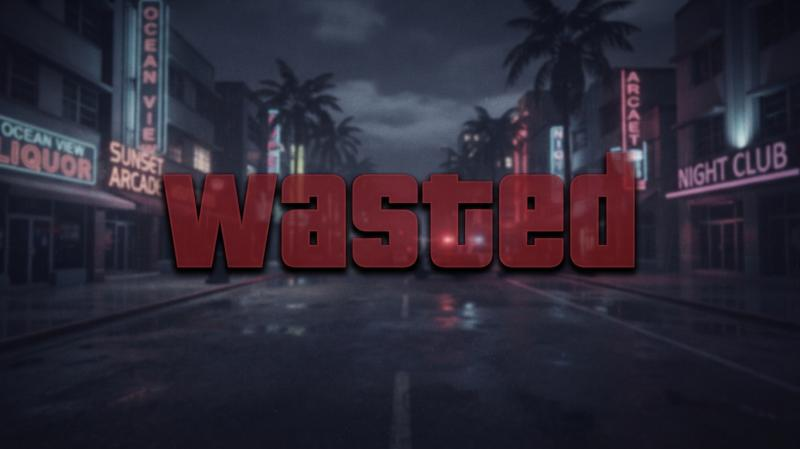
Prompt:
Create a dramatic video game death screen inspired by the classic WASTED moment in GTA-style games. Show a dimly lit Vice City street at night, with a cinematic view of the urban environment slightly blurred in the background. Place the word "WASTED" prominently across the center in large, bold, red-tinted letters with a subtle translucent effect. Add a darkened screen overlay, muted colors, and atmospheric lighting to recreate the familiar feeling of a fictional open-world game's failure screen. Do not include official game logos or exact copyrighted UI designs.
Tips for Creating GTA 6-Style Images with AI
Before trying a GTA 6 photo prompt, a few details can help you get results closer to your expectations.
-
Upload a clear reference photo: If you want to turn yourself into a GTA 6 character, choose a well-lit photo where your face is clearly visible.
-
Describe the visual style: Instead of simply asking for a GTA look, mention illustrated video game artwork, bold outlines, semi-realistic digital painting, and cinematic lighting.
-
Specify the background: Vice City-inspired beaches, neon-lit streets, coastal highways, and tropical architecture can give your image a more recognizable setting.
-
Control the composition: Tell the AI whether you want a close-up portrait, full-body character, vertical poster, or landscape game cover.
-
Keep your identity recognizable: If you're using a personal photo, ask the AI to preserve your facial features, hairstyle, and skin tone while changing the clothing and environment.
You can also refine the result through follow-up instructions. For example, if the generated image looks too much like a real photograph, ask the AI to emphasize illustrated game artwork. If your face looks different, provide a clearer reference and specify which facial features should remain unchanged.
Visualize GTA 6 Photo Ideas with Diagrimo
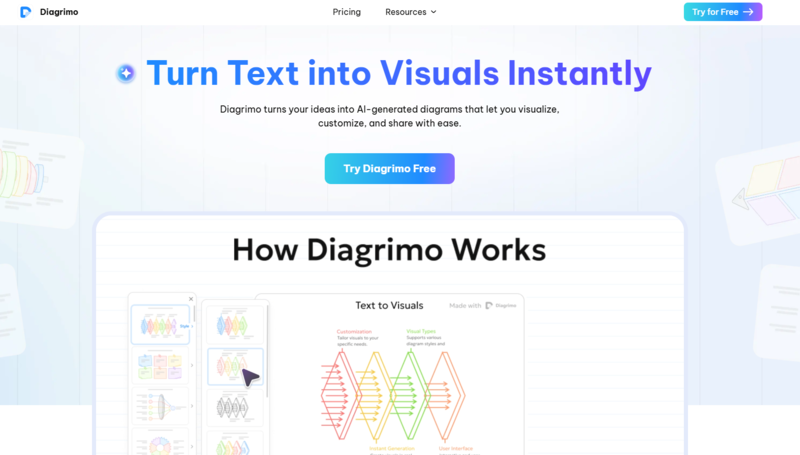
After exploring these GTA 6 style AI prompts, you may have several character concepts, cover designs, and Vice City-inspired scene ideas to organize. If you want to turn those creative directions into clear visual references, Diagrimo can help you transform text into editable diagrams and infographics.
Here are a few ways to use it when planning your GTA 6-inspired creative projects:
-
Organize character concepts: Turn written character descriptions, outfit ideas, and visual attributes into structured diagrams.
-
Build a visual style guide: Arrange color palettes, lighting references, backgrounds, and composition ideas into an infographic for easier comparison.
-
Create prompt collections: Convert multiple ChatGPT GTA style prompt ideas into an organized visual reference that you can revisit and refine.
-
Customize your visuals: Edit the generated diagram elements and layout to make the final result easier to read and share.
Diagrimo is designed for text-to-diagram and infographic creation rather than direct AI photo generation. You can use it alongside an AI image generator to organize your ideas before creating the actual GTA 6-style images.
Conclusion
Creating GTA 6-inspired images with AI is a straightforward way to experiment with different character designs, game covers, posters, and Vice City scenes. The right prompt can help you control facial details, outfits, backgrounds, and visual styles, while small adjustments can make the results more closely match your ideas.
Try the GTA 6 AI photo prompts in this collection with your own photos or original scene descriptions, and experiment with different compositions to find a style you like.
FAQs
-
Which AI Model Is Best for Creating GTA 6-Style Images?
ChatGPT with image generation, Google Gemini, and other AI image generators can create GTA 6-inspired images. The results vary depending on the model, prompt details, and reference images you provide, so try a few options to find the style that best matches your vision.
-
Can I Use GTA 6 AI Prompts Without Uploading a Photo?
Yes. You can generate original GTA 6-inspired characters, posters, and Vice City scenes using text prompts alone. However, if you want the generated image to resemble you or another specific person, uploading a reference photo can help the AI capture their appearance.
-
How Do I Keep My Face the Same in GTA 6 AI Photos?
Upload a clear reference photo and include instructions to preserve your facial features, skin tone, hairstyle, and other recognizable details. Avoid asking the AI to change too many aspects of your appearance, as extensive stylization can make the result look less like the original person.
-
What Image Size Works Best for GTA 6 AI Posters?
A 2:3 portrait ratio works well for vertical posters and character artwork, while a 16:9 landscape ratio is suitable for cinematic scenes and game-cover-style images. If you plan to share your image on social media, choose an aspect ratio that fits the platform.
-
How Can I Make AI-Generated GTA 6 Photos Look More Realistic?
Use specific descriptions of lighting, camera angles, clothing, textures, and backgrounds instead of relying only on broad style terms. A clear reference photo can also improve consistency, while details such as natural shadows, realistic skin textures, and balanced colors help make the final image more convincing.
You Might Also Like
- Couple Kissing Prompt for Gemini AI: 20 Copy-Paste Visual Prompts
- 2027 New Year AI Prompt Ideas | Beautiful AI New Year Photos for Gemini
- 20+ ChatGPT Bikini Prompt | Copy-Paste Prompts for AI Bikini Photos
- Gemini Birthday Prompts for Men: 20+ AI Photo Ideas to Copy and Paste
- 20+ Gemini Birthday Prompts for Women to Create Stunning AI Photos
- 20+ 1980s AI Photo Prompt: Bring Your Favorite 80s Memories Back to Life


Tenorshare AI Bypass: 100% Bypass AI Detection
Turn AI text into undetectable, human-like content.AI Humanizer, 100% Undetectable
Humanize AI text instantly.
Tenorshare AI Bypass: 100% Bypass AI Detection
