
Desmos Alternatives Review: 4 Best Graphing Calculators Compared in 2026
Desmos is one of the most popular graphing calculators for students, teachers, and anyone who needs to visualize mathematical functions. With a clean interface, fast graphing performance, and support for equations, tables, sliders, and interactive graphs, it has become a common tool for learning and teaching mathematics.
However, Desmos is not designed for every type of math task. Some users may need advanced symbolic calculations, step-by-step solutions, 3D visualization, or AI-powered assistance. In these cases, looking for a Desmos alternative can help you find a tool that better matches your needs.
In this guide, we compare the best Desmos alternatives in 2026, including GeoGebra, Wolfram Alpha, Symbolab, and Mathway, based on their features, strengths, limitations, and ideal use cases.
Catalogs:
What Is Desmos Calculator?
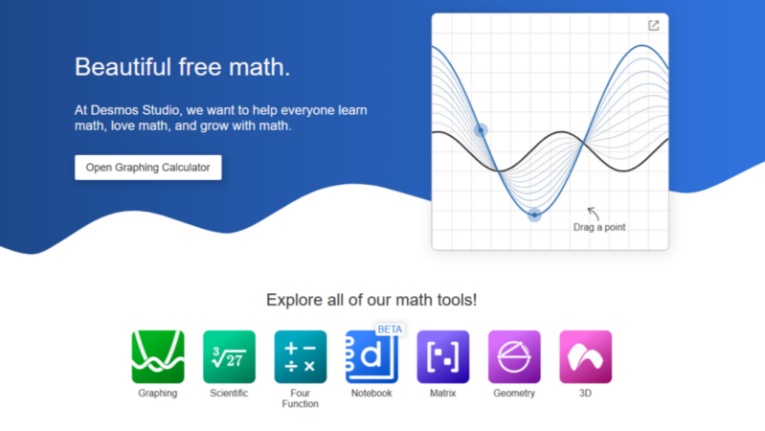
Desmos Calculator is a free online graphing calculator designed to help users explore mathematical concepts through interactive graphs. It allows users to plot equations, analyze functions, create tables, adjust variables with sliders, and visualize mathematical relationships in real time.
Unlike traditional calculators that require navigating through menus, Desmos focuses on direct expression input. Users can type equations naturally and immediately see the corresponding graph, making it especially popular in classrooms and self-learning environments.
Key Features of Desmos
Desmos offers several features that make it one of the most widely used graphing calculators:
Interactive graphing: Plot functions, equations, inequalities, and data points.
-
Expression-based input: Enter mathematical expressions directly without complicated menus.
-
Sliders and animations: Adjust variables dynamically to understand transformations.
-
Tables and statistics: Create tables, analyze data, and visualize relationships.
-
Easy sharing: Save and share graphs through links.
Desmos is particularly strong for algebra, functions, and visual learning. It is simple enough for beginners while still supporting many advanced graphing tasks.
How Does Desmos Graphing Calculator Work?
Desmos works by combining an expression panel with an interactive graphing area . Users enter equations, coordinates, or functions on the left side, and Desmos automatically generates the corresponding visualization on the graph.
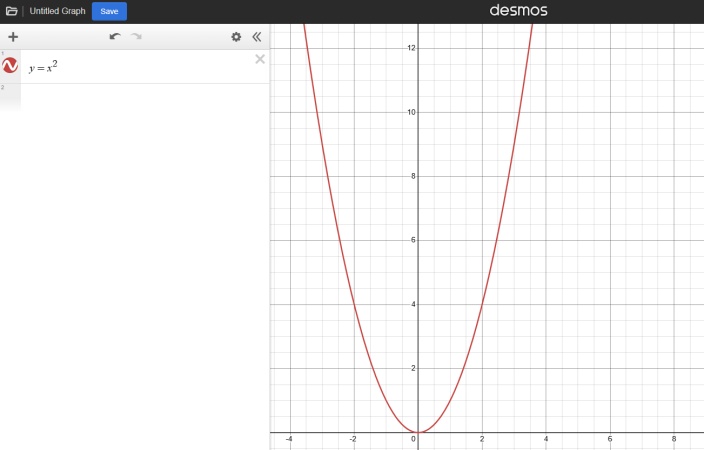
For example, entering:
y = x²
will instantly create a parabola. Users can then modify values, add sliders, compare multiple functions, or explore how changing variables affects the graph.
This interactive approach makes Desmos useful for understanding mathematical concepts rather than only calculating answers.
Why Look for a Desmos Alternative?
Although Desmos is an excellent graphing calculator, it does have limitations depending on what users need.
Some common reasons people look for Desmos alternatives include:
-
Need for step-by-step solutions: Desmos focuses on visualization rather than explaining how to solve equations.
-
Advanced mathematical calculations: Users working with complex algebra, symbolic computation, or higher-level mathematics may need more powerful tools.
-
3D graphing and geometry: Some users require deeper geometry modeling or three-dimensional visualization.
-
AI-powered math assistance: Students may prefer tools that can explain problems, provide solutions, and guide learning.
The best alternative depends on whether you prioritize graphing, solving, teaching, or advanced mathematical research.
Best Desmos Alternatives at a Glance
| Tool | Best For | Key Features | Main Advantage |
|---|---|---|---|
| GeoGebra | Students and teachers | Graphing, geometry, statistics, 3D visualization | More comprehensive math learning features |
| Wolfram Alpha | Advanced mathematics | Symbolic computation, calculus, complex calculations | Powerful mathematical knowledge engine |
| Symbolab | Step-by-step solutions | Algebra, calculus, equation solving | Detailed solution explanations |
| Mathway | Quick math problem solving | Wide range of math topics, fast answers | Simple and beginner-friendly |
Desmos Alternatives Compared: Features, Pros, and Cons
Desmos vs GeoGebra
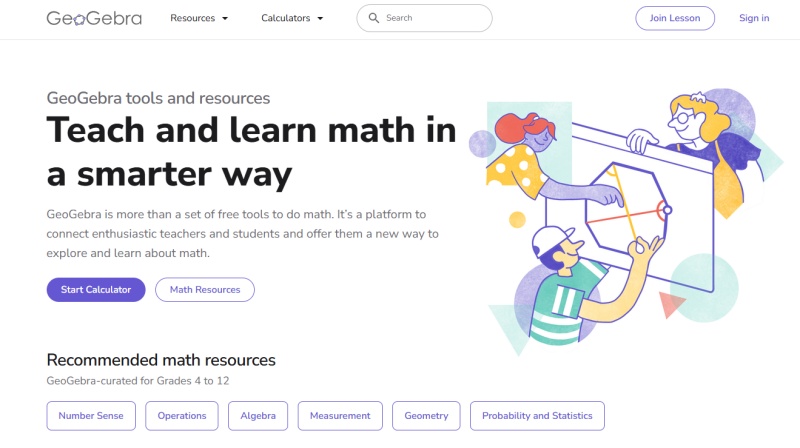
GeoGebra is one of the closest alternatives to Desmos because both focus on interactive mathematics and visualization. However, GeoGebra offers a broader range of tools, including geometry, statistics, and 3D mathematics.
Desmos strengths:
-
Faster and simpler graphing experience
-
Cleaner interface for beginners
-
Excellent for functions and equation visualization

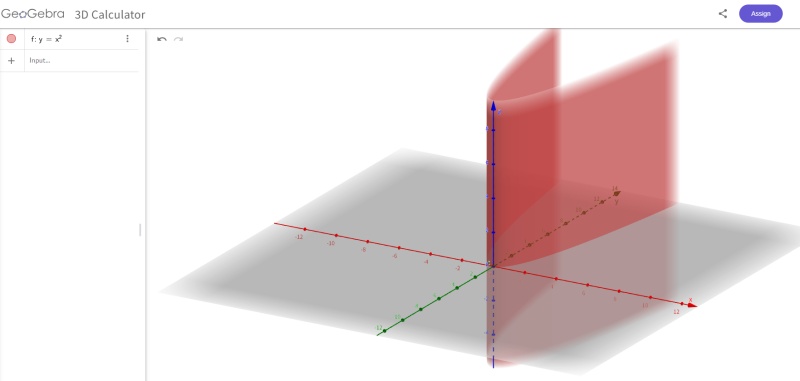
GeoGebra strengths:
-
More advanced geometry tools
-
Supports 3D visualization
-
Better suited for classroom demonstrations
Which one should you choose?
Choose Desmos if you mainly need quick graphing and function exploration. Choose GeoGebra if you need geometry, 3D models, or a more complete mathematics environment.
Desmos vs Wolfram Alpha
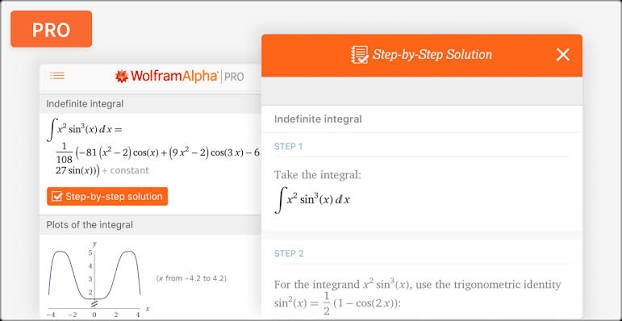
Wolfram Alpha takes a different approach from Desmos. Instead of focusing on interactive graphing, it works as a computational knowledge engine that can solve advanced mathematical problems.
Desmos strengths:
-
Better visual graph exploration
-
Easier for beginners
-
More interactive learning experience
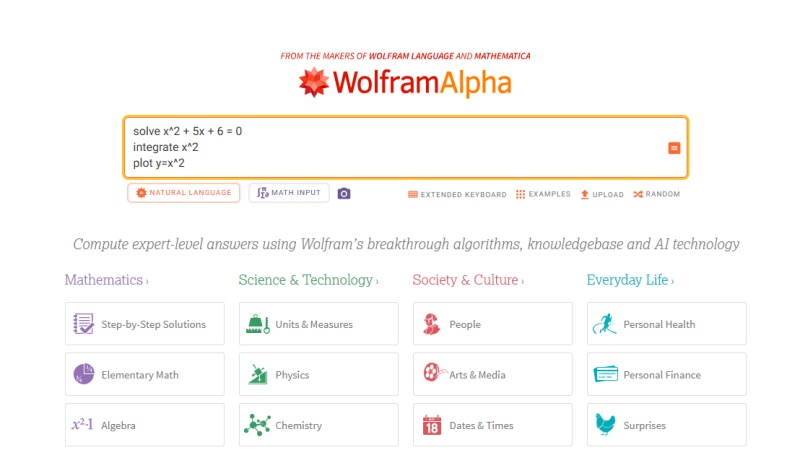
Wolfram Alpha strengths:
-
Advanced symbolic calculations
-
Strong calculus and higher mathematics support
-
Can solve complex mathematical queries
Which one should you choose?
Desmos is better for learning through visualization, while Wolfram Alpha is more suitable for university-level mathematics and advanced calculations.
Desmos vs Symbolab
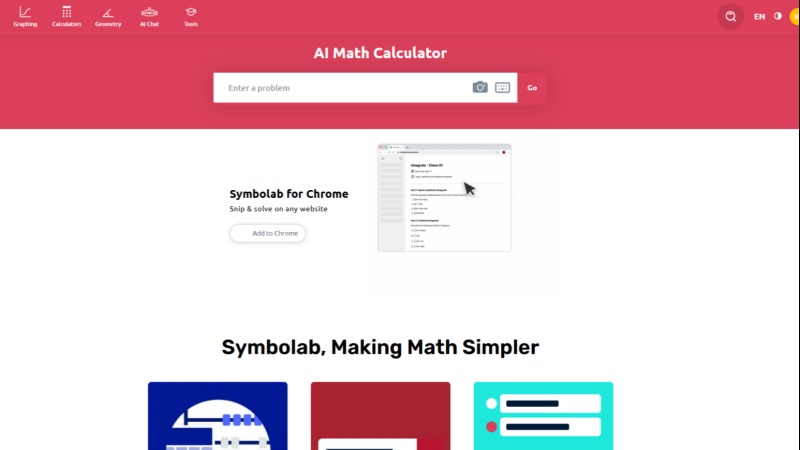
Symbolab is mainly designed as a math problem solver rather than a graphing calculator. It focuses on showing solution steps for algebra, calculus, and other mathematical problems.
Desmos strengths:
-
Better interactive graphs
-
More suitable for exploring functions visually
-
Simple classroom use
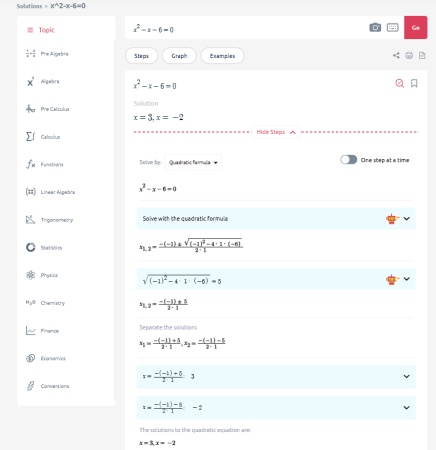
Symbolab strengths:
-
Step-by-step explanations
-
Better for checking homework solutions
-
Useful for learning solving methods
Which one should you choose?
If you want to understand how a graph changes, choose Desmos. If you need help solving equations and seeing the process, Symbolab may be more useful.
Desmos vs Mathway
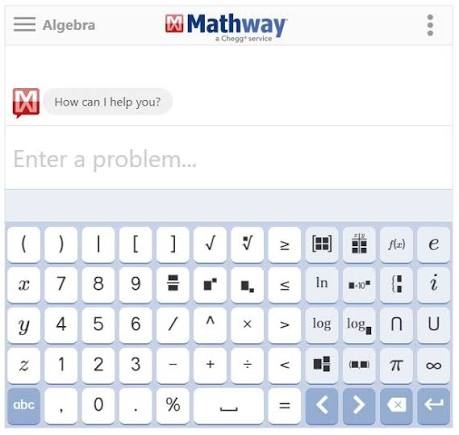
Mathway is another popular math-solving tool that covers many areas, including algebra, calculus, statistics, and more.
Desmos strengths:
-
Better graphing experience
-
More interactive visualization
-
Better for exploring mathematical concepts
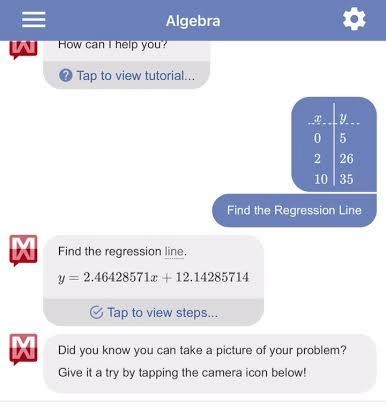
Mathway strengths:
-
Quick answers for many math problems
-
Supports a wide range of topics
-
Easy for beginners
Which one should you choose?
Mathway works well for users who want fast solutions, while Desmos is better for users who want to explore and understand mathematical relationships.
How to Choose the Best Desmos Alternative?
Choosing the right Desmos alternative depends on what you want to do with mathematics. Some users need a simple graphing calculator to visualize functions, while others need step-by-step solutions, advanced calculations, or classroom teaching tools.
Instead of choosing the tool with the most features, it is better to choose one that matches your specific workflow .
For Students: Choose Based on Learning Goals
Students have different needs depending on their learning stage and the type of problems they solve.
For students learning algebra, functions, and graph transformations, Desmos remains one of the easiest tools to use. Its clean interface allows users to quickly enter equations, adjust parameters, and observe how graphs change.
However, students who need more than visualization may prefer other alternatives:
-
For understanding solution steps: Symbolab is a better choice because it focuses on showing the process behind solving equations, derivatives, integrals, and other problems.
-
For checking complex homework problems: Wolfram Alpha can handle more advanced mathematical queries and symbolic calculations.
-
For geometry and visual mathematics: GeoGebra provides more tools for geometric construction, interactive models, and 3D visualization.
Best choices for students:
| Student Need | Recommended Tool |
|---|---|
| Learn functions and graphing | Desmos |
| Understand solving steps | Symbolab |
| Solve advanced math problems | Wolfram Alpha |
| Learn geometry and 3D math | GeoGebra |
For Teachers: Prioritize Classroom Interaction and Visualization
Teachers usually need more than a calculator. The ideal tool should help explain abstract concepts, demonstrate mathematical relationships, and allow students to interact with lessons.
For teaching topics such as:
-
function transformations
-
equations and inequalities
-
data visualization
-
introductory calculus
Desmos remains a strong choice because students can quickly interact with graphs without spending much time learning the software.
For broader mathematics teaching, GeoGebra may be a better alternative. It combines algebra, geometry, statistics, calculus, and 3D features, making it suitable for lessons that require dynamic models or geometric demonstrations.
Best choices for teachers:
| Teaching Scenario | Recommended Tool |
|---|---|
| Introducing functions and graphs | Desmos |
| Teaching geometry concepts | GeoGebra |
| Creating dynamic math models | GeoGebra |
| Demonstrating advanced calculations | Wolfram Alpha |
For Advanced Mathematics: Focus on Computational Power
Users working with university mathematics, engineering, or research-related problems usually need more than interactive graphs.
Their requirements often include:
-
symbolic calculations
-
calculus operations
-
equation solving
-
mathematical modeling
-
handling complex expressions
For these users:
Wolfram Alpha is often a better fit than Desmos because it focuses on computational mathematics rather than only graph visualization.
GeoGebra is also useful when users need a combination of visualization and mathematical modeling, especially for geometry, calculus, and STEM-related topics.
Best choices for advanced users:
| Requirement | Recommended Tool |
|---|---|
| Symbolic computation | Wolfram Alpha |
| Mathematical visualization | GeoGebra |
| Learning calculation methods | Symbolab |
| Quick graph exploration | Desmos |
Also Worth Trying: Tenorshare AI Math
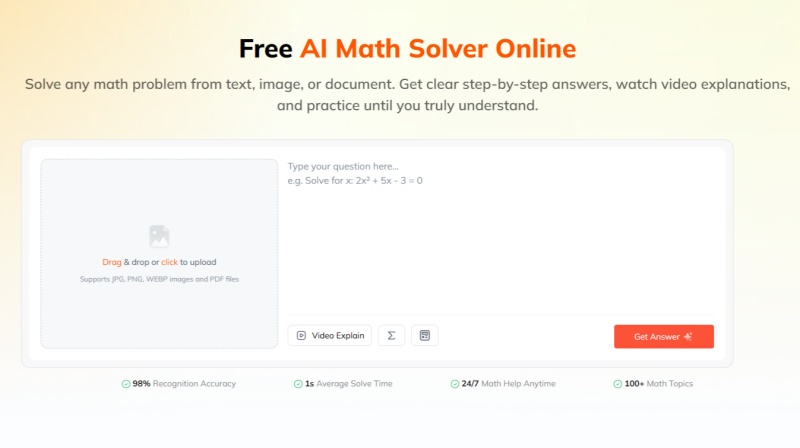
If you are looking for a Desmos alternative mainly for graphing functions, tools like GeoGebra, Wolfram Alpha, and Symbolab may better match your needs. However, if you also want additional features beyond traditional graphing, Tenorshare AI Math is another option worth considering.
Tenorshare AI Math is an AI math solver designed for users who want more support when solving math problems. Instead of focusing on interactive graphs, it helps users understand the solving process by providing explanations, learning support, and practice resources.
Its main features include:
-
Multiple Input Options: Supports math questions from text, images, and PDF files, allowing users to upload problems directly instead of manually entering complex equations.
-
Step-by-Step Solution Explanations: Breaks down each solving process and explains the logic behind the answer, helping users understand how a problem is solved.
-
AI-Generated Video Explanations: Provides visual explanations and concept guidance to help users better understand difficult math topics.
-
Practice Question Generation: Creates similar exercises after solving problems, allowing students to practice related concepts and reinforce their understanding.
-
Built-In Math Calculator: Includes basic calculation functions for handling common mathematical expressions while working through problems.
Tenorshare AI Math is not a replacement for graphing calculators like Desmos. Instead, it works as a complementary tool for users who want AI-powered assistance with solving, explaining, and practicing mathematics.
Final Verdict: Which Desmos Alternative Should You Choose?
The best Desmos alternative depends on what you need from a math tool. Desmos remains an excellent choice for interactive graphing and exploring mathematical functions, but users who need additional capabilities may find other tools more suitable.
GeoGebra is the closest overall alternative for users who want more advanced visualization, geometry, and 3D features. Wolfram Alpha is better suited for complex calculations and higher-level mathematics, while Symbolab and Mathway are more focused on helping users solve problems and understand solution processes.
For users who want AI-powered assistance with solving questions and learning mathematical concepts, Tenorshare AI Math is also worth considering. Although it is not a traditional graphing calculator, it provides a different approach by combining AI explanations, problem-solving support, and learning features.
Tenorshare AI Math
- Solve math from text, images & PDFs at 98% accuracy
- Deliver step-by-step answers with detailed logic breakdown
- Access video explanations for deeper math concept understanding
- Generate matching practice tests to solidify knowledge

FAQs
-
What Is the Best Alternative to Desmos?
GeoGebra is often considered one of the best Desmos alternatives because it offers similar interactive graphing features while adding geometry, statistics, and 3D capabilities. However, the best choice depends on whether you need graphing, advanced calculations, or step-by-step solutions.
-
Is GeoGebra Better Than Desmos?
GeoGebra is not necessarily better than Desmos. It provides more mathematical features, especially for geometry and 3D visualization, while Desmos offers a simpler interface and smoother graphing experience that is easier for beginners.
-
Is There a Free Alternative to Desmos?
Yes. GeoGebra is one of the most popular free alternatives to Desmos. Other tools such as Wolfram Alpha, Symbolab, and Mathway also offer free access with some limitations depending on the features you need.
-
What Calculator Is Better Than Desmos?
The answer depends on your purpose. GeoGebra may be better for advanced graphing and geometry, Wolfram Alpha is stronger for complex mathematics, and Symbolab is more useful when you need step-by-step explanations.
-
Can I Use Wolfram Alpha Instead of Desmos?
Yes, but they are designed for different purposes. Wolfram Alpha focuses more on mathematical computation and solving complex problems, while Desmos is better for interactive graphing and visual exploration of functions.
You Might Also Like
- EaseMate AI Math Solver Review: Features, Alternatives & How It Compares
- Mathos AI Math Solver Review 2026: Free Features, Pricing & Alternatives
- Is Solvely AI Math Solver Worth It? Full Review, Pricing & Alternatives
- Math AI Review 2026: Full Breakdown of Features, Pricing & Top Alternatives
- Is Wolfram Alpha Math Solver Good for Math? A Complete Review
- Monica AI Math Solver Review 2026: Can It Really Help With Math?

Tenorshare AI Math: Solve any math problems with AI
Turn math questions into clear solutions, tutorial videos & targeted practice setsTenorshare AI Math: Instant Solutions
Steps, videos & practice for every problem
Tenorshare AI Math: Solve any math problems with AI