
Writeless AI Review 2026: Is It Worth Trying?
AI writing tools have become very popular over the past year. Students, researchers and professionals are all looking for tools that can save time and help with academic work. Writeless AI is one of the new names that claims it can write long essays with real citations, avoid plagiarism checks and even stay undetectable by AI detectors.
These promises sound impressive, but are they actually true? I tested Writeless AI myself to see what it can and cannot do. Here is my honest review based on real experience.
Catalogs:
What Is Writeless AI
Writeless AI is an online writing tool created mainly for academic content. When you enter your topic, it can generate essays, research papers or other types of academic writing. The service highlights a few features that are meant to attract students.
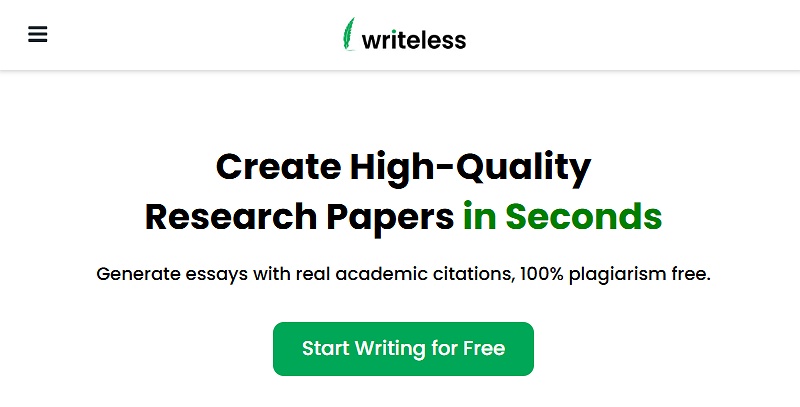
Key features include:
-
Up to twenty citations
-
APA, MLA, Chicago, Harvard and Vancouver formatting
-
Up to twenty thousand words in one essay
-
Content that is claimed to be detection free
-
A simple workflow with adjustable writing style
My Experience Testing Writeless AI
I tested Writeless AI from the moment I signed up to the moment it generated my essay. Here is what happened step by step.
Step 1. Sign up and first impression
The sign up process was smooth and quick. I only needed an email and password. After logging in, I was taken straight to the writing interface. Everything looked simple and easy to understand.
Step 2. Setting up the essay
Writeless AI guides you through several steps before generating content.
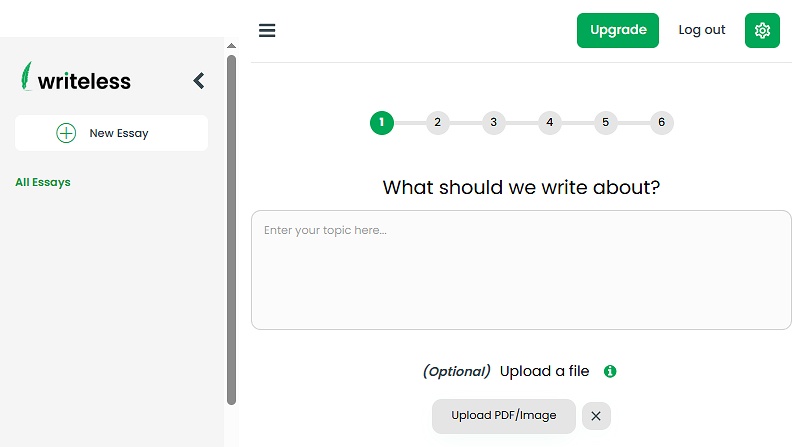
First, it asked for my topic. After entering it, I saw a list of content types such as essays, reports and research articles. I chose the essay option.
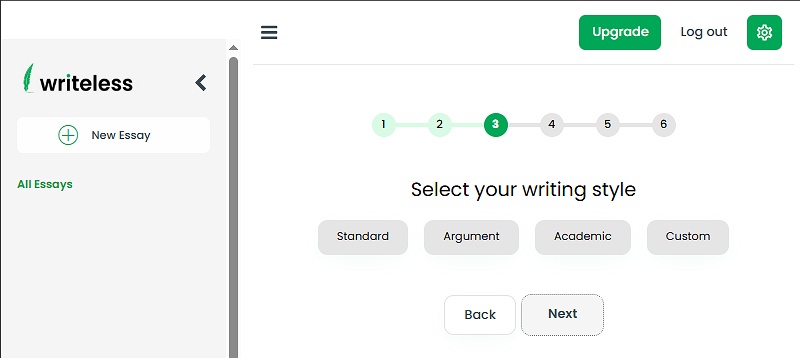
Next, I selected the writing style. I picked Academic since that is the most relevant for students.
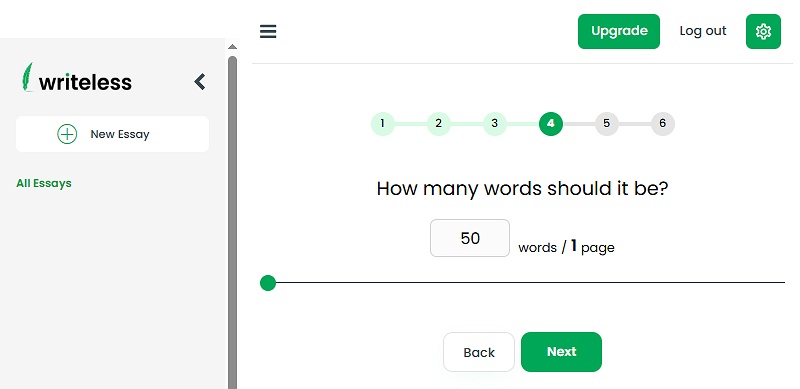
Then, I entered the number of words I wanted. The tool immediately estimated how many pages the essay would be. This feature is genuinely helpful, especially when teachers require a specific page count.
After that, I chose how many citations I wanted and the formatting style. I could also set the minimum year for the sources, which ensures newer references.
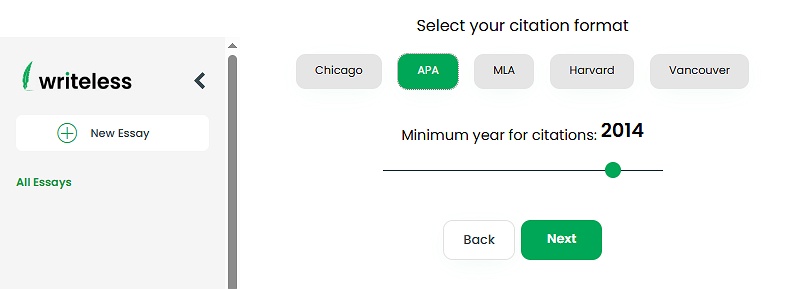
Lastly, it asked whether I wanted the essay to be undetectable. I personally found this question strange. Most users would of course want their work to sound human. This setting is more of a sales trick than a real feature.
Step 3. Outline generation
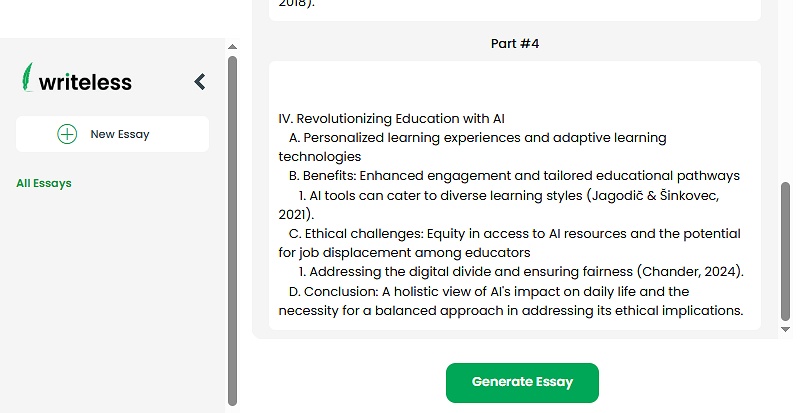
Before creating the actual essay, Writeless AI produced an outline. It allowed me to edit or rearrange the structure. This part is well designed. It gives you a clear idea of what the essay will include before the writing begins.
The biggest problem
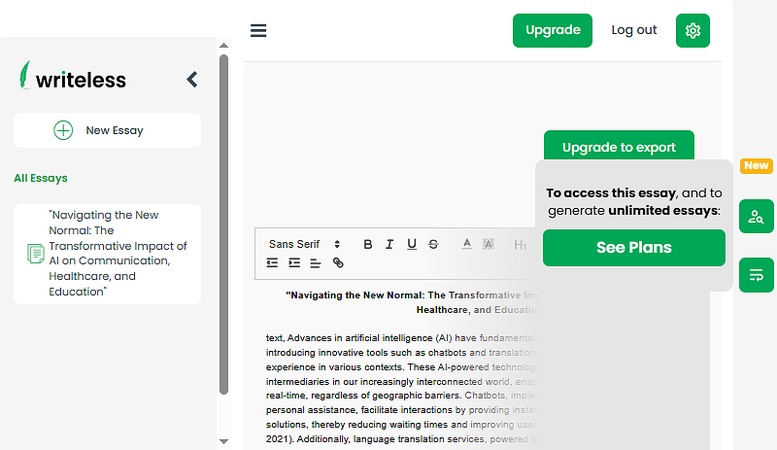
Once I clicked the final generate button, the essay appeared on the screen but completely blurred. I could see the layout but not the words. The system told me that I needed to upgrade to a paid plan in order to view the essay.
There was no preview, no sample paragraph and no way to judge the quality. Everything remained locked behind a subscription.
This is the major weakness of Writeless AI. A writing tool should at least show a portion of the generated content so users can decide if the quality is worth paying for. Without a preview, it feels like buying a product without seeing it.
Writeless AI Pricing
Writeless AI has only one premium plan with identical features. The only variation comes from the billing cycle, which changes the total cost and the monthly equivalent.
| Billing | Monthly Equivalent | Total Price |
|---|---|---|
| Monthly | $24.99/month | $24.99 |
| Quarterly | $17.99/month | $53.97 |
| Yearly | $9.99/month | $119.88 |
Although the pricing tiers are clear, Writeless AI is still on the expensive side. The monthly plan alone costs 24.99 USD, which is higher than many competing AI writing tools.
The free plan also has very limited value, since it only shows a blurred preview of the generated essay. Because you cannot assess the real output before paying, it becomes hard to commit to a subscription, even to the lowest monthly option.
Pros and Cons of Writeless AI
After testing the tool, here are the main advantages and disadvantages.
Pros
-
Very fast content generation
-
Clean and easy interface
-
Useful outline editing
-
Citation options and formatting are flexible
-
Page count estimation is helpful
Cons
-
No free preview of the generated essay
-
Cannot confirm if the content is truly plagiarism free
-
Claims to be AI detection proof but does not provide evidence
-
Free tier is extremely limited
Is Writeless AI Worth It
Writeless AI has a nice layout and some thoughtful features. I liked the outline system and the way it handles citations. However, the tool has two major issues. You cannot preview the content without paying and there is no reliable proof that the writing is undetectable by AI detection tools.
Because of this, I would only recommend Writeless AI to users who do not mind paying upfront and are comfortable taking a risk. For most students and researchers, this may not be the most reassuring option.
A Better Way to Make AI Content Sound Human
If you use AI writing tools like Writeless AI to write your essays, you must be familiar with the hassle of making them detection-free. However, with Tenorshare AI Bypass , you can easily humanize AI-generated essays and research papers, thereby bypassing detection tools like Turnitin, Copyleaks, and ZeroGPT.
Tenorshare AI Bypass can make your AI-generated content sound human and makes complete sense. Unlike most AI humanization tools that add unusual words or alter sentence structure to make the content appear human, it maintains the content's context, ensuring no plagiarism and mistake.
Since Writeless AI did not provide free access to its content, let's generate the content with ChatGPT and see if Tenorshare AI Bypass makes it undetectable.

Before Humanizing:
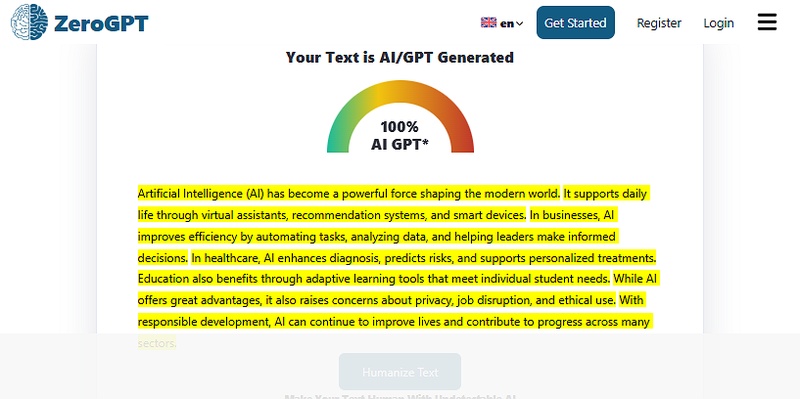
In the above image, you can see that the content generated by ChatGPT is flagged as AI by ZeroGPT.
After Humanizing with Tenorshare AI Bypass:

After humanizing with Tenorshare AI Bypass, you can see that ZeroGPT did not flag any content as AI.
Final Verdict
Writeless AI is a promising idea but the execution is not strong enough yet. It offers helpful features but does not let users see the actual writing before paying. The claims about being detection free also do not hold up without proper evidence. If you want to experiment with AI writing, Writeless AI can be a tool to try.
For students who want their AI assisted writing to appear natural and human, pairing your generated essay with a tool like Tenorshare AI humanizer will give you much better results.

Tenorshare AI Bypass
- Create 100% undetectable human-like content
- Bypass all AI detector tools like GPTZero, ZeroGPT, Copyleaks, etc.
- Original content, free of plagiarism and grammatical errors
- One-click AI bypass with a clean and easy-to-use interface

You Might Also Like
- 10 Best Grubby AI Alternatives in 2026 for Humanizing AI Text
- Mask AI Review: Can This Humanizer Really Fool AI Detectors?
- DigitalMagicWand AI Humanizer Review: Can It Really Bypass AI Detectors?
- Top 10 Best AI Bypass Tool for Writers and Students
- Uncheck AI Review 2026: Features, Detection Accuracy, Pricing & Best Alternative
- Top TwainGPT Alternatives in 2026: Best Tools to Rewrite AI Text Naturally

Tenorshare AI Bypass: 100% Bypass AI Detection
Turn AI text into undetectable, human-like content.AI Humanizer, 100% Undetectable
Humanize AI text instantly.
Tenorshare AI Bypass: 100% Bypass AI Detection