
ChatGPT Authentication Error: Causes, Fixes, and Proven Solutions
A ChatGPT authentication error can stop you from using the tool when you need it most. Many users see this issue while logging in on a browser, iPhone, or iOS devices. The problem has become more common after recent updates, including iOS 18.2. Users often see messages like login failed, unknown country, resource exhausted, or session error.
This issue affects students, writers, professionals, and businesses that rely on ChatGPT daily. The good news is that most causes are simple and easy to fix. This guide explains what the error means, why it happens, and how to fix ChatGPT authentication error step by step. Later, we also share a helpful AI solution for users who need content access even when ChatGPT fails.
Catalogs:
What Is ChatGPT Authentication Error?
A ChatGPT authentication error happens when the system fails to verify your login session. ChatGPT checks your account, device, and region before allowing access. If something breaks in this process, the error appears. Authentication error ChatGPT issues are different from normal login problems. Login errors stop you before signing in. Session errors happen after login when ChatGPT cannot confirm your active session.
This issue appears due to expired tokens, server limits, or region problems. Users see it on browsers, iPhones, iOS apps, and even Siri integration. The ChatGPT authentication error iOS problem often appears after app or system updates.
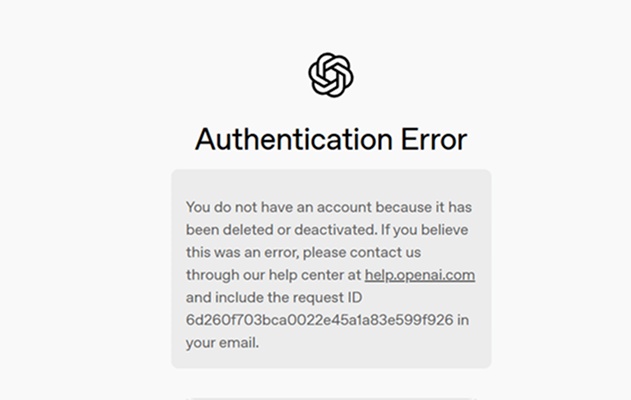
Common Types of ChatGPT Authentication Errors
Sometimes ChatGPT users face different authentication errors that prevent access. These errors vary depending on login method, device, or server issues. Understanding each type helps you fix the problem quickly.
-
1. Authentication error ChatGPT when logging in
This error occurs when you try to sign in. ChatGPT cannot verify your account or session request, often due to expired login tokens or browser issues. Clearing cookies or logging out from all devices usually resolves this problem.
-
2. ChatGPT authentication error resource_exhausted
This error happens when ChatGPT servers receive too many requests at once. The system temporarily blocks new sessions to reduce load. Waiting a few minutes or trying during off-peak hours often fixes this resource_exhausted issue.
-
3. ChatGPT authentication error client_id_not_found_in_session
This error appears when ChatGPT cannot locate your session ID. It commonly occurs after long inactivity, browser crashes, or switching devices. Logging out from all sessions and logging in again usually restores normal access.
-
4. ChatGPT authentication error unknown country
This error occurs when ChatGPT cannot detect or approve your location. Using VPNs or proxy servers often triggers this issue. Disabling VPNs and ensuring your IP matches a supported region usually resolves this error.
-
5. ChatGPT authentication error (primaryapi_server_error)
This error happens when ChatGPT's main API server fails to respond. It can result from server downtime or maintenance. Waiting for a while or checking ChatGPT server status usually fixes the primaryapi_server_error problem.
- 6. Siri ChatGPT authentication error
This error affects users connecting ChatGPT with Siri. It happens when token permissions fail or integration issues arise. Updating the ChatGPT app, restarting your device, or reconfiguring Siri integration usually resolves this problem.
Why ChatGPT Authentication Error Happens
Several reasons can cause a ChatGPT authentication error. Below are the most common ones.
-
Server overload and API limits: High traffic can trigger ChatGPT authentication error resource_exhausted. The server blocks requests until traffic reduces.
-
Corrupted browser cache or cookies: Old cookies can break session checks. This cause often leads to authentication error ChatGPT when logging in.
-
VPN, proxy, or region limits: VPNs can change your IP location. This change often causes ChatGPT authentication error unknown country.
-
iOS-specific issues: The ChatGPT authentication error iOS problem often appears after system updates. Many users report iOS 18.2 ChatGPT authentication error after updating.
-
Session mismatch or expired login tokens: If you log in from multiple devices, ChatGPT may fail to sync sessions. This issue leads to ChatGPT authentication error client_id_not_found_in_session.
How to Fix ChatGPT Authentication Error
Most users can fix this issue by following simple steps. Try each method carefully.
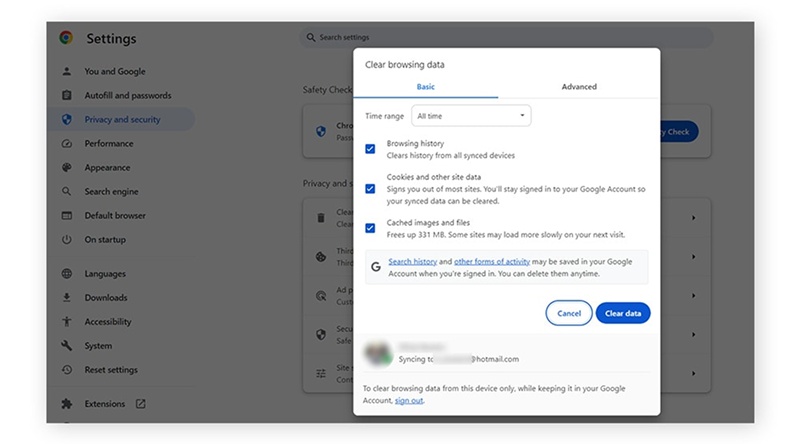
Clear browser cache and cookies
Old cache files often cause session issues. Clearing cookies refreshes your login data and removes broken tokens. Open your browser settings, clear cache and cookies, then restart the browser. This method fixes authentication error ChatGPT for many users, especially those facing chatgpt authentication error when logging in.
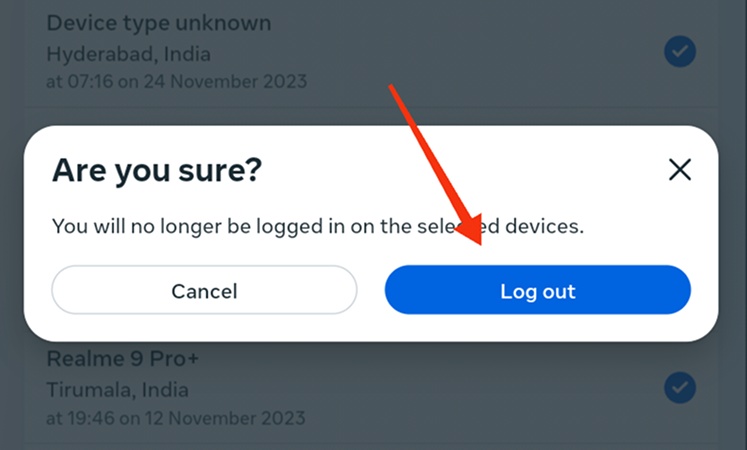
Log out from all devices and log in again
Active sessions on multiple devices can confuse ChatGPT. Log out from all browsers and apps. Wait a few minutes, then log in again from one device. This step often fixes ChatGPT authentication error client_id_not_found_in_session and chatgpt authentication error iOS issues.
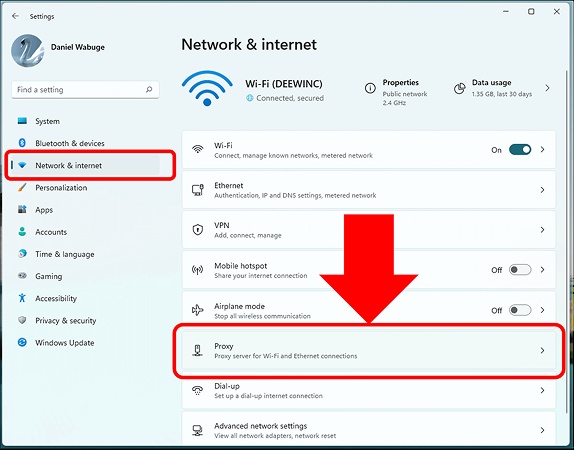
Disable VPN or proxy services
VPNs can change your region. ChatGPT may block access if your location looks unclear. Turn off VPNs and proxies, then refresh the page. This step helps fix ChatGPT authentication error unknown country and Siri ChatGPT authentication error problems.
Check region and country availability
ChatGPT works only in supported countries. Check whether your region allows access. If your IP location changes often, ChatGPT may block sessions. Fixing your region settings helps solve authentication error ChatGPT issues.

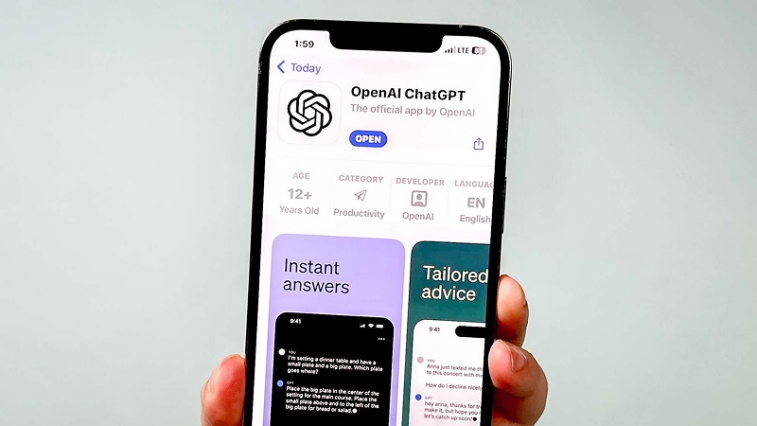
Update ChatGPT app on iPhone
An outdated app can cause ChatGPT authentication error iPhone problems. Open the App Store and install the latest version. Updates fix bugs that affect session checks and login tokens.
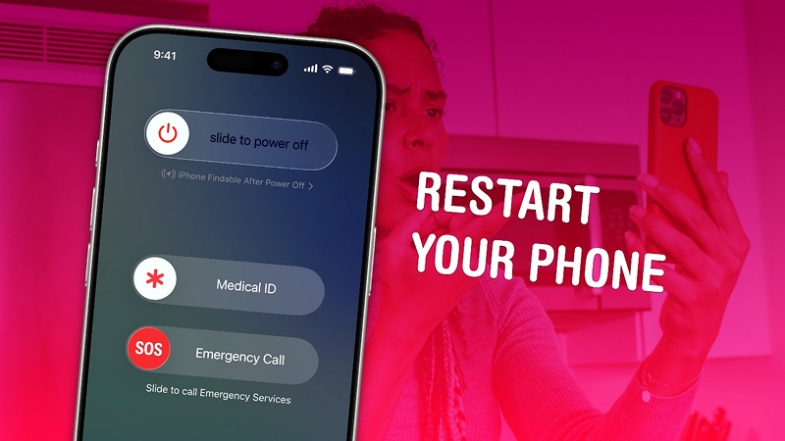
Restart device (important for iOS users)
Restarting clears background processes and refreshes system memory. This simple step fixes many ChatGPT authentication error iOS and iOS 18.2 ChatGPT authentication error issues.
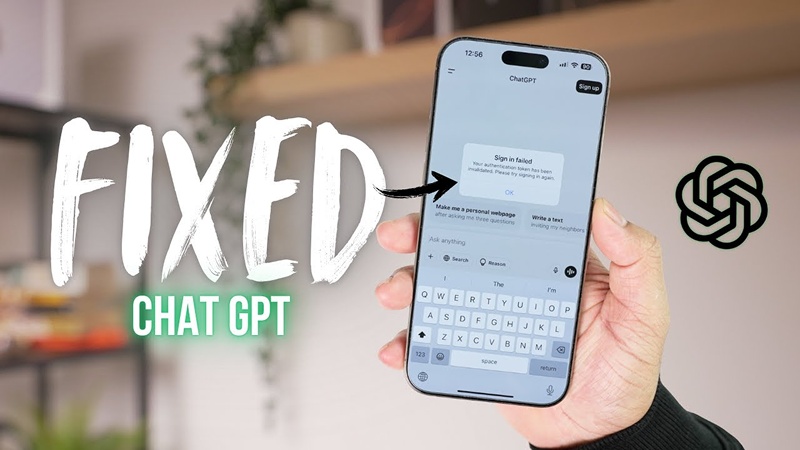
Fixes for ChatGPT authentication error iPhone / iOS
iOS users should check app permissions, background refresh, and network settings. Enable mobile data and Wi-Fi access for ChatGPT. Reinstall the app if errors continue. These steps reduce ChatGPT authentication error iPhone and siri ChatGPT authentication error problems.
Humanize Your AI Text Instantly with Tenorshare AI Bypass
Tenorshare AI Bypass is a smart tool built to turn AI-written text into natural, human-style content. It helps users who want their AI-assisted writing to look and read like it was written by a real person. The tool works well when ChatGPT access fails or when users face a ChatGPT authentication error.
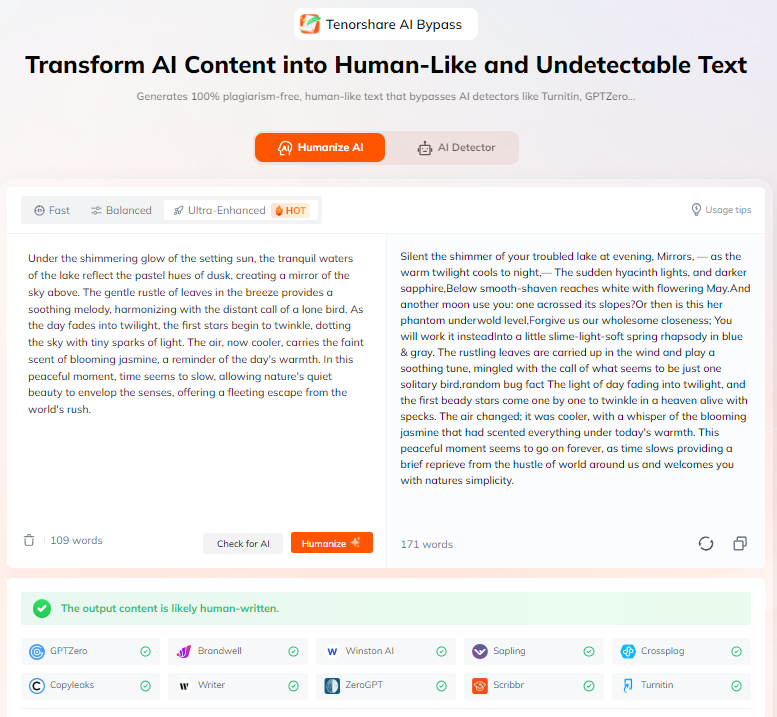
Writers, students, teachers, SEO experts, and professionals use it to improve content quality without extra effort. Tenorshare AI Bypass keeps the meaning clear, improves flow, and reduces AI patterns. It also helps users pass common AI detection tools while saving time and effort in daily writing tasks.
Conclusion
ChatGPT authentication errors can hinder workflows, such as login issues, session mismatch, server overload, etc. Most issues, such as ChatGPT authentication errors at login, resource depletion errors, ChatGPT authentication errors in iOS 18.2, can be resolved by simple steps such as clearing cache, updating apps, restarting devices, and checking regional settings.
Tenorshare AI Bypass is a great solution for users who need uninterrupted AI content creation. Convert AI generated text into natural, human-like text to avoid AI detection. Supports multiple languages. Try now to continue producing high quality content even if ChatGPT access fails.
FAQs
What does ChatGPT authentication error mean?
It means ChatGPT cannot verify your login session. This issue happens due to server load, session mismatch, or region problems.
How to fix ChatGPT authentication error on iPhone?
Update the app, restart your device, disable VPNs, and log out from all sessions. These steps fix most ChatGPT authentication error iPhone issues.
Why does ChatGPT show resource_exhausted error?
The error appears when too many users access ChatGPT at once. The system blocks new requests temporarily.
Does iOS 18.2 cause ChatGPT authentication issues?
Yes, many users report iOS 18.2 ChatGPT authentication error after updating. App updates usually fix this issue.
Can VPN cause ChatGPT authentication error?
Yes, VPNs often cause ChatGPT authentication error unknown country and authentication error ChatGPT problems.

Tenorshare AI Bypass
- Create 100% undetectable human-like content
- Bypass all AI detector tools like GPTZero, ZeroGPT, Copyleaks, etc.
- Original content, free of plagiarism and grammatical errors
- One-click AI bypass with a clean and easy-to-use interface

You Might Also Like
- 18+ ChatGPT Free Fire Photo Editing Prompts: Create Epic Game-Inspired Images in Minutes
- List of Words Overused by AI: 140+ Common ChatGPT Phrases to Avoid
- 10+ ChatGPT Bikers AI Photo Editing Prompts: Create Epic Rider Shots
- 18+ Best Prompts for ChatGPT Halloween to Create Spooky & Fun Photos
- 7 Hot ChatGPT Image Enhancer Prompts for Free Photo Quality Boosts
- ChatGPT Photo Style Disney: Best Disney Character Prompts to Try

Tenorshare AI Bypass: 100% Bypass AI Detection
Turn AI text into undetectable, human-like content.AI Humanizer, 100% Undetectable
Humanize AI text instantly.
Tenorshare AI Bypass: 100% Bypass AI Detection