
ChatGPT Read Aloud Not Working? Causes and Fixes Explained
ChatGPT Read Aloud is a helpful feature that reads text responses aloud, making it easier for users to follow conversations. Many people rely on it for accessibility, learning, or multitasking while working. However, sometimes users face the issue where ChatGPT read aloud not working , causing frustration. This problem can happen on iPhone, Android, Chrome, or the ChatGPT app itself. In this guide, we will explain why read aloud not working ChatGPT, explore common causes, and provide simple fixes.
Catalogs:
What Is ChatGPT Read Aloud Feature?
The ChatGPT read aloud feature not working is frustrating, but first, let's understand how it works. The Read Aloud feature lets ChatGPT speak out text responses instead of just showing them on the screen. Users can listen to messages, which is useful for multitasking or for people who find reading long texts tiring.
This feature works on multiple devices:
-
ChatGPT app for iOS and Android
-
Web browsers like Chrome, Firefox, and Edge
-
iPhone and iPad devices
-
Android smartphones and tablets
Benefits include:
-
Helps students understand content without reading
-
Assists professionals in reviewing AI responses while doing other tasks
-
Supports accessibility for visually impaired users
Despite these advantages, many users report that ChatGPT read aloud not working on iPhone, Android, or Chrome.
Common Reasons ChatGPT Read Aloud Is Not Working
Several issues can cause ChatGPT read aloud failed to play message or the feature to stop functioning. Here are the main reasons:
Audio permission issues
If ChatGPT does not have permission to access your device's microphone or speaker, the read aloud feature may fail.
App or browser glitches
Sometimes, minor bugs or temporary glitches in the app or browser stop ChatGPT read aloud not working iOS or Android.
Unsupported language or voice model
ChatGPT may not support the selected language or voice, which can cause ChatGPT read aloud not working chrome or app failures.
Server-side feature instability
Occasionally, OpenAI's servers may face temporary issues, making the ChatGPT app read aloud not working for all users.
ChatGPT Read Aloud Not Working on Different Devices
Different devices can cause ChatGPT read aloud not working for various reasons. Whether you use an iPhone, Android, or Chrome, device settings, app permissions, or browser issues can block audio. Here's how to identify and fix the problem on each platform.
ChatGPT Read Aloud Not Working on iPhone / iOS
Many iPhone users report that ChatGPT read aloud not working on iPhone or ChatGPT read aloud not working iOS. Common reasons include:
-
iOS sound settings : Check if the volume is low or muted.
-
Silent mode & background audio issues : If the phone is on silent or another app controls background audio, ChatGPT may fail to read aloud.
Fix: Turn up the volume, disable silent mode, and ensure background audio is allowed.
ChatGPT Read Aloud Not Working on Android
Android users often see ChatGPT read aloud not working on android due to:
-
App permissions : The app needs permission to play audio.
-
Battery optimization restrictions : Some phones block background audio to save battery.
Fix: Go to app settings, grant audio permissions, and disable battery optimization for ChatGPT.
ChatGPT Read Aloud Not Working on Chrome
If you face ChatGPT read aloud not working chrome , the issue could be:
-
Browser audio settings : The browser may block sound or mute the tab.
-
Extensions conflicts : Some extensions may interfere with ChatGPT audio playback.
Fix: Check browser volume, disable conflicting extensions, or try a different browser.
How to Fix ChatGPT Read Aloud Not Working
In case you realize that ChatGPT read aloud was not playing any message or that the read aloud button is not working in ChatGPT, then use the following steps to resolve the issue on iPhone, Android, or Chrome.
Restart the App or Browser
The ChatGPT read aloud is not working iOS or Android is usually fixed by closing and reopening the ChatGPT app or browser which then clears relatively minor glitches. Rebooting will restart the memory of the app and will be able to fix the sound playback problem instantly. In case of ChatGPT read aloud not working chrome, it is also possible to restart the browser tab or even the whole browser.
Check Volume & Media Permissions
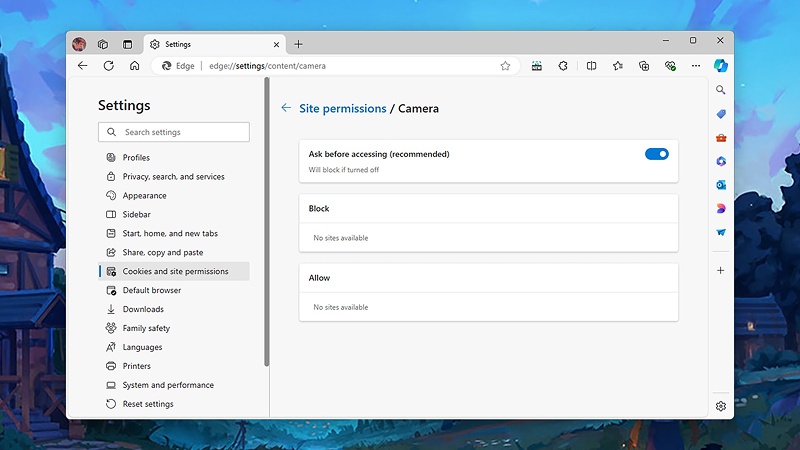
Make sure that your device is turned on and that the volume is not switched off. Besides, make sure that ChatGPT is allowed to use audio on your phone or your browser. Most frequently, the ChatGPT read out is not working on iPhone or Android due to the sound access blockage. The settings can be easily adjusted to get the read aloud function back.
Update ChatGPT App
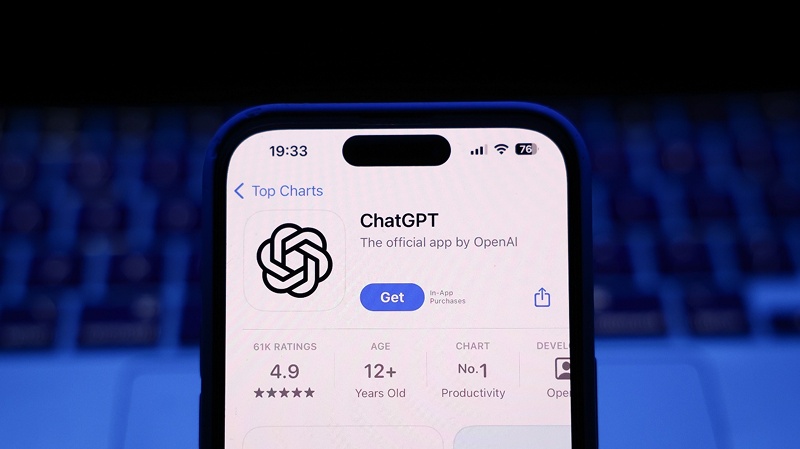
ChatGPT app read aloud not working may be as a result of running an outdated version of an app. The ChatGPT app is regularly updated with new bug fixes and features, so that you can have the newest version. iPhone and Android users are also advised to update on a regular basis to ensure that there is no compatibility issue with the ChatGPT read aloud feature not functioning.
Clear Cache and Data
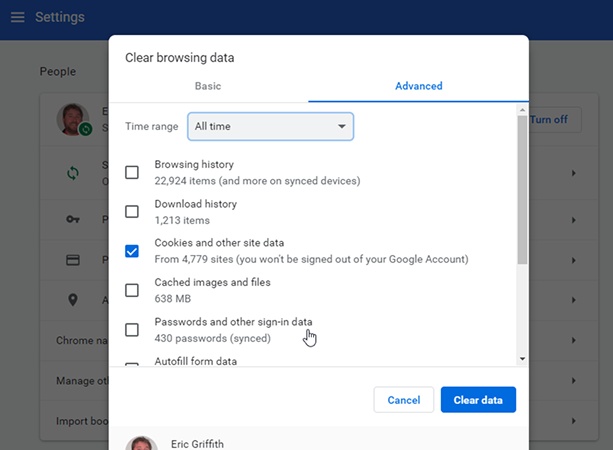
Audio playback by ChatGPT may not occur as a result of corrupted data stored or in the cache. ChatGPT read aloud not working chrome can be resolved by clearing the app cache on iPhone or Android or clearing the browser cache. This reinvigorates the stored data and deletes temporary files which impede audio playback.
Try Switching Voices or Regenerating the Response
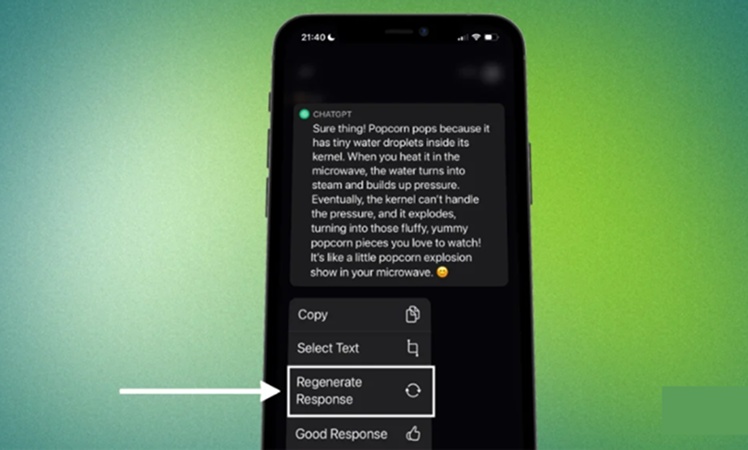
Read aloud not working ChatGPT can be caused by the choice of the voice or an AI-generated reply, sometimes. The problem is usually solved by simply changing the voice or by re-generating the message. This is a solution that will be effective in case ChatGPT read aloud did not play message on any device.
Log Out and Log Back In
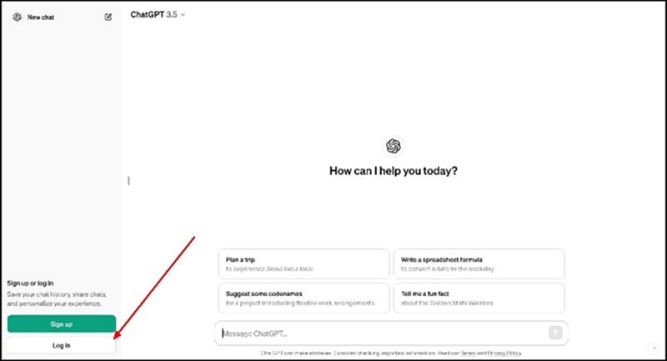
The read aloud function can be corrected by logging out of ChatGPT and returning to sign in to get a fresh set of account settings. This action will solve a lot of usual issues that result in ChatGPT read aloud not working iPhone, Android or browser. It makes sure that all applications are re-loaded and enabled.
Improve Your AI Content Experience with Tenorshare AI Bypass
Tenorshare AI Bypass is a potent utility that is aimed at turning text generated by AI into natural and human-like content that may evade AI-detection systems. It works best with writers, learners, teachers, and those professionals whose AI-aided writing should sound like it is written by humans.
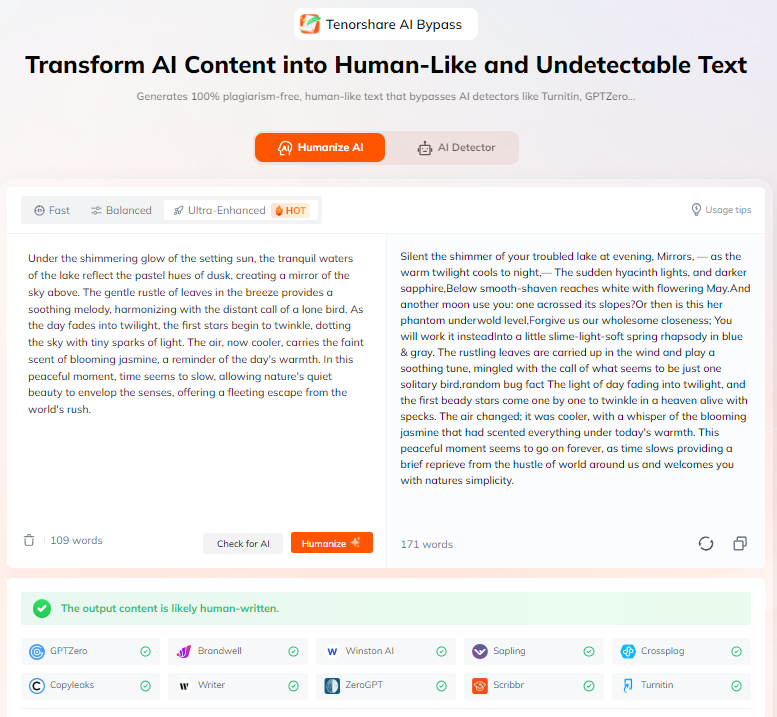
It is an all-in-one tool that enhances the fluency of content, eases your working process and makes sure that your text will not be noticed in different platforms. Multi-language and a developed AI detector, combined with complex AI training allow you to save time and create compelling, natural content that can be read without awkwardness. Tenorshare AI Bypass is an application that has to offer you.
Conclusion
ChatGPT read aloud is not functioning with many users, and the majority of them are easy to resolve. Some of the usual causes are audio permission errors, buggy applications, non-native languages, network errors and server instability. With the fixes listed above, users can use ChatGPT as a read aloud on the iPhone, Android and Chrome.
In order to have more natural and readable AI content, you can turn to the use of Tenorshare AI Bypass . This is the tool to transform the text created by AI into something generated by a human so that your experience in reading, editing, and presentation becomes easier. Use Tenorshare AI Bypass and have a better ChatGPT content experience.
FAQs
Why is my ChatGPT read aloud not working?
The most common causes are audio permission, app bug, unsupported languages, network, or server-side causes.
The read aloud button in ChatGPT is not working. What should I do?
Reload the application, adjust volume and permission, clear out the cache or refresh the ChatGPT application.
ChatGPT read aloud failed to play message. Why does this happen?
This normally happens as a result of network failures, audio limitations of the devices or temporary server failure.
Does ChatGPT read aloud work on iOS and Android?
Yes, the feature is available on both iOS and Android provided that you grant the app audio permissions and update it.
ChatGPT app read aloud not working browser vs app difference?
The app can experience device specific problems such as battery optimization or permissions whereas the browser can experience problems with extensions or audio settings.
Tenorshare AI Bypass
- Create 100% undetectable human-like content
- Bypass all AI detector tools like GPTZero, ZeroGPT, Copyleaks, etc.
- Original content, free of plagiarism and grammatical errors
- One-click AI bypass with a clean and easy-to-use interface

You Might Also Like
- 18+ ChatGPT Free Fire Photo Editing Prompts: Create Epic Game-Inspired Images in Minutes
- List of Words Overused by AI: 140+ Common ChatGPT Phrases to Avoid
- 10+ ChatGPT Bikers AI Photo Editing Prompts: Create Epic Rider Shots
- 18+ Best Prompts for ChatGPT Halloween to Create Spooky & Fun Photos
- 7 Hot ChatGPT Image Enhancer Prompts for Free Photo Quality Boosts
- ChatGPT Photo Style Disney: Best Disney Character Prompts to Try

Tenorshare AI Bypass: 100% Bypass AI Detection
Turn AI text into undetectable, human-like content.AI Humanizer, 100% Undetectable
Humanize AI text instantly.
Tenorshare AI Bypass: 100% Bypass AI Detection