
Best App for Math Problem Solving: 5 AI Math Solver Apps Tested and Compared
Finding the best app for math problem solving can be challenging because different apps focus on different needs. Some are designed for quick photo-based answers, while others provide detailed step-by-step explanations for algebra, calculus, and advanced mathematics.
Today's AI math solver apps can help users solve equations, understand solution steps, and check homework more efficiently. However, the right choice depends on factors such as supported math topics, explanation quality, input methods, and pricing.
In this guide, we compare five popular math solver apps --- Photomath, Symbolab, Mathway, Gauth, and Wolfram Alpha --- based on their core features, supported math areas, solution explanations, and pricing options. Whether you need help with homework, word problems, algebra, or college-level math, this comparison can help you find an app that matches your needs.
Catalogs:
Best Math Solver Apps at a Glance
To compare these math solver apps, we looked at their product positioning, core features, supported math topics, solution explanations, and pricing. Since each app focuses on different use cases, the best option depends on whether you need quick answers, step-by-step explanations, advanced calculations, or AI-powered learning support.
| App | Product Positioning | Core Features |
|---|---|---|
| Photomath | Camera-based math solver for students | Scan handwritten or printed math problems, step-by-step solutions, visual explanations, support for algebra, geometry, and calculus |
| Symbolab | Advanced math problem solver for algebra and higher-level math | Step-by-step calculations, algebra solver, calculus tools, graphing, derivatives, integrals, and mathematical calculators |
| Mathway | All-in-one math solver covering multiple subjects | Photo input, equation solving, algebra, calculus, statistics, trigonometry, and other math categories |
| Gauth | AI homework assistant for students | AI-powered problem solving, photo-based questions, explanations for math and other school subjects |
| Wolfram Alpha | Computational knowledge engine for complex math problems | Advanced calculations, formulas, data analysis, graphs, step-by-step solutions, and professional-level math tools |
5 Best Apps for Solving Math Problems
Photomath
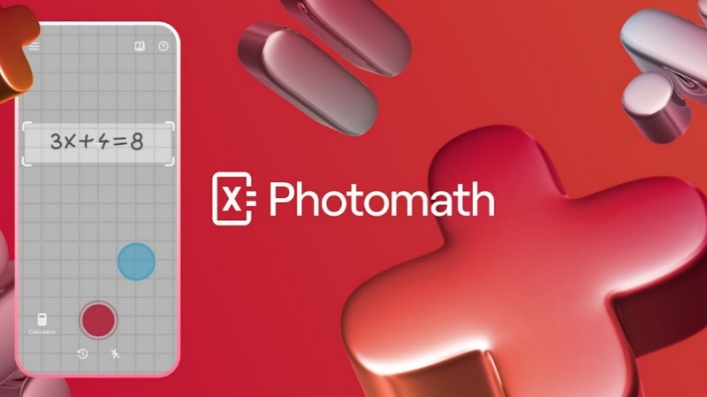
Photomath is one of the most recognized math solver apps, mainly known for its camera-based problem recognition. Users can take a picture of a handwritten or printed math problem, and the app analyzes the equation and provides solution steps.
The app is commonly used by students who need help understanding homework problems rather than only checking final answers. Its step-by-step explanations make it suitable for learning how a solution is reached.
Key Features
-
Scan math problems using a smartphone camera
-
Recognize printed and handwritten equations
-
Provide step-by-step solution explanations
-
Support common math topics such as arithmetic, algebra, geometry, and calculus
-
Offer explanations designed for student learning
- Middle school and high school students
- Users who prefer solving problems by taking a photo
- Students who want to understand solution steps
- Some advanced mathematical topics may require a more specialized tool
- Certain premium explanations and learning features require a subscription
Pricing
Photomath follows a freemium pricing model. The free version provides core math-solving features, including problem scanning and basic step-by-step explanations. Photomath Plus adds additional learning features, such as enhanced explanations and visual learning tools.
| Plan | Price | Main Features |
|---|---|---|
| Free Version | $0 | Scan math problems, view answers, and access basic step-by-step solutions |
| Photomath Plus Monthly | $9.99/month | Additional learning tools, visual aids, and enhanced explanations |
| Photomath Plus Annual | $69.99/year | Includes Plus features with annual billing savings |
For users who mainly need quick math problem recognition and solution guidance, the free version may cover basic needs. Users who want additional learning resources can consider the Plus subscription.
Symbolab
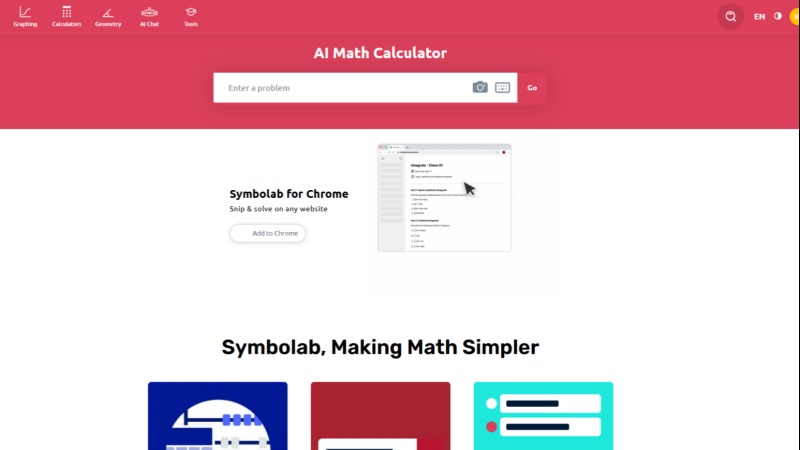
Symbolab focuses more on symbolic mathematics and advanced problem solving. It provides step-by-step solutions for areas such as algebra, calculus, trigonometry, and other higher-level math topics.
Compared with apps that mainly focus on camera scanning, Symbolab is designed for users who need detailed mathematical calculations and formula explanations.
Key Features
-
Step-by-step equation solving
-
Algebra and calculus calculators
-
Support for derivatives, integrals, matrices, and other advanced topics
-
Graphing and mathematical analysis tools
-
Multiple input methods for entering problems
- High school students studying advanced math
- College students
- Users working on calculus, equations, and mathematical formulas
- Beginners may find some advanced features more complicated
- Some detailed explanations require a premium subscription
For users who need more than basic equation solving, Symbolab provides a broader set of mathematical tools for advanced topics.
Pricing
Symbolab provides a free version with access to basic solving features. Symbolab Pro unlocks additional features, including full step-by-step solutions, practice tools, and an ad-free experience.
| Plan | Price | Main Features |
|---|---|---|
| Free Version | $0 | Basic calculators and limited solution features |
| Symbolab Pro Monthly | $6.99/month | Full access to step-by-step solutions and additional learning features |
| Symbolab Pro Semi-Annual | $24.90/6 months ($4.15/month) | Pro features with semi-annual billing |
| Symbolab Pro Annual | $29.99/year ($2.49/month) | Pro features with annual billing savings |
For users working with algebra, calculus, and other advanced mathematics, Symbolab provides more specialized solving tools compared with general-purpose math apps.
Mathway
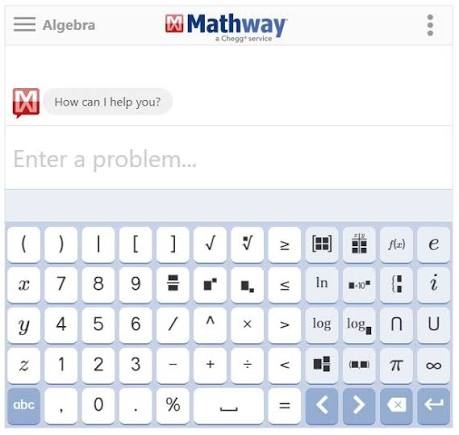
Mathway is a widely used math solver app that supports a broad range of subjects, including basic mathematics, algebra, trigonometry, calculus, and statistics. It allows users to enter problems manually or use a camera to capture equations and receive solutions.
Unlike some apps that focus mainly on specific learning levels, Mathway covers multiple categories, making it suitable for users who need help across different types of math problems.
Key Features
-
Solve math problems by typing or taking a photo
-
Support multiple math categories, including: Basic math, Pre-algebra, Algebra and so on
-
Provide answers for equations and mathematical expressions
-
Offer step-by-step explanations through premium features
- Students studying different levels of mathematics
- Users who need one app for multiple math subjects
- People who frequently switch between different types of math problems
- Detailed solution steps require a paid subscription
- Users looking for more learning-focused explanations may prefer apps with stronger educational features
Pricing
Mathway uses a freemium model. Users can access basic solving features for free, while Mathway Premium unlocks additional step-by-step explanations and removes some limitations.
Current pricing options include:
| Plan | Price | Main Features |
|---|---|---|
| Free Version | $0 | Basic answers, limited features, ads included |
| Monthly Subscription | $9.99/month | Full step-by-step solutions, fewer ads |
| Annual Subscription | $39.99/year | Premium features with annual billing |
For users who need a general-purpose math solver covering different subjects, Mathway provides a flexible option with both free and paid features.
Gauth

Gauth is an AI-powered homework assistant designed to help students solve questions across multiple subjects, including mathematics. It combines image recognition and AI explanations, allowing users to upload a photo of a problem and receive solution guidance.
Compared with traditional calculator-style apps, Gauth focuses more on conversational explanations and homework assistance. It can be useful for students who want additional context about how a problem is solved.
Key Features
-
Upload photos of math problems
-
AI-powered solution explanations
-
Support for math homework questions
-
Provide explanations for different school subjects
-
Offer AI assistance beyond only numerical calculations
- Students who need homework support
- Users who prefer AI-style explanations
- Learners who want help with both math and other academic subjects
- Some advanced features require a paid membership
- Pricing and available plans may vary depending on platform and region
Pricing
Gauth follows a freemium model. The free plan provides limited access to AI solutions and study features, while Gauth PLUS unlocks expanded access, including more AI solving capabilities and additional learning tools. Pricing may vary depending on region and platform.
| Plan | Price | Main Features |
|---|---|---|
| Free Plan | $0 | Limited access to answers, AI queries, and study features |
| Gauth PLUS Monthly | $11.99/month | Access to premium AI solving features and additional study tools |
| Gauth PLUS 3 Months | $31.99/3 months | Includes Gauth PLUS features with quarterly billing |
| Gauth PLUS 12 Months | $99.99/year | Includes Gauth PLUS features with annual billing |
For students who only need occasional homework assistance, the free plan may be enough to explore Gauth's basic features. Users who regularly rely on AI study support may consider Gauth PLUS for broader access to solving and learning tools.
Wolfram Alpha
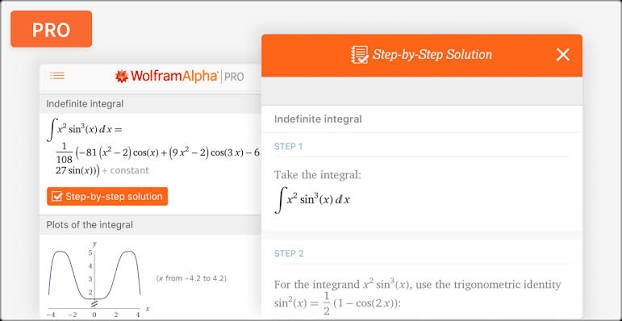
Wolfram Alpha is a computational knowledge engine designed for advanced calculations, mathematical analysis, and data-driven answers. It is often used for higher-level math problems involving formulas, graphs, equations, and scientific calculations.
Compared with mobile-focused solver apps, Wolfram Alpha is more oriented toward computational analysis and professional-level mathematical tasks.
Key Features
-
Solve advanced mathematical equations
-
Perform symbolic calculations
-
Generate graphs and visualizations
-
Support calculus, algebra, statistics, and other advanced topics
-
Provide computational results based on a large knowledge database
- College students
- Researchers and professionals
- Users working with advanced mathematical calculations
- People who need computational analysis beyond basic homework solving
- The interface may feel less beginner-friendly compared with student-focused apps
- Some step-by-step learning features require a paid plan
Pricing
Wolfram Alpha offers free access for basic computational queries, while Pro plans provide additional learning and calculation features.
| Plan | Price | Main Features |
|---|---|---|
| Basic | Free | Basic computational answers and access to the knowledge engine |
| Pro | $60/year ($5/month) | Step-by-step solutions, practice problems, extended computation time, additional tools |
| Pro Premium | $99/year ($8.25/month) | Includes Pro features with additional advanced access |
For users dealing with complex equations, scientific calculations, or advanced mathematics, Wolfram Alpha provides a more specialized solving environment.
How to Choose the Best Math Solver App?
The best math solver app depends on the type of problems you need to solve and how you want to learn from the answers. Before choosing an app, consider the following factors.
Consider Accuracy and Solution Quality
A good math solver should provide reliable answers and explain the solving process clearly. Apps differ in how they handle simple equations, multi-step problems, and advanced mathematics.
For example:
-
Photomath focuses on recognizing problems through camera input and explaining solutions step by step.
-
Symbolab provides detailed mathematical steps for topics such as algebra and calculus.
-
Wolfram Alpha focuses more on advanced computational analysis.
Check Supported Math Topics
Different apps support different levels of mathematics.
| Math Need | Suitable Apps |
|---|---|
| Basic arithmetic and algebra | Photomath, Mathway |
| Geometry and trigonometry | Photomath, Symbolab, Mathway |
| Calculus and advanced equations | Symbolab, Wolfram Alpha |
| Homework-style questions | Photomath, Gauth |
| Complex calculations | Wolfram Alpha |
Choosing an app that matches your learning level can improve the quality of explanations and results.
Look for Step-by-Step Explanations
If your goal is learning rather than only getting answers, step-by-step explanations are important.
A final answer alone may help check a result, but detailed steps can show:
-
Which formulas were used
-
Why each calculation was performed
-
How to solve similar problems independently
Apps such as Photomath and Symbolab emphasize solution breakdowns, while some free versions may limit access to full explanations.
Compare Free and Premium Features
Many math solver apps follow a freemium model:
-
Free versions usually provide basic solving functions
-
Premium plans often unlock detailed explanations, additional tools, or fewer restrictions
When comparing apps, consider whether you need occasional homework help or regular learning support.
Also Worth Trying: Tenorshare AI Math as a Web-Based AI Math Solver
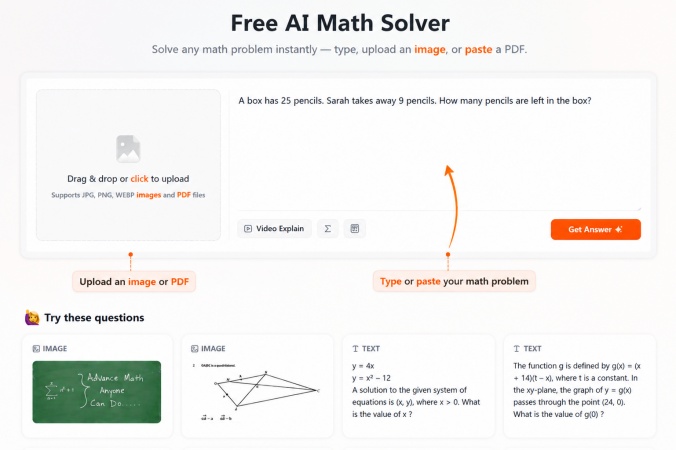
Most math solver apps in this comparison are designed primarily for mobile users. Apps like Photomath, Symbolab, and Mathway are convenient when you need to quickly scan or solve a problem on your phone.
However, some students prefer doing homework, reviewing lessons, or preparing for exams on a computer. For these users, a web-based AI math solver can provide a more comfortable experience with a larger workspace and easier access while studying.
Tenorshare AI Math is a web-based AI math solver designed for students who want a more complete math learning workflow. Instead of focusing only on solving individual problems, it combines AI-powered solutions, explanations, and learning features in one platform.
Key Features of Tenorshare AI Math
-
Multiple Input Methods: Supports text questions, image uploads, and PDF files, allowing users to solve problems from different homework formats.
-
Step-by-Step Solutions: Provides detailed solving processes instead of only showing final answers, helping students understand formulas, calculations, and problem-solving methods.
-
Video Explanations: Provides AI-generated video explanations to help users better understand difficult concepts through visual learning.
-
Practice Question Generation: Creates similar practice problems after solving questions, allowing students to review methods and strengthen their understanding.
-
Simple Learning Interface: Offers a structured and easy-to-use workspace designed specifically for math problem solving and study workflows.
Final Verdict: Which App Is Best for Solving Math Problems?
The best app for solving math problems depends on your learning needs. Photomath is a convenient choice for students who want to scan problems and view step-by-step explanations, while Symbolab is more suitable for advanced topics such as calculus and algebra. Mathway provides broad subject coverage, Gauth focuses on AI homework assistance, and Wolfram Alpha is better suited for complex mathematical calculations.
For students who prefer studying on a computer and want a combination of solving, explanations, and practice features, a web-based AI math solver like Tenorshare AI Math can also be considered. Ultimately, the right choice depends on whether you need quick answers, detailed explanations, or a more complete learning workflow.

Tenorshare AI Math
- Solve math from text, images & PDFs at 98% accuracy
- Deliver step-by-step answers with detailed logic breakdown
- Access video explanations for deeper math concept understanding
- Generate matching practice tests to solidify knowledge

FAQs
-
Which Is the Best App for Solving Math Word Problems?
For math word problems, AI-powered tools are usually more suitable because they can understand text descriptions and explain the solving process. Apps like Gauth and AI math solvers can help users convert word problems into mathematical steps.
-
Which Is the Best Android App for Solving Math Problems?
Most popular math solver apps, including Photomath, Symbolab, Mathway, Gauth, and Wolfram Alpha, are available on Android. The best choice depends on whether you need photo scanning, advanced calculations, or AI-based explanations.
-
What Is the Best Free App for Solving Math Problems?
Many math solver apps offer free versions, but features vary. Photomath provides free scanning and basic solutions, while some apps require payment for detailed step-by-step explanations. For regular learning support, premium features may provide more complete assistance.
-
Can AI Solve Math Problems Accurately?
AI can solve many common math problems and explain solution steps, but accuracy may vary depending on the problem complexity and input quality. Users should review results, especially for advanced mathematics or important assignments.
-
Are Math Solver Apps Better Than Traditional Calculators?
Math solver apps provide more learning support than traditional calculators by offering features such as problem recognition, solution explanations, and guided steps. Calculators are still useful for quick calculations, while solver apps are better for understanding how problems are solved.
-
Can Math Solver Apps Show Step-by-Step Solutions?
Many math solver apps provide step-by-step solutions. Photomath focuses on scanned problem explanations, while Symbolab provides detailed steps for areas such as algebra and calculus. The level of detail may depend on the app and subscription plan.
You Might Also Like
- Tenorshare AI Math Review 2026: Is It a Good AI Math Solver?
- Is Wolfram Alpha Math Solver Good for Math? A Complete Review
- Is Grok Good at Math? A Complete Review of Grok 4.5 Math Capabilities
- Is Gemini Good at Math? Gemini Math Solver Review 2026
- Is Claude Good for Math? A Student Guide to Claude's Math Ability
- Is ChatGPT a Good Math Solver? 2026 Complete Review and Comparison

Tenorshare AI Math: Solve any math problems with AI
Turn math questions into clear solutions, tutorial videos & targeted practice setsTenorshare AI Math: Instant Solutions
Steps, videos & practice for every problem
Tenorshare AI Math: Solve any math problems with AI