
What Happened to Microsoft Math Solver? Why It Was Discontinued and What to Use Instead
Microsoft Math Solver was once one of the most popular free online math-solving tools, helping students solve equations, scan handwritten problems, view step-by-step explanations, and visualize graphs.
However, many users have recently noticed that the Microsoft Math Solver app is no longer available as before. This has led to common questions such as "What happened to Microsoft Math Solver?", "Is Microsoft Math Solver still available?", and "What should I use instead?"
In this guide, we explain what happened to Microsoft Math Solver, whether you can still access its features, how it worked, and the best alternatives available in 2026.
What Is Microsoft Math Solver?
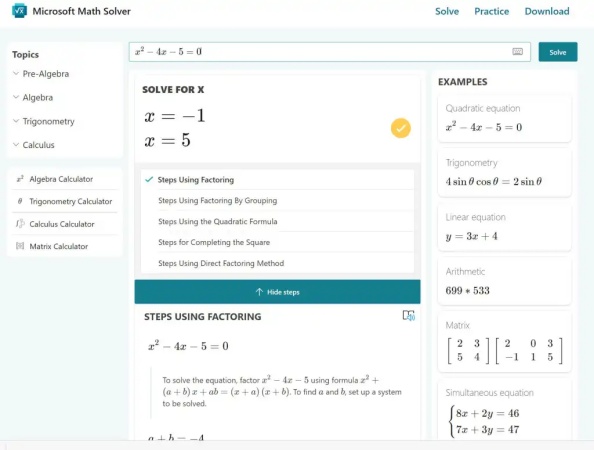
Microsoft Math Solver was a free online math problem solver developed by Microsoft to help students solve and understand mathematical problems. It supported different input methods, including typing equations, writing formulas manually, and scanning printed or handwritten math problems through images.
Compared with traditional calculators, Microsoft Math Solver focused more on learning assistance. Students could use it to check homework, review solution methods, explore graphs, and practice related math concepts.
Although the standalone app experience has changed, Microsoft's math-related features continue through products such as OneNote Math Assistant, which provides equation solving and graphing features for eligible users.
Microsoft Math Solver Features
-
Step-by-Step Solutions: Provides detailed solving steps instead of only showing the final answer, helping users understand the calculation process.
-
Photo Math Recognition: Allows users to scan printed or handwritten math problems and automatically identify equations for solving.
-
Equation Graphing: Generates interactive graphs for equations and functions to help users visualize mathematical relationships.
-
Practice Resources: Offers related learning materials, including worksheets and tutorial resources based on solved problems.
-
Multiple Input Methods: Supports typing equations, handwriting input, and image uploads for different problem-solving scenarios.
- Free Access: Available without subscription fees, making it accessible for students who need basic math assistance.
- Clear Explanations: Step-by-step solutions help users understand the solving process instead of only receiving answers.
- Easy to Use: Simple interface and multiple input methods make it convenient for quick homework checks.
- Limited AI Interaction: Lacks the conversational tutoring experience and personalized guidance available in newer AI-powered math tools.
- Reduced Availability: The original standalone app experience is no longer available, limiting access for previous users.
- Limited Advanced Learning Features: Does not provide features such as customized tutoring, extended discussions, or adaptive learning paths.
Is Microsoft Math Solver Still Available?
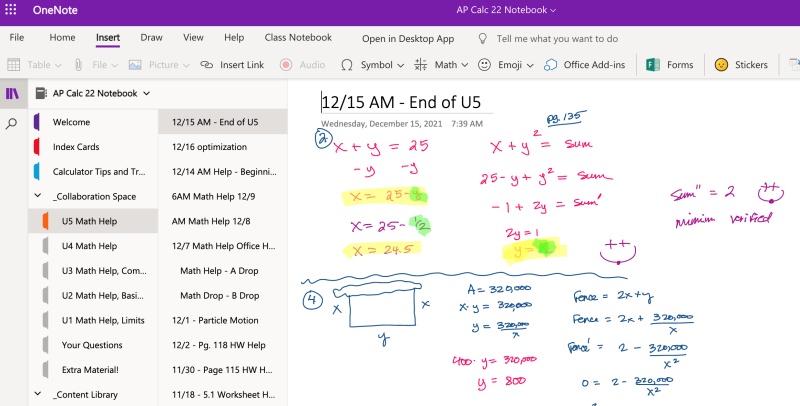
No. Microsoft Math Solver is no longer available as a standalone service in the same way it was before. Microsoft announced that the Math Solver website and related standalone experience would be retired, with users being directed toward math features integrated into OneNote .
The original Microsoft Math Solver app is no longer available for users who want to download and use it as an independent math-solving application. However, some similar capabilities, such as solving equations and showing step-by-step solutions, continue through Microsoft's education tools, including Math Assistant in OneNote.
Overall, Microsoft Math Solver has not simply disappeared because its technology became unavailable. Instead, Microsoft shifted its math-solving features into a broader learning ecosystem rather than maintaining a standalone solver.
How to Use Microsoft Math Solver Online?
Previously, users could access Microsoft Math Solver directly through its website or mobile app. The typical workflow was:
-
Enter a Math Problem: Type an equation or mathematical expression manually.
-
Upload an Image: Scan a printed or handwritten math problem for recognition.
-
View Step-by-Step Solutions: Review the solving process and related explanations.
-
Explore Graphs: Visualize equations through built-in graphing tools.
However, since the standalone Microsoft Math Solver service has been discontinued, users can no longer access the original online solver experience.
Users who want similar Microsoft features can explore Math Assistant in OneNote :
-
Open OneNote: Create or open a notebook with a supported Microsoft account.
-
Insert a Math Equation: Write or type a mathematical expression.
-
Use Math Assistant: Select the equation and request solutions or graphs.
OneNote Math Assistant provides some overlapping functions, but the experience is different from the original Microsoft Math Solver because it is integrated into a note-taking environment rather than designed as a standalone solver.
3 Best Microsoft Math Solver Alternatives
Since Microsoft Math Solver is no longer available as a standalone tool, users need to consider alternatives based on their specific learning needs. Some tools focus on quick problem solving, while others provide deeper explanations, AI conversations, or dedicated math-learning features.
Quick Comparison
| Product | Positioning | Main Features | Best For |
|---|---|---|---|
| Tenorshare AI Math | AI math solver | Step-by-step solutions, AI follow-up discussions, learning support features | Students who want both solutions and deeper math understanding |
| Photomath | Mobile-focused math solver | Camera scanning, step-by-step explanations, homework assistance | Students who mainly solve textbook or handwritten problems |
| ChatGPT | General AI assistant | Conversational explanations, problem analysis, concept explanations, follow-up questions | Users who need flexible explanations across different topics |
The best choice depends on what you need from a math assistant:
-
For dedicated math learning: AI Math Solver tools are designed specifically around mathematical problem solving. They combine specialized math capabilities with AI interaction,.
-
For specific use cases: Traditional math solvers are convenient for quick homework checks, while general AI tools provide broader conversations.
Tenorshare AI Math
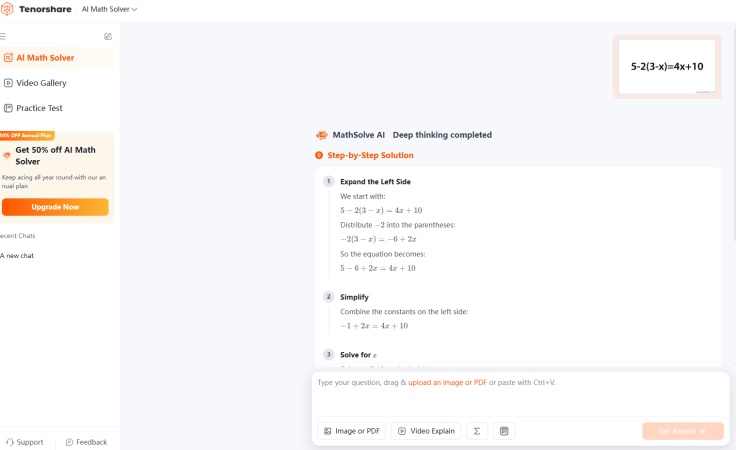
Tenorshare AI Math is an AI-powered math solver designed specifically for students who need help solving and understanding math problems. Unlike general AI models, it focuses on mathematical scenarios and provides features tailored for homework assistance, including step-by-step solutions and interactive learning support.
Compared with general-purpose AI assistants such as ChatGPT, Tenorshare AI Math has a more focused purpose. Instead of handling a wide range of tasks, it is built around math problem solving, making its workflow more direct for students who need help with equations, homework questions, and mathematical explanations.
Compared with traditional math solvers, Tenorshare AI Math adds AI-based interaction capabilities. Users can continue asking questions about a solution, request additional explanations, and use AI assistance as part of the learning process rather than only receiving a calculated answer.
Key features include:
-
Step-by-Step Explanations: Breaks down solutions into understandable steps to help students follow the solving process.
-
Multiple Input Methods: Supports different ways of entering math problems, making it easier to solve questions from various sources.
-
Learning Support Features: Provides additional learning features designed to help students review concepts and practice related problems.
-
AI Follow-Up Discussions: Allows users to ask additional questions and explore concepts after receiving a solution.
For users looking for a modern replacement for Microsoft Math Solver, Tenorshare AI Math provides a balance between traditional math-solving functions and newer AI-powered learning features.
Photomath
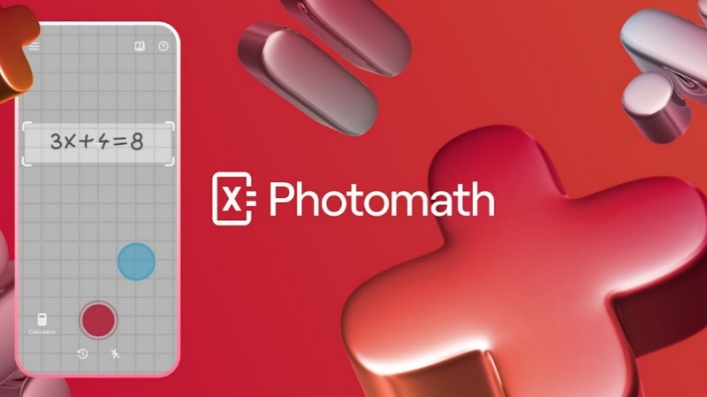
Photomath is a math-solving app primarily focused on helping students solve problems through camera-based recognition. Users can take pictures of handwritten or printed math problems and receive step-by-step solutions.
Key features include:
-
Camera-Based Scanning: Recognizes math problems directly from images, reducing manual input.
-
Step-by-Step Solutions: Shows the calculation process instead of only displaying final answers.
-
Mobile Learning Experience: Designed for students who need quick homework assistance on smartphones.
Photomath is a practical option for students who frequently work with textbook exercises or handwritten assignments. However, users looking for extended conversations, personalized explanations, or broader AI learning support may prefer AI-based math assistants.
ChatGPT

ChatGPT is a general AI assistant rather than a dedicated math solver, but it can help users solve mathematical problems through natural-language conversations.
Key features include:
-
Conversational Problem Solving: Users can ask questions, request explanations, and continue discussions about a solution.
-
Flexible Explanations: Can explain mathematical concepts, provide examples, and adjust explanations based on user needs.
-
Support for Word Problems: Handles many real-world math questions that require understanding context rather than only calculating formulas.
Compared with Microsoft Math Solver, ChatGPT provides a more interactive learning experience. However, because it is a general AI model, users should still verify answers, especially for complex calculations or advanced mathematics.
Conclusion
Microsoft Math Solver was once a popular free math-solving tool. However, Microsoft has discontinued the standalone Math Solver experience and shifted related capabilities into integrated tools such as OneNote Math Assistant.
For users looking for a replacement, the best choice depends on their learning needs. Photomath is suitable for students who mainly need quick homework assistance through camera scanning, while ChatGPT provides flexible explanations across different subjects. However, users who want a dedicated math-learning experience may prefer an AI math solver .

Tenorshare AI Math
- Solve math from text, images & PDFs at 98% accuracy
- Deliver step-by-step answers with detailed logic breakdown
- Access video explanations for deeper math concept understanding
- Generate matching practice tests to solidify knowledge

FAQs
-
Is There a Microsoft Math Solver App?
No. The original Microsoft Math Solver app is no longer available as a standalone application. Microsoft has moved similar math features into other products, including OneNote Math Assistant.
-
Why Was Microsoft Math Solver Discontinued?
Microsoft discontinued the standalone Math Solver experience as part of a product transition toward integrated education tools. Some of its math-solving capabilities were moved into OneNote rather than maintained as a separate service.
-
How Accurate Is Microsoft Math Solver?
Microsoft Math Solver was generally reliable for common math problems, especially algebra and equation solving. However, accuracy could vary depending on problem complexity, input quality, and the type of mathematical topic.
-
Can Microsoft Math Solver Solve Word Problems?
Yes, Microsoft Math Solver could help with some word problems by converting descriptions into mathematical expressions. However, its ability was more focused on solving structured math problems than providing conversational explanations.
-
Is Microsoft Math Solver Better Than Photomath?
The two tools focus on different experiences. Microsoft Math Solver was a free general math solver with graphing and step-by-step solutions, while Photomath focuses more on mobile camera-based homework assistance. The better choice depends on whether users prioritize Microsoft integration, photo solving, or additional learning features.
You Might Also Like
- AskMath AI Math Solver Review 2026: A Complete Guide for Students
- EduBrain AI Math Solver Review: Is It a Reliable AI Homework Helper?
- EaseMate AI Math Solver Review: Features, Alternatives & How It Compares
- NoteGPT AI Math Solver Review 2026: Is It Accurate and Worth Using?
- Gauth AI Math Review 2026: Is It Worth Using for Homework Help?
- Mathos AI Math Solver Review 2026: Free Features, Pricing & Alternatives

Tenorshare AI Math: Solve any math problems with AI
Turn math questions into clear solutions, tutorial videos & targeted practice setsTenorshare AI Math: Instant Solutions
Steps, videos & practice for every problem
Tenorshare AI Math: Solve any math problems with AI