
Can Turnitin Detect AI on a PDF? Complete Detection Guide
Artificial intelligence (AI) writing tools are becoming more common in education and professional work. Many students and professionals use them to create content quickly. However, this raises questions about originality. Teachers, universities, and organizations often rely on Turnitin to check for plagiarism and AI-generated content. They preserve formatting, prevent editing, and are widely accepted.
But this brings up an important question: can Turnitin detect AI on a PDF ? In this article, we will discuss how Turnitin reads PDFs, whether it can detect AI in PDF files, its accuracy, limitations, and some tools to reduce the risk of detection.
Can Turnitin Read and Scan PDF Files?
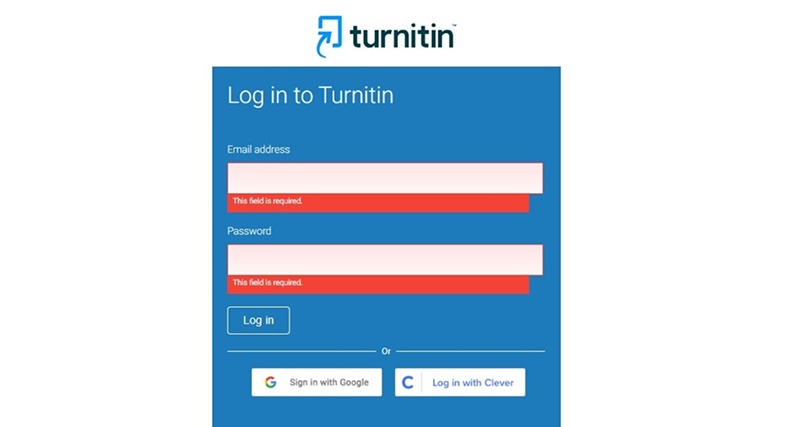
Turnitin supports multiple file formats, including Microsoft Word, plain text, and PDF files . But it matters whether the PDF is text-based or image-based.
-
Text-based PDFs contain selectable text. Turnitin can extract the text easily and analyze it for plagiarism or AI patterns.
-
Scanned or image PDFs contain pictures of text. Turnitin uses Optical Character Recognition (OCR) to extract the text. OCR can sometimes misread words, which may affect AI detection.
So, the short answer is yes, Turnitin can read PDF files. However, the accuracy of AI detection depends on the quality of the text extraction.
Can Turnitin Detect AI on a PDF?
Key Questions: Can Turnitin detect AI-generated content in a PDF The answer is yes, but there are several points of caution. Turnitin uses AI detection algorithms to identify AI-generated content by analyzing text patterns, structure and unnatural expressions.
-
Text extraction matters: Turnitin detects AI in the text it can read. A clean, text-based PDF will give the best results.
-
File format has minimal effect: Turnitin focuses on the content, not the PDF itself. The AI detection works on the extracted text.
-
Accuracy limitations: If the PDF contains images or poorly scanned text, detection may be less accurate.
So, if you are wondering can Turnitin detect AI in PDFs, the answer is generally yes, especially for standard text-based PDFs.
How Often Can Turnitin Detect AI on a PDF?
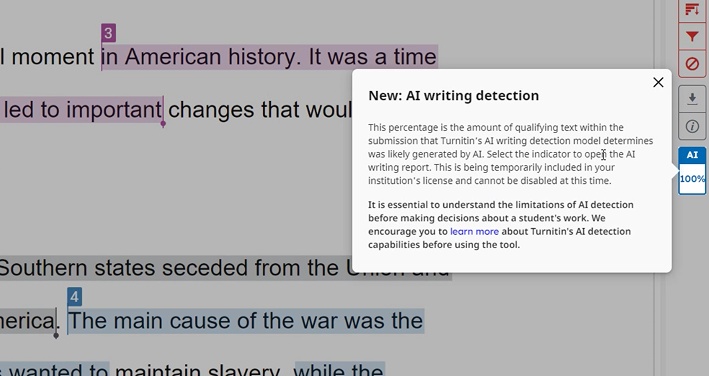
Many students and professionals ask, how often can Turnitin detect AI on a PDF. The answer depends on several factors that influence detection consistency. Turnitin's AI detection system examines sentence patterns, word choices, and text structure to identify AI-generated content. While it can detect AI in most cases, its accuracy is not 100%.
-
1. Writing Style
Turnitin compares text patterns against human writing. If AI content uses natural phrasing and varied sentence lengths, it may appear human-written. Rigid or repetitive AI text increases detection chances.
-
2. AI Patterns
AI-generated content often has predictable patterns, such as overuse of transition words, simple sentence structures, or uniform phrasing. Turnitin can identify these patterns, raising detection probability.
-
3. Paraphrasing Level
Content that is heavily paraphrased or rewritten manually reduces AI detection. Tools like Tenorshare AI Bypass help create human-like text, which can lower detection risk significantly.
- 4. PDF Structure
Text-based PDFs provide Turnitin with clean text for analysis. Scanned or image PDFs require OCR extraction, which may misread words. Poor OCR can reduce AI detection accuracy.

Tips:
Tips : Turnitin is not perfect. Sometimes it may flag human-written content as AI (false positive) or fail to detect AI content (missed detection). Factors such as unusual writing styles, heavy paraphrasing, or low-quality PDF scans contribute to these inconsistencies. Users should keep this in mind when submitting PDFs, as AI detection is helpful but not completely reliable. In short, how often Turnitin can detect AI on a PDF depends on content quality, writing patterns, and file structure. Properly prepared PDFs with natural writing reduce detection risks.
Can Turnitin Detect AI on a PDF for Free?
Some people wonder, can Turnitin detect AI on a PDF free. Turnitin is not a free tool. Only institutions, universities, and schools typically have access.
-
Access: Students and professionals cannot use Turnitin independently for AI detection unless provided by their institution.
-
Plagiarism vs AI detection: Plagiarism checks are widely used, but AI detection may require specific access.
So, the simple answer is no you cannot use Turnitin to detect AI on PDFs for free.
How to Reduce AI Detection Risk in PDF Submissions
Tenorshare AI Bypass is a powerful tool that converts AI-generated text into natural, human-like content, helping it bypasses AI detection systems. It is ideal in cases of students, writers, educators, and professionals who would like their work to be supported by AI to seem to be written by a human being.
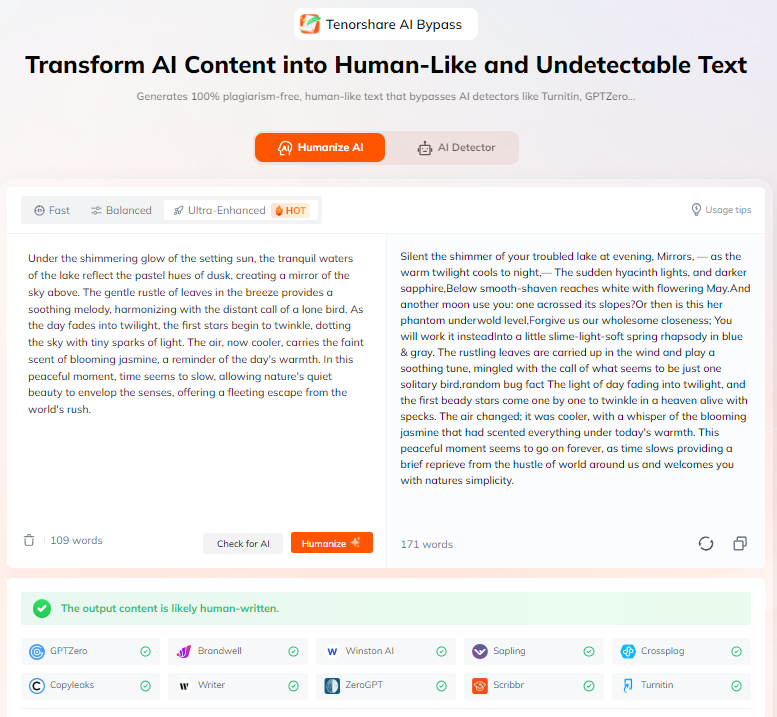
The tool eases the creation of content through paraphrasing AI text in a fluent and natural manner that makes it readable and original. Tenorshare AI Bypass will support more than 50 languages and comes with an inbuilt AI detector, which enables users to verify and humanize their content immediately and convert them into PDF files, saves time and minimizes risks of detection.
Conclusion
Turnitin has the capacity to read PDFs and identify AI in the majority of situations. It is accurate in terms of the quality of text extraction, writing style, and file format. AI detection is not perfect. Turnitin is prone to misjudging the content, and there is a risk of false positive.
In order to minimize the risk can Turnitin detect AI on a PDF, such aid as Tenorshare AI Bypass could be used to turn the AI-generated text into the human writing in order to make the submission to PDF safer. These things should not be lost on students and professionals, and artificial intelligence should be used responsibly. Learning how Turnitin functions, you can create PDFs and be sure that they will not be detected by AI.
FAQs
Can Turnitin detect AI in scanned PDFs?
Yes, Turnitin has the ability to identify AI in scanned PDFs, although the accuracy could be decreased. OCR removes the text in the image and reading errors may decrease the reliability of AI detection.
Does converting Word to PDF affect AI detection?
No, Word-to-PDF conversion does not have any major influence on AI detection. Turnitin analyses the text content hence a text-based PDF presents the best results.
Can Turnitin detect ChatGPT content in PDFs?
Yes, Turnitin is able to detect ChatGPT-generated content in case it has AI patterns. It can be detected based on the quality of the text, the way it is phrased, and the fact that the PDF can produce an accurate extract of the text.
Are AI detection results always accurate?
No, the outcomes of AI detection cannot be always flawless. Turnitin either produces false positives or does not identify AI, particularly in massively paraphrased or low-quality PDFs.
Is using AI rewriting tools risky?
No, they are not risky tools such as Tenorshare AI Bypass. They recycle AI text in a natural way, preserve the meaning, and make PDFs seem as written by a person to reduce the possibility of detection.

Tenorshare AI Bypass
- Create 100% undetectable human-like content
- Bypass all AI detector tools like GPTZero, ZeroGPT, Copyleaks, etc.
- Original content, free of plagiarism and grammatical errors
- One-click AI bypass with a clean and easy-to-use interface

You Might Also Like
- Can Turnitin Detect Humanize AI: Full Test in 2026
- Step-by-Step Guide for Students: How to Check GPA on Canvas
- How to Cancel BypassGPT Subscription (Step-by-Step Guide)
- TwainGPT Cancel Subscription: Step-by-Step Instructions & Best Alternatives
- Does Turnitin Detect ChatGPT 5? Full Detection and Avoidance Guide
- How to Use Turnitin AI Detector: 2026 Student Guide

Tenorshare AI Bypass: 100% Bypass AI Detection
Turn AI text into undetectable, human-like content.AI Humanizer, 100% Undetectable
Humanize AI text instantly.
Tenorshare AI Bypass: 100% Bypass AI Detection