
Does Canvas Have AI Detection? What It Tracks and What It Cannot Do
Canvas is one of the most widely used learning management systems in schools, colleges, and universities worldwide. Teachers use it to manage courses, students submit assignments, and institutions rely on it for grading and communication. As AI writing tools grow popular, many students and educators now worry about AI-generated content in academic work. This concern leads to one big question: does Canvas have AI detection ?
Students want to know if Canvas can flag AI-written content, while teachers want to ensure fair assessments. Confusion also exists around discussion posts, quizzes, screenshots, and automatic scanning. This article clearly explains does Canvas have AI detection built in, how it works, and what limits it has.
Does Canvas Have AI Detection?
The answer to this question is in the negative, Canvas does not possess its own artificial intelligence detection system. Canvas does not actually scan assignments to determine whether it was AI-created content. This point is misinterpreted by many people and this leads to stress among the students. Therefore, does Canvas come with AI detection software default? No. Canvas is a platform which hosts submissions and courses. It is not a form of AI scanner in itself.
Nevertheless, Canvas does it have automatic AI detection by way of integrations? Yes, indirectly. Schools can integrate third-party applications to plagiarism and AI detectors with Canvas. Checks are done by these tools and not by Canvas.
Built-in features and common myths
Many students ask:
-
Does Canvas have AI detection for discussion posts?
-
Does Canvas have AI detection for quizzes?
Canvas does not automatically scan discussion posts or quizzes for AI use. Teachers must manually review content or use external tools. Canvas only shows submission data like time, edits, and activity logs. So, when people ask does Canvas have AI detection built in, the correct answer remains no. Any detection depends on tools connected by the institution.
How Canvas Detects AI-Generated Content
Canvas does not directly detect AI writing. Instead, it allows schools to connect external tools. These tools analyze writing patterns, sentence structure, and predictability. Teachers review the reports, not Canvas. So, what AI detector does Canvas use? Canvas does not choose one universal detector. Each institution selects its own tools.
Common third-party tools include:
-
Turnitin AI detection
-
Originality.ai
-
GPT-based content scanners
When students ask what AI detector does Canvas use, the answer depends on the school. Canvas simply delivers the assignment to the connected tool.
Detection in different areas
Assignments
Assignments often connect to plagiarism and AI checkers. Teachers see reports and decide next steps.
Discussion boards
Many ask does Canvas discussion boards have AI detection. Canvas discussion boards do not scan content by default. Detection happens only if the teacher copies text into an external checker. This also answers does Canvas discussion have AI detection: not automatically.
Quizzes
Students wonder does Canvas have AI detection for quizzes. Canvas quizzes track behavior like time spent and navigation, not AI writing. AI detection only applies if text responses get reviewed manually.
Limitations of AI detection
AI detectors are not perfect. They can:
-
Flag human writing by mistake
-
Miss edited AI content
-
Change results after updates
Because of these issues, does Canvas have AI detection software that guarantees accuracy? No. All detection tools have limits.
Common User Concerns
Students often worry about false flags. AI detectors sometimes mark original work as AI-generated. This issue creates fear, especially when students write in clear or formal language. At the same time, edited AI text may pass undetected. This gap proves why does Canvas have automatic AI detection remains a complex topic.
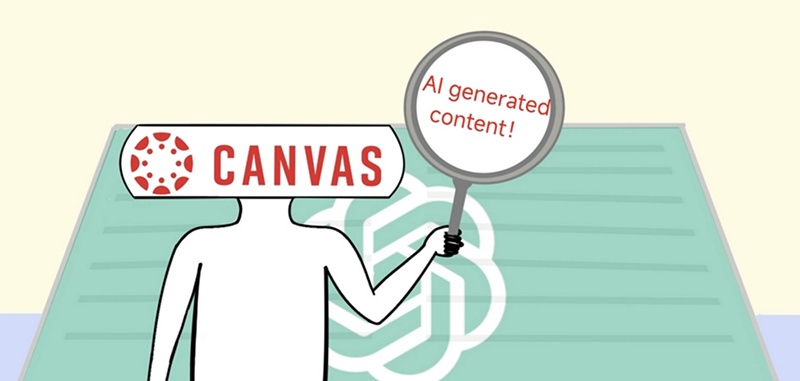
Screenshots and offline content
A very common question is: can Canvas app detect screenshots? The answer is no. Canvas cannot read screenshots. If a student uploads an image, Canvas does not extract text from it for AI detection. Teachers would need to manually review it. So, can Canvas app detect screenshots of AI-generated text? No, Canvas cannot scan screenshots or photos for AI use.
Responsible AI use
Schools now focus on responsible AI use instead of total bans. Teachers allow AI for brainstorming, outlines, or grammar help. They expect students to submit original, thoughtful work. Understanding does Canvas have AI detection built in helps students stay calm and act responsibly.
Tenorshare AI Bypass - A Practical Solution for AI Detection Concerns
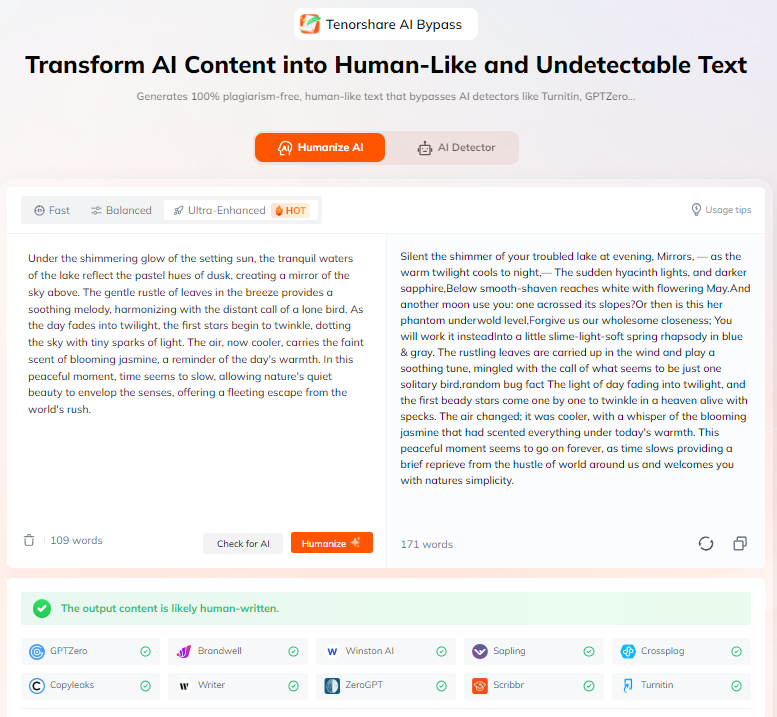
Tenorshare AI Bypass is a reliable tool built to turn AI-generated text into natural, human-like writing. It assists learners, authors, educators, and other people using AI to assist them but wish their work to sound original. The tool reformats information in a readable and fluid manner, which makes it more difficult to raise AI detection.
It can be used in assignments, discussion posts, blogs or in teaching content. Using easy copy-pasting, the Tenorshare AI Bypass can help users save time, and submit their content with ease, even with schools using AI detection tools that are related to Canvas.
Conclusion
So, does Canvas have AI detection? Canvas itself does not detect AI content. It relies on third-party tools chosen by schools. Does Canvas have AI detection software built in? No. Does Canvas have automatic AI detection? Only through integrations. Canvas cannot scan screenshots, and AI detection still has clear limits. Educators and students are expected to be aware and apply AI in a considerate manner.
When you wish to transform the content generated by AI into the natural and human-like content, Tenorshare AI Bypass is a good option. It allows the detection risk to be reduced and your writing remains clear and original.
FAQs
Does Canvas have AI detection built in?
Canvas No, Canvas does not have inbuilt AI detection. Schools can be linked to third-party tools, however, Canvas does not scan or evaluate AI-generated content.
Does Canvas detect AI in discussion posts or quizzes?
In both discussion posts and quizzes, Canvas does not automatically identify AI. It is only detected when external tools or manual review are used by the instructors.
What AI detector does Canvas use?
Canvas does not use a specific AI detector. Each institution selects its own tools, such as Turnitin or other AI detection services.
Can Canvas detect screenshots of AI-generated content?
No, Canvas is not able to find the presence of AI content within screenshots or images. It does not identify or extract text in uploaded photos.
Is there a safe way to submit AI-assisted work in Canvas?
Yes, students can responsibly edit AI-assisted content or use tools like Tenorshare AI Bypass to ensure natural, human-like writing.

Tenorshare AI Bypass
- Create 100% undetectable human-like content
- Bypass all AI detector tools like GPTZero, ZeroGPT, Copyleaks, etc.
- Original content, free of plagiarism and grammatical errors
- One-click AI bypass with a clean and easy-to-use interface

You Might Also Like
- Does Turnitin Detect ChatGPT 5? Full Detection and Avoidance Guide
- Does ZyBooks Detect ChatGPT? Full Guide to Avoiding Detection and Safety Tips
- Step-by-Step Guide for Students: How to Check GPA on Canvas
- How to Humanize AI Text Free for Unlimited Words?
- Can Turnitin Detect Humanize AI: Full Test in 2026
- How to Humanize AI Text in Malay Online Free 2026

Tenorshare AI Bypass: 100% Bypass AI Detection
Turn AI text into undetectable, human-like content.AI Humanizer, 100% Undetectable
Humanize AI text instantly.
Tenorshare AI Bypass: 100% Bypass AI Detection