
DeltaMath Solver Review 2026: Is This AI Math Solver Good?
Getting stuck on a difficult math problem can slow down homework progress, especially when you need a quick explanation instead of just a final answer. AI math solvers like DeltaMath Solver aim to make this process easier by providing instant solutions and step-by-step guidance.
But does DeltaMath Solver actually help students solve math problems effectively? In this review, we will test its features, accuracy, pricing, safety, and alternatives to see whether it is worth using in 2026.
What Is DeltaMath Solver?
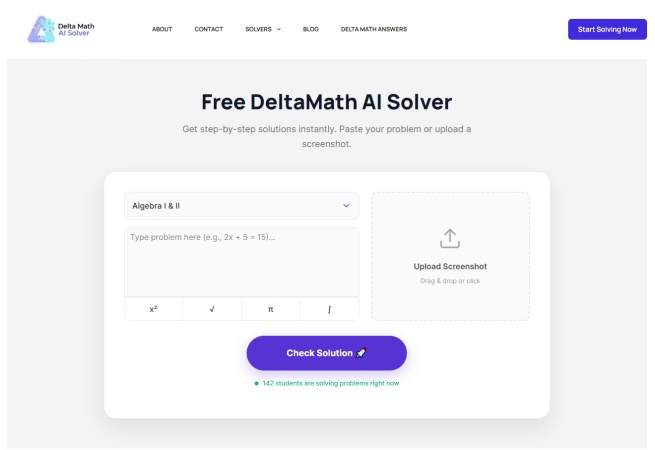
DeltaMath Solver is an online AI math problem solver aimed primarily at students working on DeltaMath-style assignments.
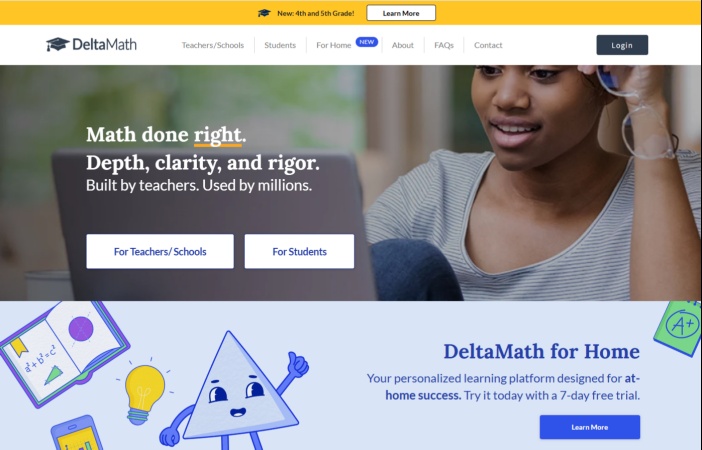
Unlike the official DeltaMath platform, it is not a learning management system or teacher assignment tool. Instead, it works as a shortcut to an AI-powered math solution service.
When users interact with the page, they are redirected to Edubrain AI Math Solver . The actual solving experience happens on Edubrain, which supports entering math questions through text, images, screenshots, and files, then generates step-by-step solutions.
Therefore, the relationship can be summarized as:
| Tool | Purpose |
|---|---|
| DeltaMath | Official math practice platform for teachers and students |
| DeltaMath Solver | Search-focused AI solver landing page |
| Edubrain AI Math Solver | Actual AI math-solving system |
This distinction matters because users may assume DeltaMath Solver is an official DeltaMath feature, but it is a separate third-party service.
Key Features of Delta Math Solver
-
Screenshot problem solving: Supports image uploads so students can submit screenshots instead of typing equations or diagrams.
-
Step-by-step solutions: Shows not only the final answer but also the main steps, helping users understand the method and spot mistakes.
-
Multiple math subjects: Covers Algebra I/II, Geometry, Calculus, and Statistics, plus topics like trigonometry, probability, derivatives, integrals, and equations.
-
Graph and diagram recognition: Can interpret graphs and geometry figures, useful for function plots, constructions, and multi-step problems.
-
No browser extension required: Runs directly in the browser with no installation needed, but students should still follow school or teacher rules when using external tools.
- Easy access:Users searching for DeltaMath Solver can quickly reach an AI math-solving tool without installing software.
- Multiple input options:The tool supports text, images, screenshots, and file-based questions.
- Step-by-step explanations:Solutions include reasoning rather than only final answers.
- Useful for checking work:Students can compare AI explanations with their own calculations.
- Not an official DeltaMath product:DeltaMath Solver is separate from the official DeltaMath platform.
- The actual solver is Edubrain:Users may not immediately realize that clicking Solve leads to Edubrain AI Math Solver.
- AI answers can still contain mistakes:Complex graphs, unclear screenshots, or multi-step reasoning problems may produce incorrect results.
- Should not replace learning:Using AI only to copy answers reduces its educational value.
How Does Delta Math Problem Solver Work?
Although it is called DeltaMath Solver, the actual AI solving process happens through Edubrain AI Math Solver after users click the Solve button. The workflow is similar to other AI math tools: users provide a problem, the system analyzes the input, and the AI generates a solution with explanations.
The general process includes three steps:
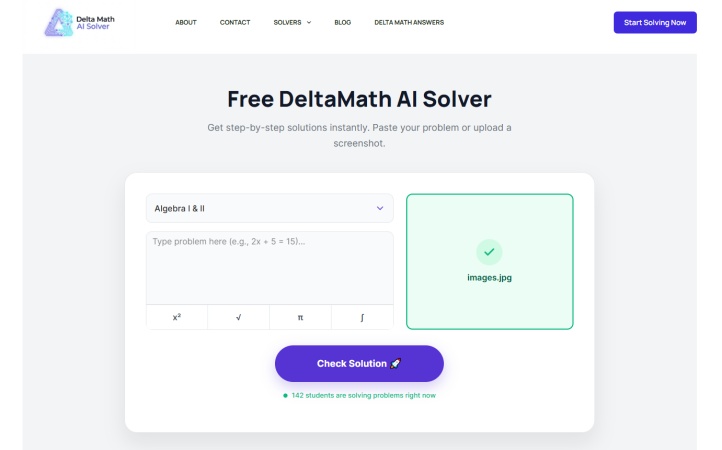
-
Enter or upload a math problem
-
AI analyzes the problem
-
Review the generated solution
Users can type a question directly or upload an image, screenshot, or supported file containing the problem. Edubrain states that its solver can process text, images, and files for math questions.
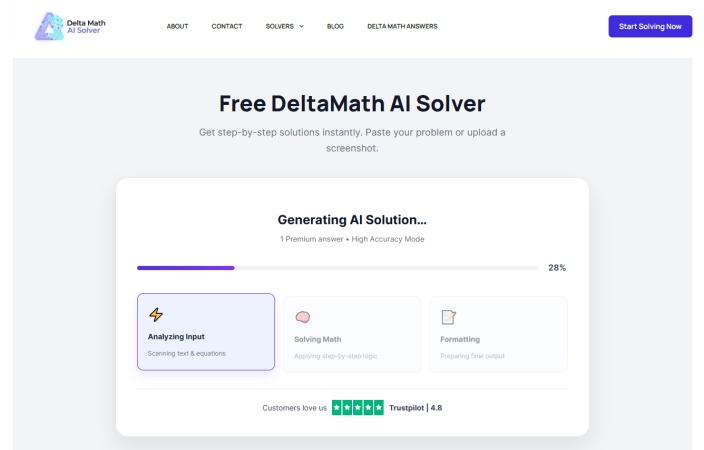
The system identifies the mathematical concept involved, such as equations, algebra, geometry, calculus, or other topics, then determines a possible solving approach.
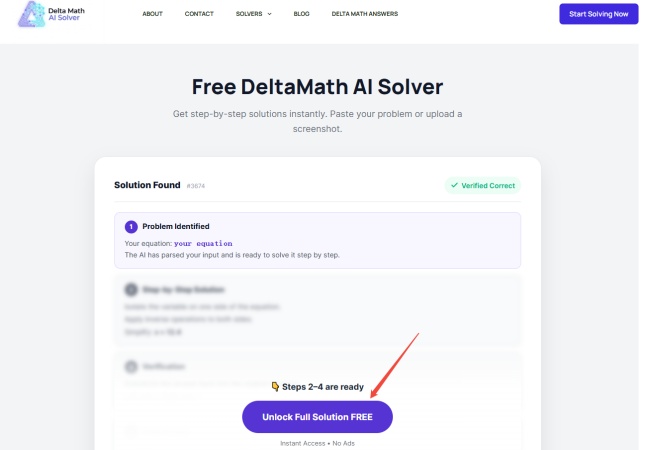
The AI provides the answer along with step-by-step reasoning, allowing students to review the calculation process instead of only seeing the final result.
For simple equations or common textbook problems, this workflow can save time. However, users should still verify complicated answers, especially when the question involves unclear images, advanced proofs, or multiple reasoning steps.
Is Delta Math Solver Accurate?
Accuracy is one of the most important factors when evaluating any AI math solver.
Since DeltaMath Solver redirects users to Edubrain AI Math Solver, its performance mainly depends on Edubrain's AI system rather than a separate DeltaMath-specific engine. Edubrain states that its solver provides step-by-step solutions and supports different math levels, from basic algebra to more advanced concepts.
However, there is currently limited independent testing specifically measuring the accuracy of DeltaMath Solver or Edubrain AI Math Solver across different math categories.
In real usage, accuracy can vary depending on the problem type:
-
Simple equations and calculations: Usually easier for AI systems to process because the input structure is clear.
-
Algebra problems: Often handled well when equations are entered correctly, including expressions, fractions, and variables.
-
Geometry and graph problems: Results may depend on image quality and whether the AI correctly understands diagrams, labels, and visual information.
-
Complex word problems: These may require more reasoning and can sometimes produce incorrect assumptions or calculation errors.
For the best results, students should use DeltaMath Solver as a learning assistant. An AI solver can be useful for guidance, but it should not automatically be treated as a guaranteed answer key.
Is Delta Math AI Solver Free?
The DeltaMath AI Solver website promotes itself as a free tool, stating that users can solve math problems without signing up and access step-by-step explanations at no cost.
However, during actual use, the experience is slightly different. While users can access the DeltaMath Solver page for free, clicking buttons to view complete solution explanations redirects them to Edubrain AI Math Solver, which provides the underlying AI solving features.
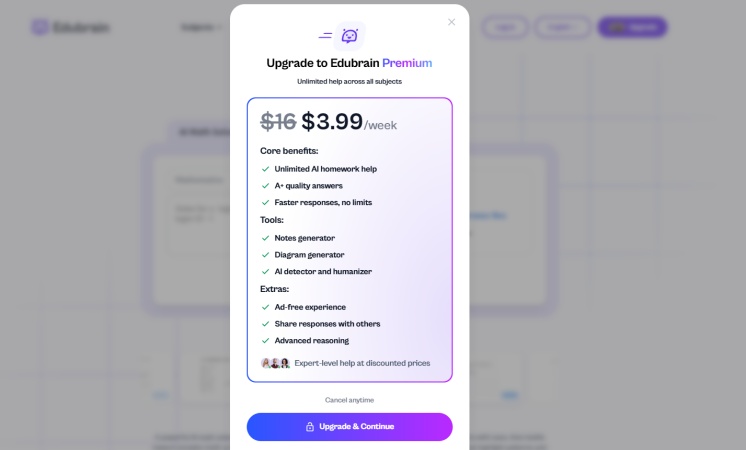
Edubrain offers its own pricing model, including a free plan and a premium subscription. The free version provides access to AI tools with ads, while the paid AI-Plus plan adds benefits such as an ad-free experience, advanced reasoning, and additional AI features.
Therefore, DeltaMath Solver can be considered free to access, but users who want the full Edubrain experience may encounter premium upgrade options.
Is DeltaMath Solver Safe to Use?
Safety involves two main areas: privacy and academic use .
From a privacy perspective, users should remember that DeltaMath Solver redirects to Edubrain AI Math Solver, meaning uploaded questions and files are handled through Edubrain's service rather than the official DeltaMath platform. Edubrain describes its tools as AI homework and learning assistants that process uploaded questions and provide explanations.
Students should avoid uploading unnecessary personal information, including:
-
Full names
-
Student IDs
-
School information
-
Private documents unrelated to the math problem
The second issue is academic integrity. AI math solvers can be helpful for:
-
Understanding difficult concepts
-
Checking calculations
-
Reviewing mistakes
-
Preparing for exams
However, students should follow their teacher's rules regarding AI assistance. Using an AI solver to understand a solution is different from submitting AI-generated answers when outside help is not allowed.
The Best Alternative to DeltaMath Solver
For students who only need a quick AI-generated explanation, DeltaMath Solver provides a convenient way to access AI math assistance through Edubrain AI Math Solver.
However, students who want a more complete and reliable math learning experience may prefer a dedicated AI math solver that focuses specifically on solving problems, explaining concepts, and tracking learning progress.
One alternative worth considering is Tenorshare AI Math .
Unlike DeltaMath Solver, which works as an entry point to another AI platform, Tenorshare AI Math is an independent AI math solver designed specifically for mathematical problem solving and learning support. It provides its own math-solving environment, allowing students to solve questions, review explanations, and manage their learning process in one place.
For students concerned about privacy and organization , using a dedicated math platform can provide a clearer experience. Its key features include:
-
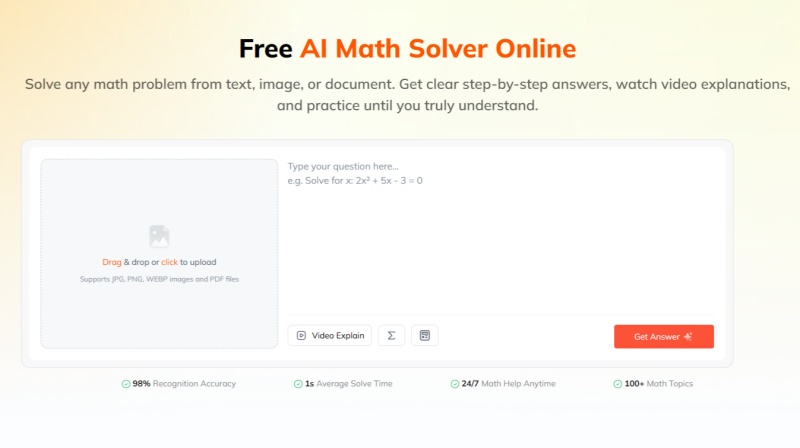
AI Math Problem Solving: Supports solving math problems from text, images, and PDF files, then provides structured step-by-step explanations.
-
Video Explanations: Converts selected solutions into visual learning videos, helping students understand the concepts and methods behind each problem.
-
Personalized Practice Tests: Generates similar practice questions based on solved problems, allowing students to reinforce the same mathematical concepts after receiving a solution.
-
Learning History and Review: Helps students revisit previous problem-solving sessions, making it easier to review mistakes and continue practicing related concepts.
Compared with Edubrain, Tenorshare AI Math places more emphasis on the complete math learning process. While Edubrain provides AI homework assistance across different study needs, Tenorshare AI Math focuses specifically on helping students solve math problems, understand solution steps, and strengthen their knowledge through additional learning features.
Final Verdict: Is DeltaMath Solver Worth It?
DeltaMath Solver can be useful for students who need quick help with math problems, but users should understand that it is not an official DeltaMath feature. The tool works as an entry point that redirects users to Edubrain AI Math Solver, where the actual AI solutions are generated.
Its biggest advantages are easy access, image-based problem input, and step-by-step explanations. However, the overall experience depends on Edubrain's AI system, and users should still verify important answers instead of treating AI responses as a guaranteed answer key.
Overall, DeltaMath Solver is worth considering as a homework assistant for checking solutions and understanding problem-solving methods. However, students who want a more complete math learning experience with structured explanations and practice features may prefer dedicated AI math learning platforms like Tenorshare AI Math .
Tenorshare AI Math
- Solve math from text, images & PDFs at 98% accuracy
- Deliver step-by-step answers with detailed logic breakdown
- Access video explanations for deeper math concept understanding
- Generate matching practice tests to solidify knowledge

FAQs
-
How Can Students Use DeltaMath Solver Effectively?
The best way to use DeltaMath Solver is as a learning assistant rather than a replacement for solving problems independently. Students can first attempt a question, then use AI explanations to check their approach, understand mistakes, and review difficult concepts.
-
Can I Upload Screenshots to the Delta Math Solver?
Yes. Since DeltaMath Solver redirects users to Edubrain AI Math Solver, users can upload screenshots or images of math problems through Edubrain's AI tools. Clear images with complete equations, symbols, and diagrams usually provide better results.
-
What Subjects Does the DeltaMath Solver Support?
The available subjects mainly come from Edubrain AI Math Solver rather than an official DeltaMath system. It supports common math areas such as algebra, geometry, calculus, statistics, equations, and other related topics.
-
Can DeltaMath Detect Cheating?
This question refers to the official DeltaMath platform, not DeltaMath Solver. DeltaMath provides teachers with assignment management and student progress tracking features, but students should follow their school's rules when using external AI tools. Using an AI solver for explanations and learning support is different from submitting AI-generated answers when outside assistance is not allowed.
-
Can DeltaMath Detect If You Switch Tabs?
DeltaMath and DeltaMath Solver are separate products. The official DeltaMath platform provides teacher management features, but students should not assume that external tools or browser activity are automatically permitted or invisible. Whether tab switching is monitored depends on the specific assignment settings, school policies, and any additional monitoring software used.
-
Can DeltaMath See If You Screenshot?
There is a difference between using DeltaMath Solver and the official DeltaMath platform. Standard DeltaMath features focus on assignments, answers, and student progress rather than general device screenshot monitoring. Students should follow their school's technology policies and avoid assuming that screenshots or external tools are always allowed.
-
Can Teachers See What You Got Wrong on DeltaMath?
Yes. This applies to the official DeltaMath platform. Teachers can review student assignment results, including incorrect answers and learning progress. This is different from DeltaMath Solver, which is a third-party AI math assistant designed to generate explanations and solutions rather than manage classroom assignments.
You Might Also Like
- AI Math Solver That Can Read Graphs: 5 Best Tools Reviewed
- Chegg Math Solver Review 2026: Does Chegg Help With Math?
- MathPapa Review 2026: Is MathPapa Algebra Calculator Worth It?
- Is Mathway Worth It in 2026? Full Review of Features, Accuracy & Pricing
- Best App for Math Problem Solving: 5 AI Math Solver Apps Tested and Compared
- Tenorshare AI Math Review 2026: Is It a Good AI Math Solver?

Tenorshare AI Math: Solve any math problems with AI
Turn math questions into clear solutions, tutorial videos & targeted practice setsTenorshare AI Math: Instant Solutions
Steps, videos & practice for every problem
Tenorshare AI Math: Solve any math problems with AI