
Photomath vs Microsoft Math Solver (2026): Key Differences & Current Availability
Photomath and Microsoft Math Solver were both widely recognized math-solving tools, especially for students who wanted to scan problems and get step-by-step solutions. While the standalone Microsoft Math Solver experience is no longer available in its previous form, many users still search for the tool or look for a suitable alternative.
In this article, we compare Photomath vs Microsoft Math Solver across photo recognition, solution explanations, supported math topics, pricing, and accessibility. We'll also introduce a modern alternative for users who want an active AI math solver in 2026.
Catalogs:
Photomath vs Microsoft Math Solver at a Glance
| Feature | Photomath | Microsoft Math Solver |
|---|---|---|
| Photo-based problem solving | Yes | Available in the former standalone experience |
| Step-by-step solutions | Yes | Yes, in its former standalone experience |
| Handwritten input | Yes | Supported in Microsoft’s Math Assistant |
| Graphing | Yes | Available through Math Assistant in OneNote |
| Math coverage | Arithmetic, algebra, geometry, trigonometry, calculus, statistics, and more | Broad range of math topics through its former solver and current Math Assistant |
| Free access | Basic step-by-step explanations are available for free | Former standalone solver was free; current Math Assistant availability depends on Microsoft 365 access |
| Current status | Active | Standalone Math Solver experience discontinued |
The main difference in 2026 is not simply which solver has more features. Photomath remains a dedicated math-solving app, while Microsoft has moved its math-solving capabilities into other Microsoft products, particularly Math Assistant in OneNote. Microsoft's current support documentation lists equation solving, graphs, and step-by-step solutions as Math Assistant features.
What Is Photomath?
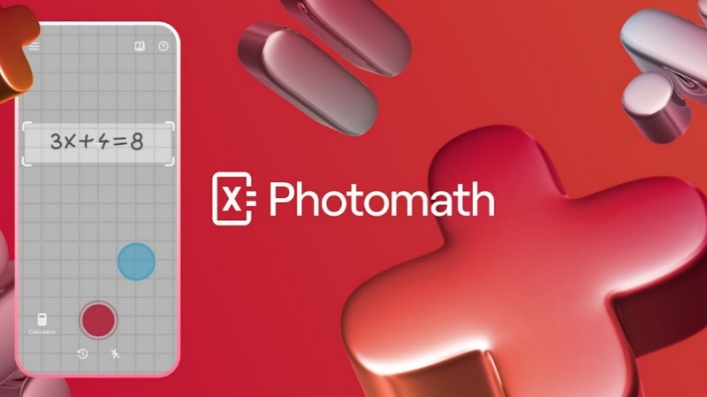
Photomath is a dedicated math-solving app built around camera-based problem recognition. Users can scan printed or handwritten problems with a phone and receive a solution with step-by-step explanations.
Its coverage extends from basic arithmetic and pre-algebra to algebra, geometry, trigonometry, statistics, and calculus. Photomath also supports word problems and provides different solution methods for some questions.
Key Features of Photomath
-
Camera scanning: Scan printed or handwritten math problems with a smartphone.
-
Step-by-step solutions: See the process used to reach an answer rather than only the final result.
-
Multiple solution methods: Some problems include more than one way to reach the solution.
-
Broad topic coverage: Supports areas ranging from arithmetic to calculus, geometry, and statistics.
-
Graphing and visual tools: Certain mathematical problems can be explored visually.
-
Premium learning features: Photomath Plus adds features such as animated tutorials and deeper explanations.
- Convenient photo-based problem solving
- Supports handwritten and printed problems
- Step-by-step explanations are available
- Covers a broad range of school and college-level math
- Basic solving features are available without a Plus subscription
- Some advanced learning features require Photomath Plus
- Recognition quality can depend on how clearly a problem is captured
- It is primarily designed around solving individual math problems rather than broader document-based study
What Is Microsoft Math Solver?
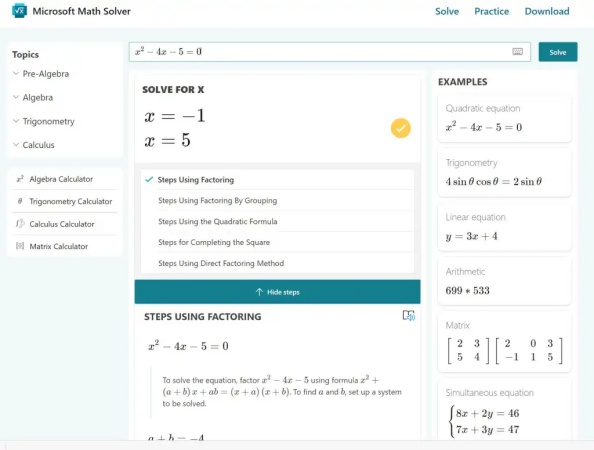
Microsoft Math Solver was Microsoft's dedicated math-solving tool, known for solving equations and other math problems with step-by-step explanations, graphing, and multiple input methods.
The standalone Microsoft Math Solver experience was retired in 2025. The mathsolver.microsoft.com domain still exists, but it no longer provides the original standalone solver interface. Microsoft has instead moved related capabilities to Math Assistant in OneNote , which can solve supported equations, show steps, and create graphs.
What Happened to Microsoft Math Solver?
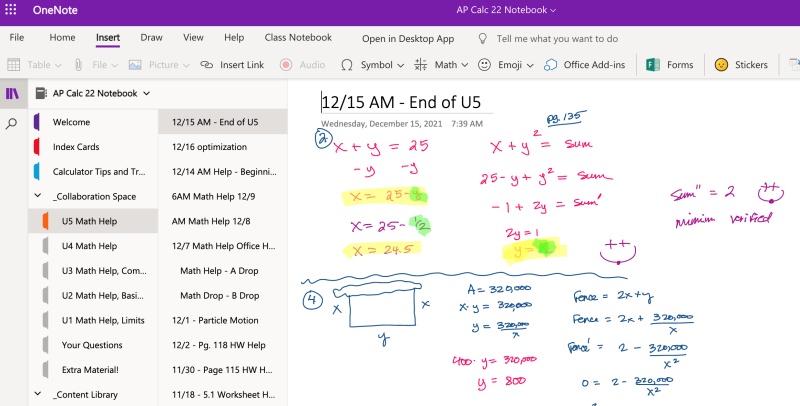
Microsoft Math Solver was popular partly because its core solving features were free and easy to access. Today, users looking for Microsoft's math-solving capabilities need to use supported Microsoft products such as OneNote rather than the former standalone Math Solver experience.
This distinction is important when comparing it with Photomath in 2026: Photomath remains an active dedicated math-solving app, while Microsoft Math Solver is no longer available in its original standalone form.
Microsoft Math Solver vs Photomath: Key Differences
Photo Recognition and Input Methods
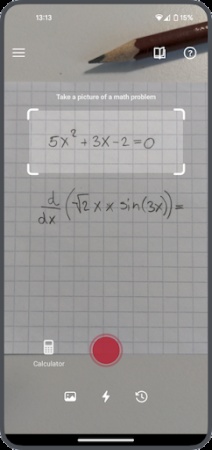
Photo-based solving is one of Photomath's defining features. Users can scan printed or handwritten math problems directly through the app, then review the recognized equation and solution. Photomath's official materials specifically describe scanning both printed and handwritten problems.
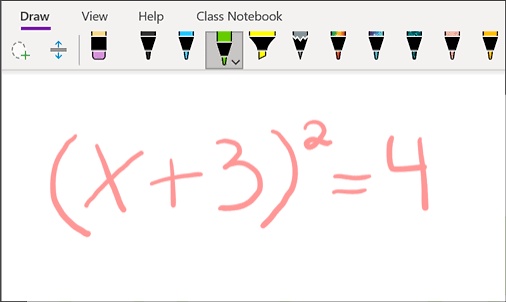
Microsoft Math Solver also supported image and handwritten input during its standalone period. Today, however, Microsoft's current Math Assistant experience focuses on typed and handwritten equations in OneNote rather than providing the same standalone camera-first workflow.
For users who mainly want to take a photo of a math problem and solve it, Photomath is therefore the more direct option in 2026.
Step-by-Step Solutions and Learning Experience
Both tools were designed to show the solving process rather than only return an answer.
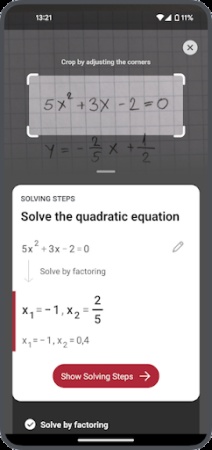
Photomath continues to provide step-by-step explanations, and its official materials emphasize showing the reasoning behind each step. Some problems also offer alternative solution methods. Photomath Plus adds deeper explanations and animated tutorials.
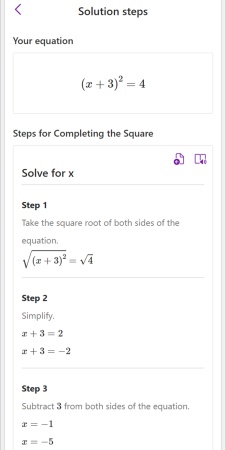
Microsoft Math Solver was similarly known for step-by-step explanations. Its current replacement within Microsoft's ecosystem, Math Assistant in OneNote, can still provide step-by-step solutions for supported problems.
The practical difference is accessibility. Photomath puts the solving workflow directly inside a dedicated math app, while Microsoft's current solution requires using OneNote and meeting the relevant Microsoft 365 requirements.
Supported Math Topics and Problem Types
Photomath currently covers a broad selection of mathematics, including arithmetic, pre-algebra, algebra, geometry, trigonometry, statistics, and calculus. Its official materials also mention word problems.
Microsoft Math Solver historically supported a similarly broad range of topics, including equations, inequalities, functions, and graphing. Many of these capabilities remain represented in Math Assistant, although the exact features depend on the OneNote and Microsoft 365 environment being used.
Pricing and Free Features
| Tool | Free Access | Paid Plan | Current Status |
|---|---|---|---|
| Photomath | $0 | $9.99/month or $69.99/year | Active |
| Microsoft Math Solver | No standalone plan | No standalone plan | Retired in 2025 |
| OneNote Math Assistant | Not offered as a standalone free tool | Included with eligible Microsoft 365 subscriptions | Active |
Photomath offers a free Basic plan with step-by-step explanations. Photomath Plus adds features such as custom visual aids and additional "how" and "why" explanations, with plans currently listed at $9.99 per month or $69.99 per year.
Microsoft Math Solver no longer has its own pricing plan because the standalone service was retired in 2025. Microsoft has instead moved related math-solving capabilities into Math Assistant in OneNote, which is tied to eligible Microsoft 365 subscriptions rather than a separate math-solver subscription.
User Experience and Accessibility
Photomath is designed specifically around math problem solving. Its camera-first workflow makes it convenient for students working with textbook exercises, worksheets, or handwritten problems.
Microsoft's current approach is more integrated into OneNote. Users can type or write equations and use Math Assistant to solve them, view steps, and create graphs. This can be useful for students already working in OneNote, but it is less direct than opening a dedicated math-solving app.
As a result, Photomath is generally more straightforward for quick math homework help, while Microsoft's current Math Assistant makes more sense for users who already use OneNote and Microsoft 365.
Top Alternative to Microsoft Math Solver: Tenorshare AI Math
With the standalone Microsoft Math Solver experience no longer available, Photomath is an obvious alternative for users who prefer solving math problems on a mobile device. However, it is not the only option.
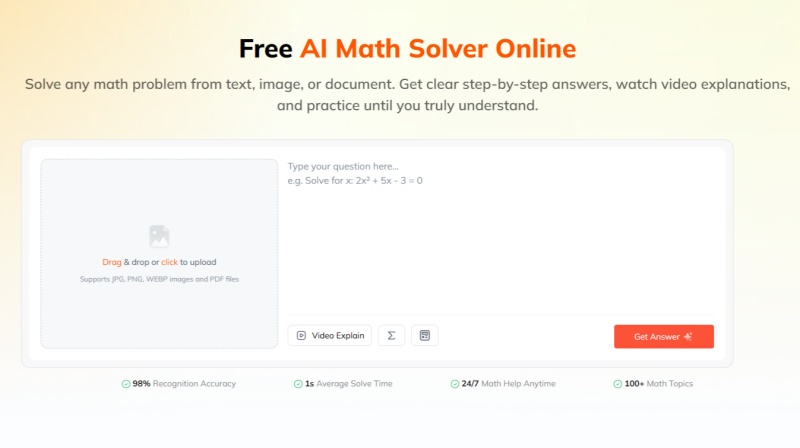
For students who frequently study on a computer, Tenorshare AI Math offers a more suitable web-based experience. Unlike Photomath, which is primarily designed as a mobile app, Tenorshare AI Math can be accessed directly from a browser without switching to a phone.
It also goes beyond basic problem solving with:
-
Text, image, and PDF input for different types of homework
-
Step-by-step solutions that show how the answer is reached
-
AI video explanations for more visual learning
-
Follow-up questions when a solution needs further clarification
-
Practice problems to reinforce what you have learned
For users looking to replace Microsoft Math Solver, the choice therefore depends largely on how they study. Photomath is a strong fit for mobile, camera-based solving, while Tenorshare AI Math is a practical alternative for computer-based study and a broader AI learning workflow .
Final Verdict: Which One Should You Choose?
In 2026, Photomath is the more straightforward choice if you want a dedicated mobile math solver with photo-based problem solving. Its free tier and step-by-step explanations make it a practical option for students who mainly solve problems on their phones.
However, if you usually study on a computer, Tenorshare AI Math is a stronger alternative to the former Microsoft Math Solver experience. As a web-based tool, it works directly in your browser and supports text, images, and PDF files. It also combines step-by-step solutions with video explanations, follow-up questions, and practice problems.
So, the choice comes down to your learning setup: choose Photomath for mobile-first solving, or Tenorshare AI Math for a broader, computer-friendly AI math learning experience.

Tenorshare AI Math
- Solve math from text, images & PDFs at 98% accuracy
- Deliver step-by-step answers with detailed logic breakdown
- Access video explanations for deeper math concept understanding
- Generate matching practice tests to solidify knowledge

FAQs
-
What's the Best Math Solver App?
It depends on your needs. Photomath is a strong choice for mobile, camera-based solving, while Tenorshare AI Math is better suited to computer-based learning with broader AI features.
-
Is Photomath a Good Tool for Learning Math?
Yes. Photomath provides step-by-step explanations instead of only showing answers. Photomath Plus also offers deeper learning features such as animated tutorials.
-
Is Microsoft Math Solver Still Available?
Not in its original standalone form. Microsoft retired the standalone Math Solver experience in 2025 and now offers related math features through Math Assistant in OneNote for eligible Microsoft 365 users.
-
Is Photomath Free to Use?
Yes. Photomath offers free step-by-step explanations, while Photomath Plus adds premium learning features for $9.99/month or $69.99/year.
-
Does Photomath Work Offline?
Photomath does not guarantee that all solving and learning features work offline. An internet connection may be required for some features.
You Might Also Like
- 6 Best Photomath Alternatives in 2026: Math Apps and Online Tools Compared
- 8 Best Math AI Solvers Compared (2026): Step-by-Step Problem Solving
- 8 Best GauthMath Alternatives Reviewed: Top Apps & Websites in 2026
- Best Wolfram Alpha Alternatives for Students: 6 Math Solvers With Steps
- Best AI Models for Math (2026): 4 Leading Tools Compared & Ranked
- 8 Free Math Help Websites for Homework and Problem Solving

Tenorshare AI Math: Solve any math problems with AI
Turn math questions into clear solutions, tutorial videos & targeted practice setsTenorshare AI Math: Instant Solutions
Steps, videos & practice for every problem
Tenorshare AI Math: Solve any math problems with AI