
6 Best Photomath Alternatives in 2026: Math Apps and Online Tools Compared
Photomath remains a familiar option for scanning equations and seeing math solutions, but it is not the only way to get help with a difficult problem. Students now have a wider choice of mobile apps, browser-based AI tools, computational engines, and graphing calculators.
The right Photomath alternative depends on what you need help with. Some learners want to scan a worksheet with a phone. Others want to work from a laptop, solve advanced calculus questions, graph functions, or find more practice after reviewing a solution. Free access also varies: a tool may be free to download or use for basic calculations while reserving detailed steps or advanced features for a paid plan.
This guide compares three mobile-focused math apps and three web-based tools. Rather than declaring one tool best for everyone, it explains where each option may fit in a study workflow.
Catalogs:
What Is Photomath and Why Look for an Alternative?
Photomath is a math-help app that lets users scan or enter a problem and view a solution. It covers subjects from elementary math through algebra, geometry, trigonometry, statistics, and calculus.
However, different learners may need features that go beyond a camera-based solver. For example, a student studying on a desktop may prefer a browser tool. Someone taking college-level math or engineering courses may need more advanced calculations. Another learner may be looking for graphing, practice questions, or help across several school subjects.
Looking for an alternative does not necessarily mean replacing Photomath completely. Many students use more than one tool: a solver for checking steps, a graphing calculator for visualization, and a practice platform for building confidence with similar questions.
3 Free Apps like Photomath for Mobile Math Help
Mobile math apps are generally most useful when you are working from a printed worksheet, textbook, or handwritten notes. They can make it easier to capture a question, enter an equation, and review a solution without moving to a computer.
Mathway
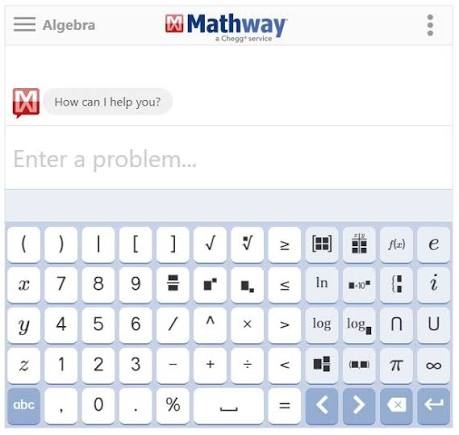
Mathway is a practical option for students who want to solve math problems from a phone while still having the option to continue on a browser. It supports typed questions and photo uploads, which can be useful when working from a textbook, worksheet, or handwritten notes.
The platform covers subjects including algebra, trigonometry, calculus, statistics, chemistry, and physics, and provides dedicated calculators for tasks such as factoring, derivatives, integrals, and limits. This broad coverage makes it suitable for routine, clearly structured problems across several subjects.
However, access to detailed step-by-step explanations and some learning features may depend on a Premium plan , while word problems or questions that require extensive interpretation should be checked carefully.
Symbolab
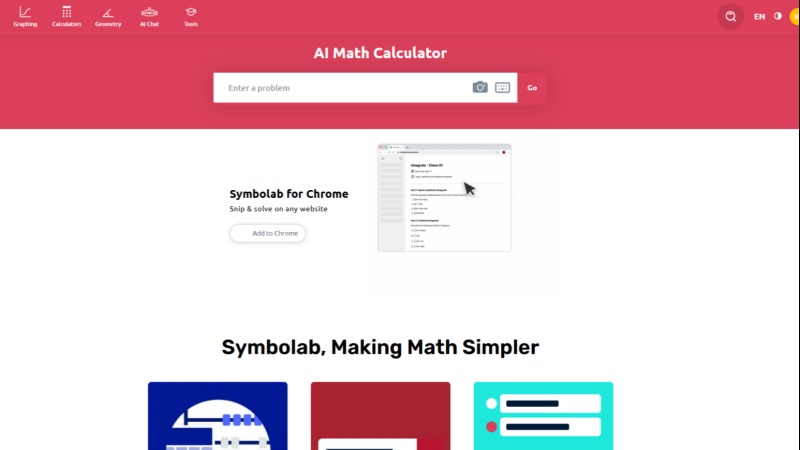
Symbolab may suit students who want to move beyond a single answer and spend more time reviewing how a method works. It is available on the web and mobile devices, so users can start with a question on one device and continue studying on another.
Its core features include step-by-step solutions for subjects such as algebra, calculus, trigonometry, statistics, geometry, and matrices, along with graphing, practice exercises, worksheets, and quizzes. These tools can support review and repeated practice after a solution has been generated.
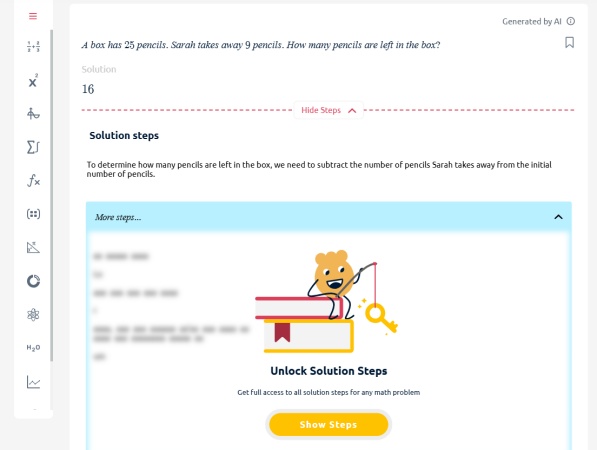
However, the free version may limit access to full solution steps and some practice-oriented features , so users who need detailed explanations regularly should review the current subscription options.
Gauth
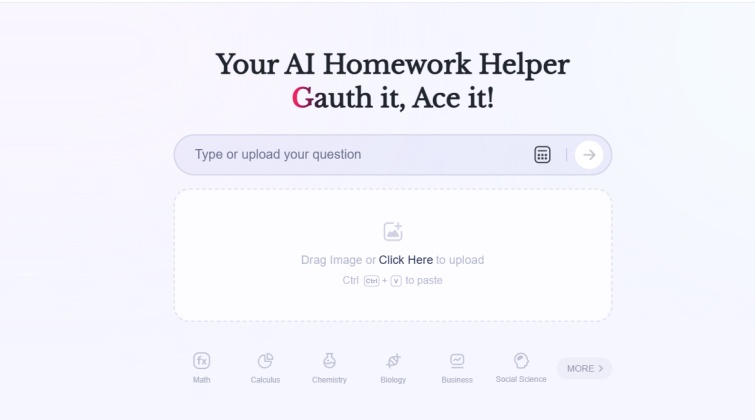
Gauth is a broader homework-help platform rather than a math-only solver. It can be relevant for students who work across several subjects and want to submit questions as images instead of manually entering every equation.
The platform supports math alongside science, writing, and other school subjects, and its image-based workflow can be useful for questions that include equations, written instructions, or multiple parts. This wider scope may be convenient for mixed homework assignments.
However, question limits, credits, expert-related services, and advanced features can vary by plan , and users should independently review generated solutions---especially for complex questions or assignments where accuracy matters.
3 Web-Based Alternatives to Photomath for Desktop Users
Web-based tools can be more convenient when you are studying from online coursework, digital textbooks, PDFs, or a larger screen. They may also make it easier to type longer expressions, review graphs, or keep notes alongside your solution.
Tenorshare AI Math
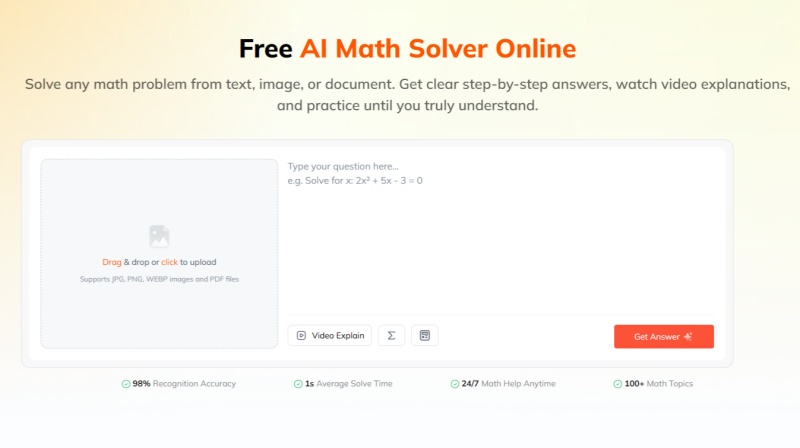
Tenorshare AI Math is a web-based AI math solver for students who prefer to work in a browser on a desktop or laptop. It supports math questions entered as text, images, or PDF files, which can be useful for digital assignments, screenshots, and scanned worksheets.
Key features include:
-
Step-by-step solution breakdowns that explain the method behind an answer
-
AI-generated video explanations for visual review of difficult concepts
-
Similar practice-question generation to help reinforce a newly learned method
-
A built-in calculator for simple calculations and expressions
-
Follow-up questions for exploring a step or concept in more detail
Its main distinction is the learning workflow : users can move from submitting a question to reviewing the steps, watching an explanation, and practicing related problems in the same browser-based tool. This may suit students who want more than a final answer and usually study from a computer. As with any AI math solver, complex proofs and specialized questions should be independently checked.
Wolfram|Alpha
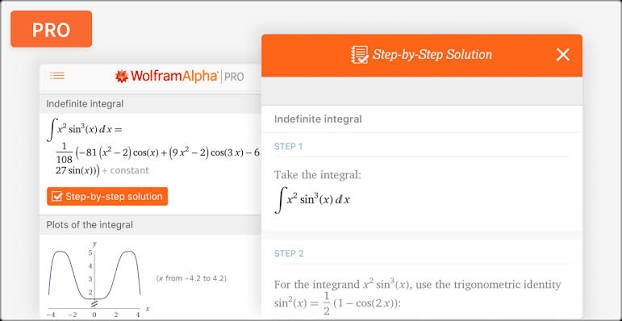
Wolfram Alpha is more computationally focused than a typical photo-based homework app. It is designed for users who are comfortable entering typed math queries and who need help with advanced calculations, scientific data, or technical STEM topics.
The web tool can process algebra, calculus, differential equations, statistics, symbolic operations, units, and many related queries, often returning calculations, graphs, and supporting information. This makes it useful for college-level math and technical courses where the main need is computation or analysis.
However, it is less convenient for scanning a worksheet , and step-by-step solutions, guided calculators, and some learning features are generally associated with paid Pro plans.
Desmos
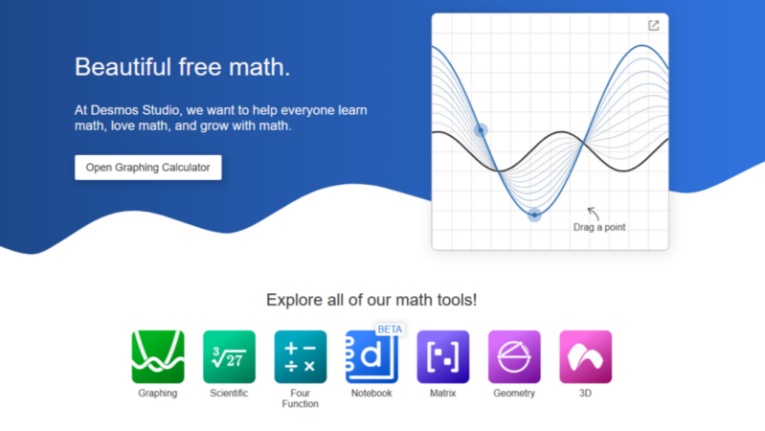
Desmos serves a different purpose from a standard math solver. Instead of focusing on a written answer, it helps users explore the relationship between equations and graphs in an interactive browser-based environment.
Its free graphing calculator supports functions, equations, inequalities, tables, data points, and adjustable sliders, making it useful for visualizing algebra, functions, precalculus, and calculus concepts. Students can quickly see how changing a variable affects a graph, which can support conceptual understanding.
However, Desmos is not designed to provide full written step-by-step solutions for most problems, so users who need an explanation of the solving process may need to use it alongside a separate math solver.
How to Choose the Best Alternative to Photomath
Start by considering where and how you study.
If you mainly work with physical homework sheets, textbooks, or handwritten notes, a mobile-focused option may be more convenient. If you usually learn through a laptop or desktop computer, web-based tools may be a better fit.
Next, You should also choose based on the kind of help you need :
-
For checking a calculation or reviewing a method, use a math solver like Tenorshare AI Math with clear steps.
-
For visualizing functions, inequalities, and equations, use a graphing tool such as Desmos .
-
For advanced calculations, scientific queries, or college-level STEM work, consider Wolfram|Alpha .
-
For broader homework help across multiple school subjects, consider a platform such as Gauth .
-
For regular study, prioritize tools that offer practice, hints, or explanations instead of only final answers.
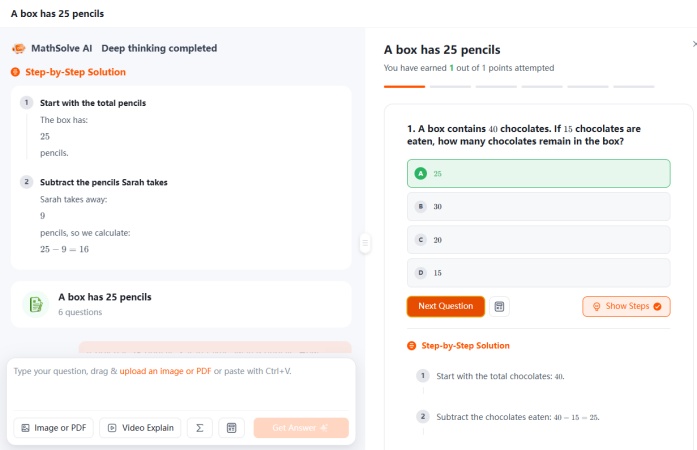
If you do not want to compare multiple tools or learn different interfaces, Tenorshare AI Math offers a simpler all-in-one option. It works in a browser, supports multiple input formats, and provides free access to step-by-step explanations and other AI-powered learning features. This can be a convenient choice for students who want to solve, review, and practice without switching between separate apps.
Final Verdict
The best Photomath alternative depends on your device, math level, and learning goal.
Mathway, Symbolab, and Gauth are relevant options for students who want mobile access and image-based homework help. Mathway covers a broad set of math and STEM subjects, Symbolab combines solving with practice and graphing features, and Gauth supports math alongside other school subjects.
For desktop users, Tenorshare AI Math offers a browser-based AI math-help workflow. Wolfram|Alpha is suited to computational and advanced STEM use cases, while Desmos is a free option for graphing and visual learning.
Rather than choosing one tool for every situation, consider building a simple study setup: use a solver to understand steps, a graphing calculator to visualize equations, and practice resources to make sure you can solve similar problems independently.
Tenorshare AI Math
- Solve math from text, images & PDFs at 98% accuracy
- Deliver step-by-step answers with detailed logic breakdown
- Access video explanations for deeper math concept understanding
- Generate matching practice tests to solidify knowledge

FAQs About Photomath Alternatives
-
What Is the Best Free Photomath Alternative?
It depends on your goal. Desmos is a strong free option for graphing and visual math. Khan Academy is also useful for free lessons and practice, although it is not a direct photo solver. Mathway, Symbolab, Gauth, and Wolfram|Alpha offer free access to selected features, but detailed explanations and advanced tools may have limits.
-
Is There a Photomath Alternative for Desktop?
Yes. Tenorshare AI Math, Mathway, Symbolab, Wolfram|Alpha, and Desmos can all be accessed in a web browser. A desktop option can be helpful for entering longer equations, working from an online assignment, reviewing graphs, or studying from a larger screen.
-
Which Is Better, Mathway or Photomath?
Neither option is automatically better for every user. Photomath is centered on scanning and explaining math problems. Mathway supports typed and photo-based input across a broader set of subjects, including some science topics. The right choice depends on the course you are taking, the explanation style you prefer, and the features available in your current plan.
-
Is There a Google Version of Photomath?
Google has offered Socratic by Google, an educational app that can use a question or image to surface explanations and learning resources. However, it is not a direct one-to-one equivalent to Photomath, and its availability and features may vary by region and over time. For a direct math-solving workflow, compare the current tools available in your local app store or browser.
You Might Also Like
- Goth AI Review 2026: Is This AI Math Solver Worth Using?
- AllMath Review 2026: We Tested Its AI Math Solver Accuracy
- MathBot Review 2026: Is MathBot Legit, Free, and Worth It?
- QuickMath Review 2026: Is This Math Solver Worth It?
- Chegg Math Solver Review 2026: Does Chegg Help With Math?
- MathPapa Review 2026: Is MathPapa Algebra Calculator Worth It?

Tenorshare AI Math: Solve any math problems with AI
Turn math questions into clear solutions, tutorial videos & targeted practice setsTenorshare AI Math: Instant Solutions
Steps, videos & practice for every problem
Tenorshare AI Math: Solve any math problems with AI