
Microsoft Math Solver Alternatives: What to Use Now Microsoft Math Solver Is Gone
Microsoft Math Solver was once a top free math problem-solving app. It let students scan handwritten or printed equations, get step-by-step explanations, plot graphs and practice exercises with no paid subscription.
Microsoft retired its standalone Microsoft Math Solver service in July 2025. Many students, teachers and parents are now seeking alternatives with camera scan, detailed solutions and broad math topic support.
Thankfully, many modern math solver apps have advanced greatly. Some deliver AI explanations, while others excel at symbolic computation, graphing or homework help.
In this guide, we'll compare the best Microsoft Math Solver alternatives available today, highlighting their strengths, limitations, pricing, and ideal use cases.
What Was Microsoft Math Solver?
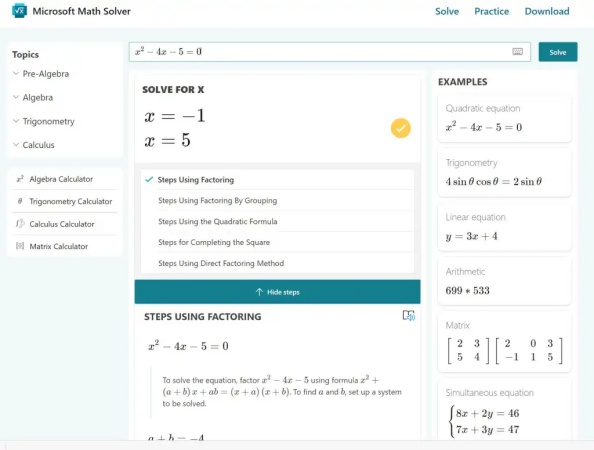
Microsoft Math Solver was a free educational tool developed by Microsoft to help students understand and solve mathematical problems rather than simply provide answers.
The app supported multiple input methods, allowing users to:
-
Scan printed or handwritten equations using a phone camera
-
Type expressions with a built-in math keyboard
-
Draw equations by hand
-
Paste mathematical expressions directly
Once a problem was recognized, Microsoft Math Solver generated step-by-step solutions and often included multiple solving methods. Depending on the topic, users could also access interactive graphs, definitions of mathematical concepts, practice quizzes, worksheets, and related learning videos.
Its combination of free access, camera recognition, and educational explanations made it a popular choice among middle school, high school, and college students.
Why Users Need Microsoft Math Solver Alternatives
Microsoft officially discontinued the standalone Microsoft Math Solver app on July 7, 2025, and removed it from all app stores . The original standalone tool is no longer maintained or updated. While limited math functions remain in Microsoft OneNote and Teams for institutional education users, these built-in features cannot replicate the full functionality of the independent math solver.
Without access to the original convenient photo-scan solving, multi-scenario math support, and standalone usage experience, former users are actively searching for reliable Microsoft Math Solver alternatives. Many students also look for upgraded AI features , including conversational explanations and personalized tutoring, to replace the outdated functions of the retired Microsoft tool.
Comparison Table: Microsoft Math Solver vs Top Alternatives
| Tool | Free Version | Photo Scan | Step-by-Step Solutions | Word Problems | Graphing | Best For |
|---|---|---|---|---|---|---|
| Microsoft Math Solver | ✅ (Retired) | ✅ | ✅ | ✅ | ✅ | Legacy users |
| Tenorshare AI Math | ✅ | ✅ | ✅ | ✅ | Limited | Everyday homework and AI explanations |
| Symbolab | ✅ Limited | ❌ | ✅ | Limited | ✅ | Algebra, calculus, advanced math |
| Wolfram Alpha | ✅ Limited | ❌ | Limited (Pro) | Limited | ✅ Advanced | College and professional mathematics |
| Mathway | ✅ Limited | ✅ | Premium | Limited | Limited | Fast homework answers |
| Photomath | ✅ | ✅ | ✅ | Basic | Limited | Middle and high school students |
| Gauth | ✅ | ✅ | ✅ | ✅ | Limited | AI-assisted homework help |
| GeoGebra | ✅ | Limited | ❌ | ❌ | ✅ Excellent | Graphing and visualization |
| Cymath | ✅ Limited | ❌ | ✅ | Limited | Basic | Algebra and calculus practice |
From the comparison above, it's clear that there is no single replacement that perfectly replicates every feature of Microsoft Math Solver. Instead, each alternative has its own strengths. In the next section, we'll take a closer look at each tool to help you decide which Microsoft Math Solver alternative best matches your learning needs.
In-Depth Reviews of the Best Microsoft Math Solver Alternatives
Every math solver has different strengths. Some are designed for quick homework answers, while others emphasize conceptual learning or advanced mathematical computation. Below is a closer look at some of the best Microsoft Math Solver alternatives available today.
Tenorshare AI Math
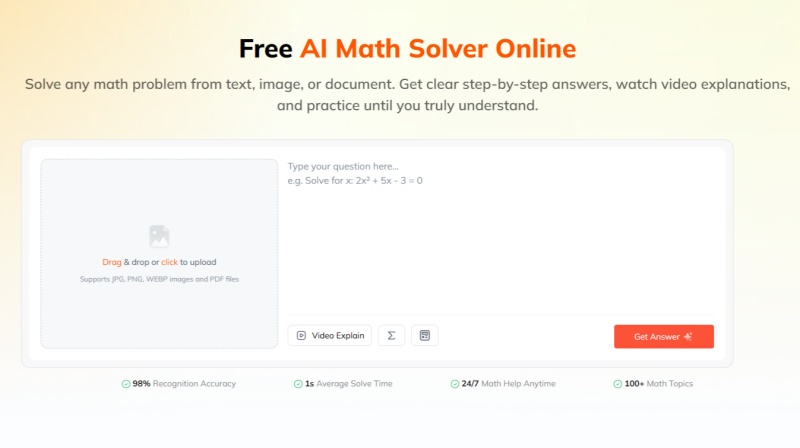
Tenorshare AI Math is one of the newer AI math solvers that aims to replace the experience of Microsoft Math Solver. Like Microsoft's former app, it supports taking a photo of a math problem, recognizing handwritten or printed equations, and generating step-by-step solutions.
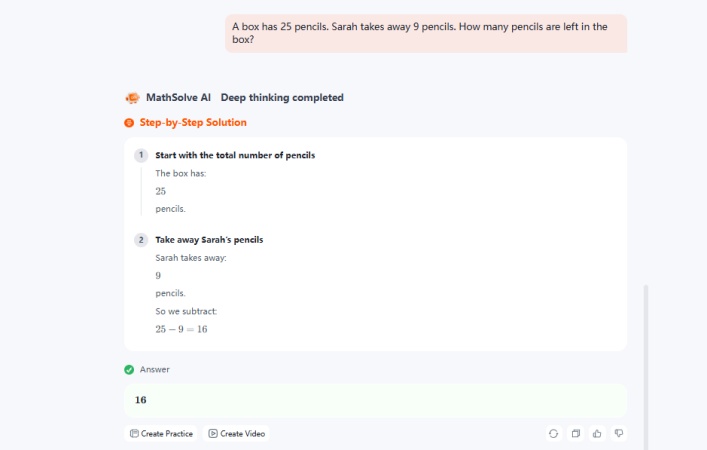
Unlike traditional math solvers, it also uses conversational AI to explain why each step is performed, allowing users to ask follow-up questions when something isn't clear.
Key features
-
Supports text, image, and PDF input, allowing users to solve math problems from worksheets, textbooks, or digital assignments.
-
Delivers step-by-step explanations that show both the calculation process and the underlying mathematical concepts.
-
Generates AI-powered video explanations to help users better visualize and understand difficult topics.
-
Offers similar practice problems after each solution to reinforce learning and improve problem-solving skills.
-
Includes a built-in calculator for quick computations alongside more detailed AI-assisted solutions.
Best for
Students who want an experience similar to Microsoft Math Solver but with modern AI-assisted explanations.
- Easy to use for beginners
- Good support for photo-scanned homework
- AI explanations are more conversational than many traditional solvers
- Covers a broad range of school-level math topics
- Some advanced features may require a paid subscription
- Less suitable for highly specialized university mathematics than symbolic computation tools
Symbolab
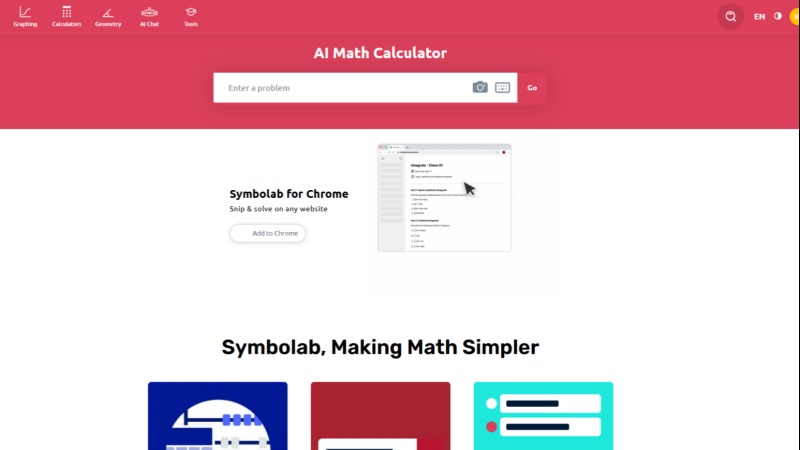
Symbolab is one of the most established online math solvers and is often recommended as a Microsoft Math Solver alternative for students who need more detailed explanations. The platform supports a wide range of subjects, from basic algebra to advanced calculus, differential equations, matrices, and linear algebra.
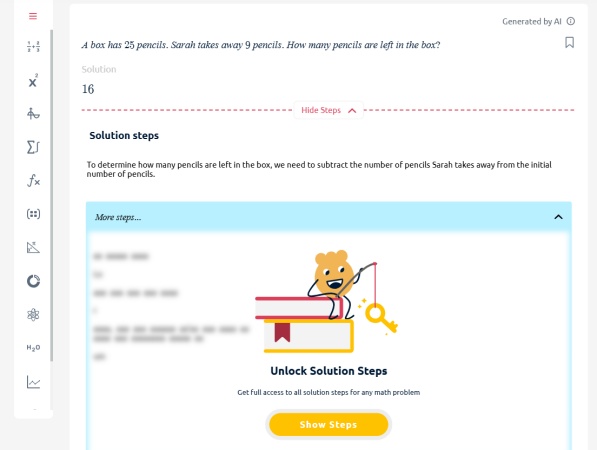
While a free version is available, many of its most detailed explanations require a Premium subscription.
Key features
-
Step-by-step solutions for algebra, calculus, trigonometry, statistics, and more
-
Advanced equation, derivative, integral, and matrix solvers
-
Interactive graphing calculator for visualizing mathematical functions
-
Scientific calculator and formula reference tools
-
Practice problems and quizzes for reinforcing concepts
-
Mobile apps and web access across multiple devices
Best for
Students who want to understand the reasoning behind each solution instead of only checking the correct answer.
- One of the most detailed step-by-step solution platforms available
- Covers a broad range of high school and college mathematics
- Excellent interface for learning rather than simply finding answers
- Regularly updated with new mathematical tools
- Premium subscription required for complete solution steps
- Camera scanning is less polished than photo-first apps
- Can feel overwhelming for beginners solving simple homework
Wolfram Alpha
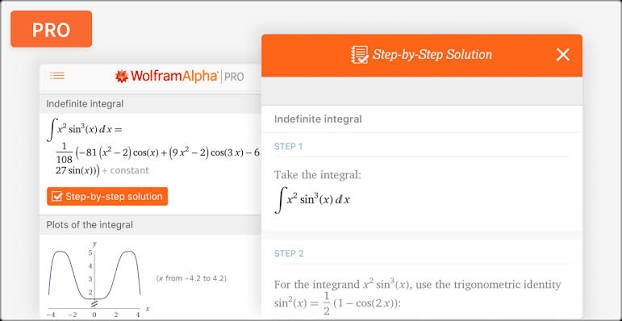
Wolfram Alpha differs from most homework apps because it functions as a c omputational knowledge engine rather than a traditional math solver. It can solve highly complex mathematical problems, generate graphs, perform symbolic calculations, and provide detailed computational results for university-level subjects.
Although it may not always explain concepts in a classroom-friendly way, it remains one of the most powerful mathematical tools available.
Key features
-
Symbolic computation for advanced mathematics
-
Solves calculus, linear algebra, differential equations, and statistics
-
Generates interactive graphs and mathematical visualizations
-
Supports scientific, engineering, and programming calculations
-
Extensive mathematical database and formula library
-
Available through both web and mobile platforms
Best for
College students, STEM majors, researchers, and professionals who regularly solve advanced mathematical problems.
- Extremely accurate for advanced mathematical computation
- Handles problems beyond the scope of most homework apps
- Useful across mathematics, science, and engineering disciplines
- Trusted by researchers, educators, and university students
- Learning curve is higher than most student-focused apps
- Step-by-step explanations require Wolfram Alpha Pro
- Less suitable for younger students learning basic concepts
Mathway
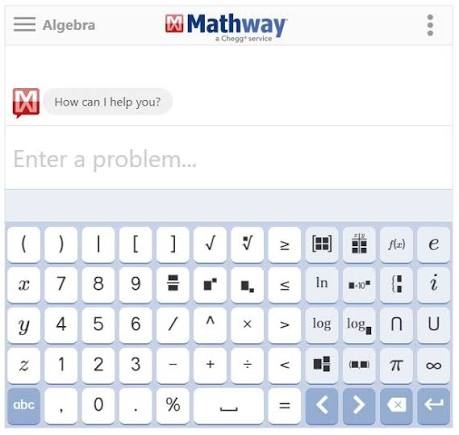
Mathway has been one of the most recognizable math-solving apps for years. Its strength lies in speed and simplicity. Users can either type an equation or scan it with their phone camera to receive an answer within seconds.
The platform supports everything from elementary math to calculus, making it a convenient choice for students who need quick homework assistance.
Key features
-
Camera-based equation scanning
-
Covers algebra, geometry, trigonometry, calculus, and statistics
-
Graphing calculator support
-
Mobile apps for iOS and Android
-
Web-based version for desktop users
-
Multiple solving methods for many equations
Best for
Students who want fast answers and occasionally need step-by-step explanations for homework.
- Fast and easy to use
- Supports a wide variety of math subjects
- Good OCR recognition for printed equations
- Clean and beginner-friendly interface
- Detailed solution steps require a Premium plan
- AI explanations are relatively limited
- Some advanced topics receive less detailed guidance
Photomath
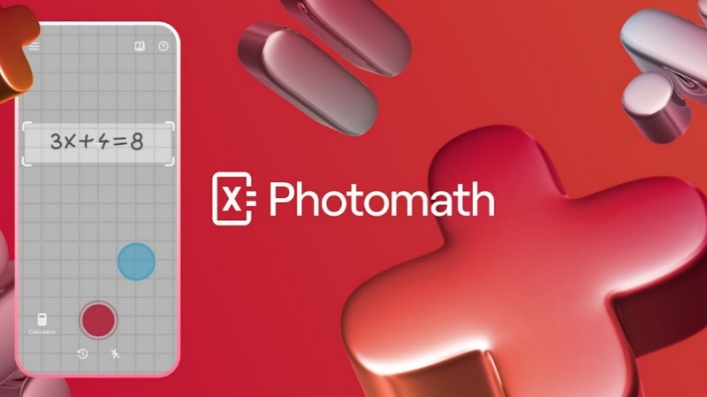
Photomath is a photo-first math solver designed around scanning problems with a smartphone camera . It can recognize printed and handwritten math problems and provide explanations for the solution, making it one of the closest alternatives for users who previously relied on Microsoft Math Solver's camera input.
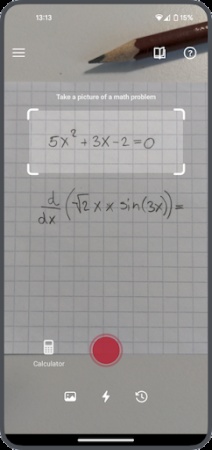
The app covers common school mathematics, including arithmetic, algebra, geometry, trigonometry, and calculus. Its visual approach makes it particularly convenient for students working with textbook exercises or printed worksheets .
Key features
-
Camera scanning for printed and handwritten math problems
-
Step-by-step explanations for many supported problems
-
Covers arithmetic, algebra, geometry, trigonometry, and calculus
-
Multiple solution methods for selected problems
-
Mobile apps designed around photo-based problem solving
Best for
Middle and high school students who frequently work from printed assignments and prefer taking a picture rather than typing equations.
- Very convenient for scanning textbook and worksheet problems
- Strong focus on visual problem recognition
- Step-by-step explanations are easy for students to follow
- Covers a broad range of school-level mathematics
- Some advanced explanations and features require a paid plan
- Primarily designed for mobile use
- Less suitable for highly advanced mathematical computation
Gauth
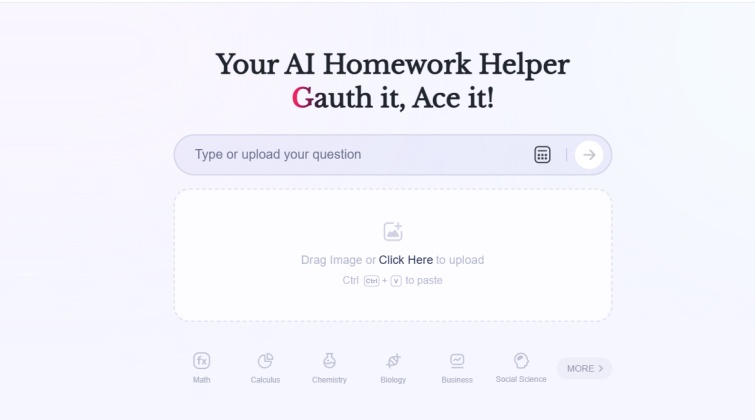
Gauth is an AI-powered homework assistant that goes beyond traditional equation solving. Users can upload images of homework questions and receive solutions and explanations, while the platform can also provide assistance with subjects beyond mathematics.
For students looking for a more conversational alternative to Microsoft Math Solver, Gauth places greater emphasis on AI-assisted explanations and homework support rather than functioning solely as a mathematical calculator.
Key features
-
Image-based homework question recognition
-
AI-generated solutions and explanations
-
Support for math and other school subjects
-
Step-by-step guidance for many problems
-
AI-powered question-and-answer experience
-
Mobile-focused homework assistance
Best for
Students who want an AI homework assistant that can work with both mathematical problems and broader school assignments.
- Convenient for image-based homework
- Can handle questions that require more contextual understanding
- Covers subjects beyond mathematics
- More conversational than traditional equation calculators
- Solution quality can vary depending on the problem and image
- Some features may depend on account or subscription limits
- Less focused on advanced mathematical computation
GeoGebra
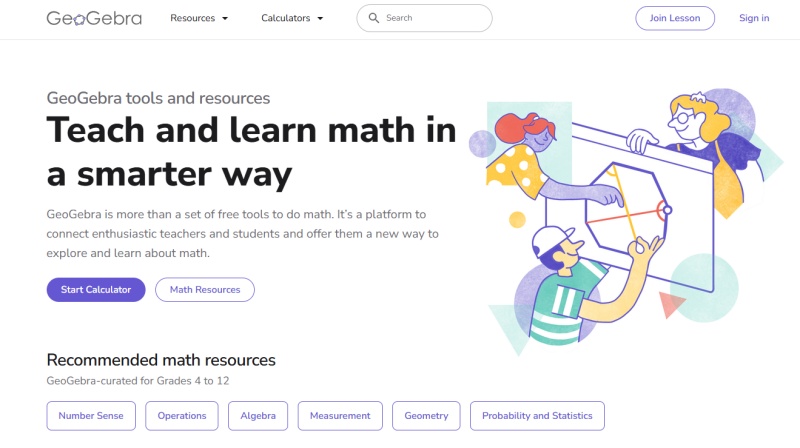
GeoGebra takes a different approach from most Microsoft Math Solver alternatives. Rather than primarily focusing on generating homework answers, it provides a collection of interactive mathematics tools for graphing, geometry, algebra, statistics, and calculus.
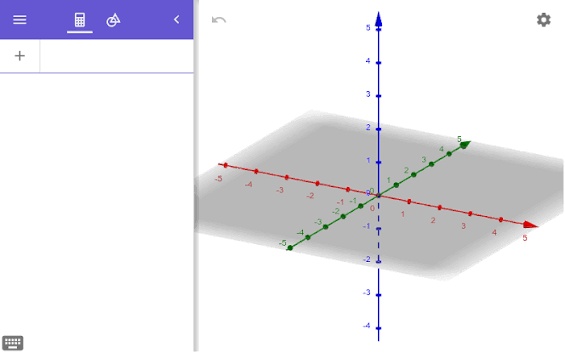
Its strongest feature is visualization . Students can manipulate graphs and geometric constructions directly, which can make abstract mathematical relationships easier to understand.
Key features
-
Interactive graphing calculator
-
Geometry construction tools
-
Algebra and equation tools
-
3D graphing and visualization
-
Statistics and probability tools
-
Interactive mathematical activities and resources
Best for
Students and teachers who need to visualize functions, geometric relationships, and other mathematical concepts rather than simply obtain an answer.
- Excellent graphing and visualization capabilities
- Particularly useful for geometry and functions
- Supports a wide range of mathematical subjects
- Free access to many core tools
- Not primarily designed as an AI homework solver
- Step-by-step explanations are less central to the platform
- Interface can take time for beginners to learn
Cymath
Cymath is a relatively simple online math solver focused mainly on providing solutions to common algebra and calculus problems. Its interface is less feature-heavy than platforms such as Symbolab or Wolfram Alpha, which can make it easier to use for straightforward calculations.
Users can enter mathematical expressions and receive solutions with steps explaining the main transformations. A mobile app is also available for users who prefer solving problems on a phone.
Key features
-
Step-by-step solutions for common math problems
-
Derivative and integral calculations
-
Equation solving and simplification
-
Web and mobile access
-
Simple interface for quick problem solving
Best for
Students who need a straightforward solver for everyday algebra and calculus problems without the additional complexity of a larger mathematical platform.
- Easy to use for basic and intermediate problems
- Provides solution steps rather than only final answers
- Useful for algebra and introductory calculus
- Less complicated than many advanced math platforms
- Subject coverage is narrower than some competitors
- Limited visualization and graphing capabilities
- Less suitable for highly advanced or specialized mathematics
Final Verdict: Which Alternative Should You Choose?
The best Microsoft Math Solver alternative depends on how you want to solve and learn math.
Tenorshare AI Math is a balanced option for students who want more than a final answer. It supports text, image, and PDF inputs, step-by-step solutions, AI video explanations, and follow-up practice questions. Photomath is particularly convenient for camera-based problem solving, while Symbolab and Wolfram Alpha are better suited to users who need broader or more advanced mathematical capabilities. GeoGebra stands out for graphing and interactive visualization.
Overall, if your priority is an easy-to-use replacement that combines AI solving, detailed explanations, image recognition, and learning features, Tenorshare AI Math is a strong alternative to consider.

Tenorshare AI Math
- Solve math from text, images & PDFs at 98% accuracy
- Deliver step-by-step answers with detailed logic breakdown
- Access video explanations for deeper math concept understanding
- Generate matching practice tests to solidify knowledge

FAQs
-
Is Microsoft Math Solver free?
Yes. Microsoft Math Solver was historically available as a free math-solving tool, including features such as photo input, step-by-step solutions, graphs, and explanations. However, the standalone Microsoft Math Solver app was discontinued on July 7, 2025.
-
Is Microsoft Math Solver down?
It is not simply a temporary outage. Microsoft discontinued the standalone Math Solver app in July 2025, so users looking for the original app should consider an alternative instead. Some Microsoft math features remain available through products such as Math Assistant in OneNote.
-
Can Microsoft Math Solver solve word problems?
Yes. Microsoft Math Solver was designed to handle various types of school mathematics, including problems that could be entered through text or images. However, since the standalone service has been discontinued, students who need ongoing help with word problems will need to use another math solver.
-
Is Microsoft Math Solver good?
Microsoft Math Solver was a useful option for students because it combined photo recognition, step-by-step solutions, graphs, and explanations in one tool. Its biggest limitation today is availability rather than its historical feature set. Since the standalone app is discontinued, a current alternative may be more practical for regular use.
-
Why was Microsoft Math Solver discontinued?
Microsoft officially discontinued the standalone Microsoft Math Solver app on July 7, 2025. Microsoft has continued offering some mathematical assistance through education products such as Math Assistant in OneNote, but this does not function as a direct standalone replacement for the original app.
-
What replaced Microsoft Math Solver?
There is no single official one-to-one replacement for the standalone Microsoft Math Solver app. Microsoft points users toward math-related features in products such as OneNote, while third-party tools such as Tenorshare AI Math, Symbolab, Photomath, and Mathway provide alternative ways to solve and understand math problems.
You Might Also Like
- 8 Best Math AI Solvers Compared (2026): Step-by-Step Problem Solving
- 8 Best GauthMath Alternatives Reviewed: Top Apps & Websites in 2026
- Best Wolfram Alpha Alternatives for Students: 6 Math Solvers With Steps
- Best AI Models for Math (2026): 4 Leading Tools Compared & Ranked
- 8 Free Math Help Websites for Homework and Problem Solving
- CameraMath Review 2026: Is This AI Math Solver Worth It?

Tenorshare AI Math: Solve any math problems with AI
Turn math questions into clear solutions, tutorial videos & targeted practice setsTenorshare AI Math: Instant Solutions
Steps, videos & practice for every problem
Tenorshare AI Math: Solve any math problems with AI