
10 Best Mathway Alternatives in 2026: Free Math Solvers With Step-by-Step Solutions
Mathway is a familiar option for checking equations and working through many types of math problems. However, access to detailed steps, photo input, graphing, and advanced topics can vary by feature and plan. That is why many students look for a free Mathway alternative that better fits the way they study.
This guide covers 10 alternatives for different needs , including algebra, calculus, geometry, graphing, and photo-based questions. "Free" can mean a free tool, a free tier, or free access to selected features, so always review the current limits before relying on a tool for coursework.
Catalogs:
Top 10 Alternatives to Mathway for Solving Math Problems
- Tenorshare AI Math -- Best AI Math Solver
- Symbolab -- Best for Step-by-Step Calculus
- Photomath -- Best for Photo Math Problems
- Wolfram Alpha -- Best for Advanced Math
- Cymath -- Best for Quick Equation Solving
- MathPapa -- Best for Algebra Help
- GeoGebra -- Best for Geometry and Interactive Math
- Gauth -- Best for AI Homework Help
- Desmos -- Best for Graphing
- QuickMath -- Best for Browser-Based Equation Solving
What Is Mathway and Why Look for an Alternative?
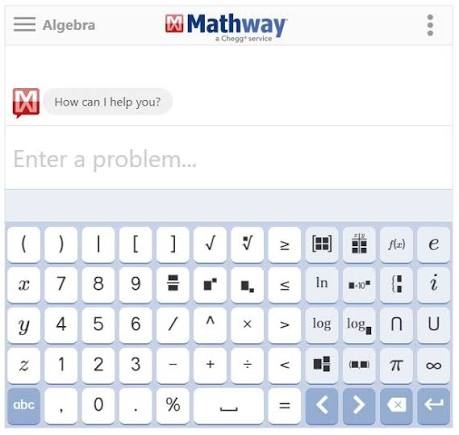
Mathway is an online and mobile math solver that covers subjects such as basic math, algebra, trigonometry, statistics, and calculus. Users can type a problem or use image input in supported versions to receive an answer.
People may look for alternatives when they need:
-
More access to step-by-step explanations
-
A different way to enter a problem, such as a photo, graph, or document
-
Help with a specific subject, such as algebra or geometry
-
A browser-based graphing tool
-
A free option for occasional homework checks
A math solver is most useful when it helps explain the method, not only the final answer. It is also wise to compare the result with class notes, a textbook, or a second solver when the problem is complex.
Top 10 Alternatives to Mathway for Solving Math Problems
Below are 10 Mathway alternatives, with each tool suited to a different type of math problem or learning workflow.
Tenorshare AI Math -- Best AI Math Solver
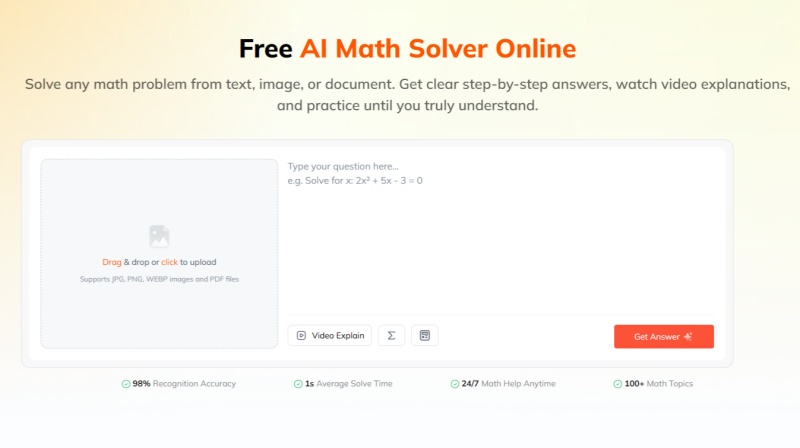
Tenorshare AI Math is an online AI math solver that can work with problems entered as text as well as questions provided through images or documents. It is designed to recognize a wide range of mathematical problems and provide solutions with step-by-step explanations.
Many math tools specialize in one part of the process. For example, some focus on scanning a photo, graphing an equation, or performing advanced calculations. Tenorshare AI Math combines flexible problem input with solution explanations, visual learning, and follow-up practice in one workflow.
This makes it a suitable option for students who regularly work from mixed homework formats --such as textbook photos, screenshots, typed questions, and PDFs--and want to understand a method before practicing it independently .
Key features:
-
Accepts text, images, screenshots, photos, and PDF documents.
-
Covers common school-level topics, including algebra, geometry, trigonometry, and calculus.
-
Provides step-by-step logic rather than only a final answer.
-
Offers video explanations for users who prefer visual instruction.
-
Generates related practice questions to help users apply the same method again.
-
Includes follow-up support for clarifying a step or concept.
- Multiple input formats reduce the need to retype long or complex equations.
- Step-by-step explanations help users review the reasoning behind an answer.
- Video explanations and practice generation add learning support beyond basic answer checking.
- The structured interface is designed specifically for math questions, without requiring users to write detailed prompts.
- Like other AI-based math tools, results should be reviewed before being used for assignments or exams.
- It is designed mainly for student learning and everyday math practice, rather than research-level mathematics or highly specialized proof-based work.
- An internet connection is required to process questions and generate AI responses.
Best for: Students who want one AI math tool for solving questions from images, documents, or text, then reviewing the method and practicing similar problems.
Symbolab -- Best for Step-by-Step Calculus
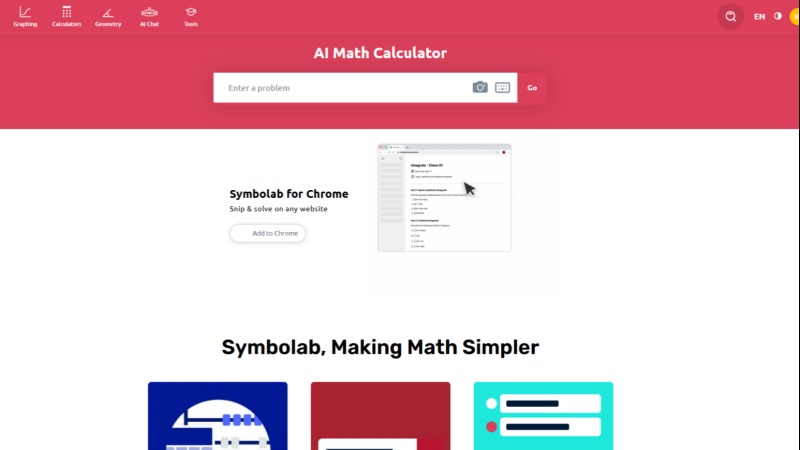
Symbolab is an online math calculator that supports algebra, trigonometry, calculus, matrices, statistics, and other symbolic math topics. It is particularly suited to calculus because users can enter expressions for derivatives, integrals, limits, and differential equations using a notation-focused interface.
Key features:
-
Covers algebra, trigonometry, calculus, matrices, and statistics.
-
Supports derivatives, integrals, limits, and differential equations.
-
Uses a structured interface for entering mathematical notation.
-
Provides solution steps for supported expressions.
- Strong fit for symbolic math and calculus notation.
- Helps users inspect the procedure behind a result.
- Useful for checking homework and reviewing standard methods.
- Some detailed solution steps and learning features may require a paid plan.
- It is less focused on photo-based homework input than dedicated scanning tools.
Best for: Students who need structured support for calculus and symbolic math problems.
Photomath -- Best for Photo Math Problems
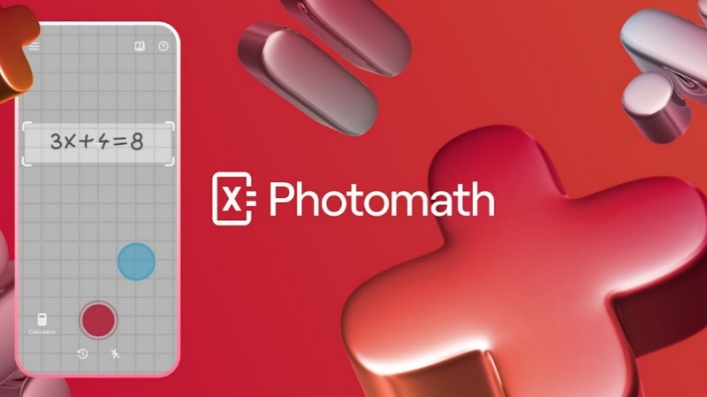
Photomath is a mobile math solver built around camera input. Users can point a phone camera at a printed or handwritten question instead of manually typing the full equation.
That camera-first workflow is why it fits photo math problems especially well. It can be useful when students are working from a worksheet, textbook, or handwritten exercise and want to quickly convert the visible problem into a digital solution. Its usefulness depends on whether the scan captures the full question accurately.
Key features:
-
Uses a phone camera to scan printed or handwritten math problems.
-
Supports common topics including arithmetic, algebra, geometry, trigonometry, and calculus.
-
Displays solutions and steps for supported problems.
-
Works with textbook exercises, worksheets, and handwritten homework.
- Reduces the need to type long equations manually.
- Convenient for questions that already exist on paper.
- Lets users check whether the scanned expression matches the original problem.
- Poor lighting, cropped images, unclear handwriting, and unusual notation can affect recognition.
- Available explanations and features can vary by version or plan.
Best for: Students who frequently need to solve math questions from photos, worksheets, or textbooks.
Wolfram Alpha -- Best for Advanced Math
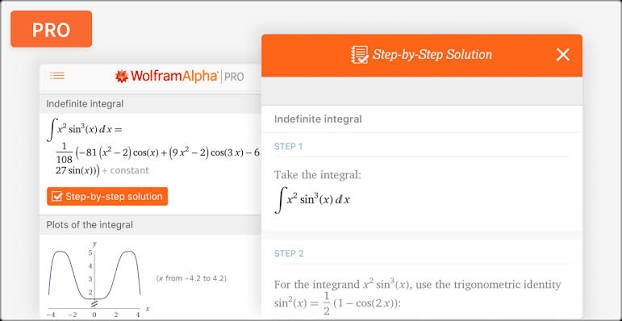
Wolfram Alpha is a computational knowledge engine that handles mathematical, scientific, statistical, and technical queries. It supports symbolic expressions, equations, derivatives, integrals, matrices, units, plots, and other calculation-heavy tasks.
Its broader computational depth makes it more suitable for advanced math than a typical homework scanner. Students and technical users can use it when a problem involves formal notation, scientific data, unit conversions, or calculations that extend beyond standard school-level equation solving.
Key features:
-
Handles symbolic math, equations, derivatives, integrals, matrices, units, and plots.
-
Supports technical subjects such as engineering, physics, and statistics.
-
Returns related computational information alongside results.
-
Can generate graphs and analyze mathematical expressions.
- Covers a wide range of advanced mathematical and scientific queries.
- Useful for university-level and technical calculations.
- Goes beyond basic equation solving with computational analysis and plots.
- The interface may feel less approachable for beginners.
- Some detailed step-by-step features are available through Wolfram|Alpha Pro.
Best for: Advanced math, science, engineering, and technical calculations.
Cymath -- Best for Quick Equation Solving
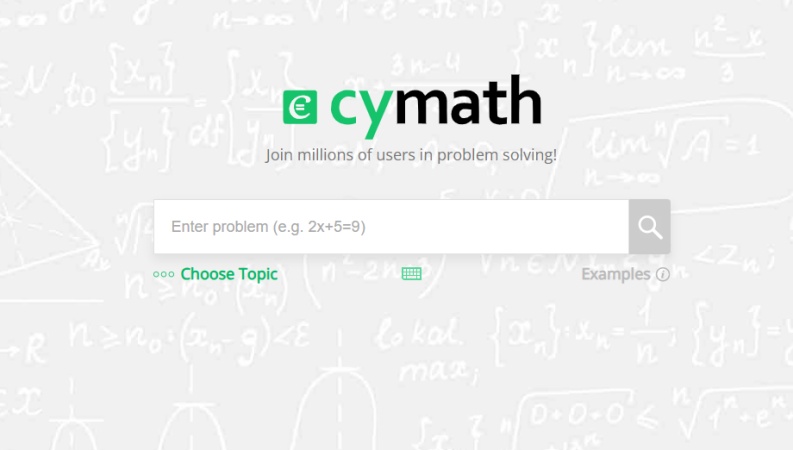
Cymath is a straightforward online math solver for common algebra and introductory calculus questions. It can solve equations, factor expressions, simplify forms, and work with selected calculus tasks.
Its narrower, direct interface is the reason it is suited to quick equation solving. Users who want to check one expression without navigating a broad learning platform may find this approach convenient.
Key features:
-
Solves equations and simplifies mathematical expressions.
-
Supports factoring and introductory calculus.
-
Presents solution steps for supported problems.
-
Uses a simple interface focused on individual problem solving.
- Quick and straightforward for checking individual problems.
- Less complicated than larger math platforms.
- Solution steps allow users to review the general process.
- Users should carefully check inputs containing nested parentheses, fractions, negative signs, or exponents.
- Its focus is narrower than that of comprehensive mathematics platforms.
Best for: Quick checks of algebra and introductory calculus problems.
MathPapa -- Best for Algebra Help
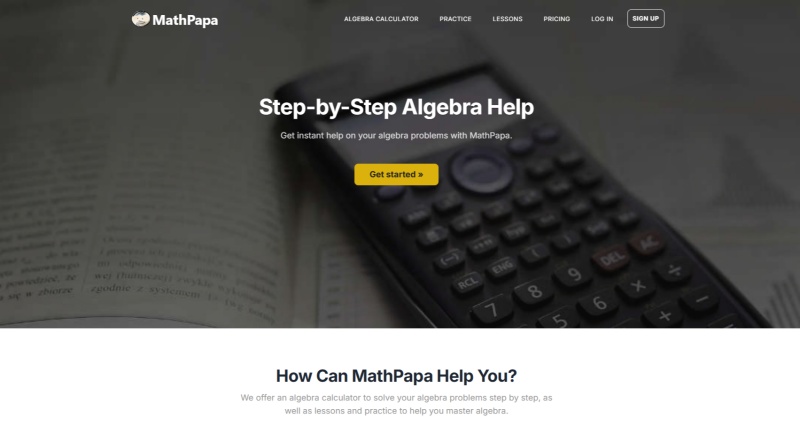
MathPapa is primarily focused on algebra and provides both calculator functions and educational resources. It covers common topics such as linear equations, quadratic equations, inequalities, fractions, decimals, percentages, and systems of equations.
Key features:
-
Covers foundational algebra topics, including linear and quadratic equations.
-
Supports inequalities, fractions, decimals, percentages, and systems of equations.
-
Combines calculator functions with lessons and practice resources.
-
Focuses on foundational algebra rather than every branch of mathematics.
- Narrow focus can make it easier for students learning basic algebra.
- Provides educational materials in addition to answer checking.
- Useful for reinforcing algebra skills while solving individual problems.
- It is less suitable for users seeking broad coverage of advanced mathematics.
- It is not designed primarily for geometry, graphing, or technical scientific calculations.
Best for: Middle school and high school students who mainly need algebra support.
GeoGebra -- Best for Geometry and Interactive Math
GeoGebra is an interactive mathematics platform that combines geometry, algebra, graphing, statistics, and 3D tools. Users can construct figures, move points, graph functions, and observe how one change affects another part of a mathematical model. It is most valuable when understanding a diagram or exploring a concept matters as much as completing a calculation.
Key features:
-
Combines geometry, algebra, graphing, statistics, and 3D tools.
-
Allows users to construct geometric figures and move points.
-
Supports transformations, function graphs, and interactive mathematical models.
-
Lets users observe how changing one variable affects another.
- Strong visual and interactive learning capabilities.
- Useful for coordinate geometry, functions, transformations, statistics, and classroom demonstrations.
- Helps students explore mathematical relationships rather than only obtain an answer.
- Not primarily designed to provide a single final answer to every homework question.
- Its main strength is interactive exploration rather than automatic step-by-step homework solving.
Best for: Geometry, graphing, visual learning, and interactive mathematical exploration.
Gauth -- Best for AI Homework Help
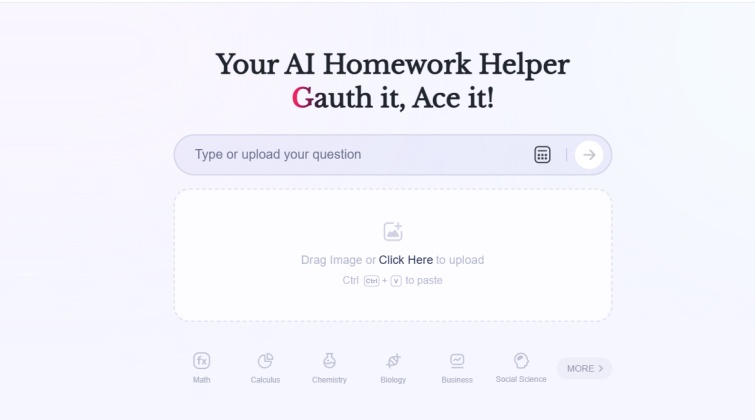
Gauth is an AI-based homework-help platform that supports image-based questions and conversational follow-up. Users can submit a problem, receive an explanation, and ask additional questions when a particular step is unclear.
Key features:
-
Supports image-based questions from photographed worksheets, textbooks, and handwritten exercises.
-
Provides explanations for submitted problems.
-
Allows users to ask follow-up questions through conversational interaction.
-
Supports some academic subjects beyond mathematics.
- Image input is convenient for photographed or handwritten problems.
- Follow-up questions can help students clarify difficult steps.
- Conversational explanations can be useful when a student needs a simpler explanation.
- AI-generated answers should be reviewed carefully.
- Word problems can require additional checking because they depend on wording and context, not only mathematical symbols.
Best for: Students who want AI-powered homework assistance and follow-up explanations.
Desmos -- Best for Graphing
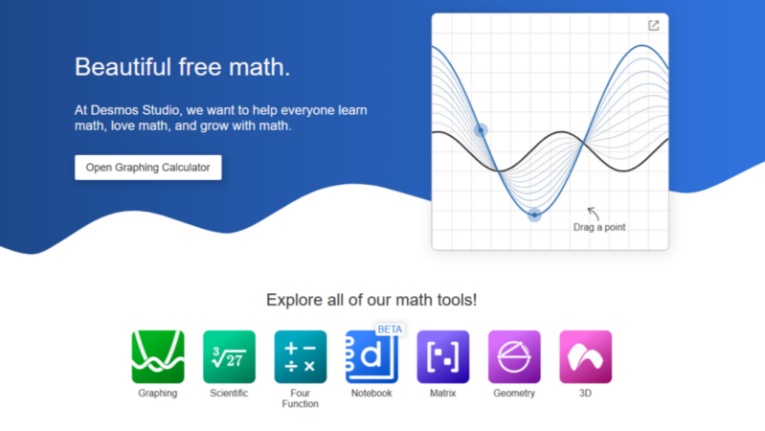
Desmos is a graphing calculator platform for plotting functions, comparing equations, exploring intersections, and visualizing mathematical relationships. Users can change coefficients and parameters to see how a graph responds in real time.
Key features:
-
Plots functions and equations interactively.
-
Supports comparison of equations and exploration of intersections.
-
Allows users to change coefficients or parameters and observe graph changes.
-
Useful for algebra and calculus concepts such as slope, transformations, roots, and function behavior.
- Makes abstract mathematical relationships easier to visualize.
- Interactive controls help students explore how equations respond to parameter changes.
- Useful as a companion tool for checking graphs and developing mathematical intuition.
- Not intended to replace a full step-by-step homework solver.
- Its main strength is visualization and exploration rather than automatically explaining every algebraic manipulation.
Best for: Graphing functions, visualizing equations, and exploring algebra and calculus concepts.
QuickMath -- Best for Browser-Based Equation Solving
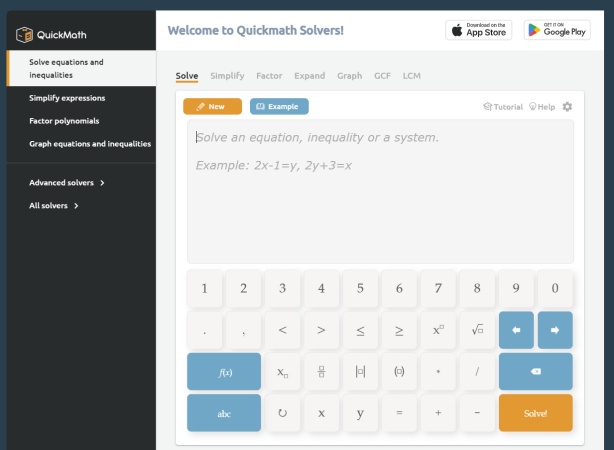
QuickMath is a browser-based math tool for equations and expressions across areas such as algebra, calculus, and matrices. It is designed for typed mathematical input and can be used to check calculations, simplify expressions, and work through standard equation-solving tasks.
Because it runs directly in a browser , it suits users who want a simple web-based option without installing a dedicated mobile app.
Key features:
-
Works directly in a web browser.
-
Supports equations and expressions in areas including algebra, calculus, and matrices.
-
Suitable for checking equations, simplifying expressions, and verifying calculations.
-
Focuses on straightforward typed mathematical input.
- No dedicated mobile application installation is required.
- Convenient for quick problem checking while working on homework.
- Simple approach can be useful for users who do not need extensive learning features.
- Result quality depends partly on accurate problem input.
- Users should carefully check fractions, exponents, parentheses, and order of operations before relying on the displayed answer.
Best for: Users looking for a simple browser-based alternative for quick math checks.
How to Choose the Best Alternative to Mathway for Your Needs
| Tool | Main use | Input options | Free-access note |
|---|---|---|---|
| Tenorshare AI Math | AI-guided math solutions | Text, image, document | Free trial of core features, including step-by-step solutions |
| Symbolab | Calculus and structured solving | Typed math input | Some detailed features may require a plan |
| Photomath | Scanning math problems | Camera and image | Feature availability varies by version |
| Wolfram | Alpha | Advanced math and STEM queries | Typed queries |
| Cymath | Quick algebra and calculus checks | Typed math input | Free access is available with feature limits |
| MathPapa | Algebra learning | Typed algebra input | Core calculator access is available online |
| GeoGebra | Geometry and visual math | Interactive construction and equations | Free tools are widely available |
| Gauth | Image-based homework assistance | Image and text | Free usage may be limited |
| Desmos | Graphing and visual exploration | Typed equations and data | Core graphing tools are free |
| QuickMath | Browser-based equation solving | Typed math input | Check current access and feature limits |
The right Mathway alternative depends on how you usually study and the type of problem you need to solve.
If you do not want to compare multiple tools or learn different interfaces, Tenorshare AI Math offers a simpler all-in-one option. It lets you paste questions or upload images and documents--no complex notation or prompts needed. It provides fast answers, step-by-step explanations, and follow-up learning support.
Most importantly, Mathway's detailed steps can be limited by its plan structure. Tenorshare AI Math includes step-by-step solutions in its free plan within the available daily usage allowance.
Final Thoughts: Which Mathway Free Alternative Is Best?
The best Mathway alternative depends on the task . Tenorshare AI Math can suit users who want AI-assisted, step-by-step help from text, images, or documents. Symbolab and Wolfram|Alpha are useful for more technical math input, while Photomath is built around camera scanning.
For algebra, MathPapa and Cymath offer focused tools. GeoGebra and Desmos are better suited to visual math and graphing. Trying a few tools with the same sample problem can help you choose the interface and explanation style that works best for you.
Tenorshare AI Math
- Solve math from text, images & PDFs at 98% accuracy
- Deliver step-by-step answers with detailed logic breakdown
- Access video explanations for deeper math concept understanding
- Generate matching practice tests to solidify knowledge

FAQs
-
Is Mathway powered by AI?
Mathway uses automated mathematical solving technology to process equations and generate answers. "AI" is used broadly across math-solver products, but the exact technology and features can vary by tool and change over time.
-
Is Mathway not free anymore?
Mathway has offered free access to answers and basic solving features, while detailed step-by-step explanations may be limited to paid access or particular plans. Check its current pricing and feature pages for the latest details.
-
Is Mathway 100% accurate?
No math solver should be treated as 100% accurate in every situation. Results can be affected by an incorrectly entered expression, unclear image recognition, missing context, or an ambiguous word problem. Review the steps and verify important work independently.
-
What is the best Mathway alternative for calculus?
Symbolab and Wolfram|Alpha are commonly used for calculus because they support derivatives, integrals, limits, and related notation. The better choice depends on whether you need detailed steps, advanced computation, or graphing support.
-
What is the best Mathway alternative for photo math problems?
Photomath is a dedicated photo-based math solver. Tenorshare AI Math and Gauth also support image input, which can be useful for questions saved as photos, screenshots, or documents.
You Might Also Like
- AllMath Review 2026: We Tested Its AI Math Solver Accuracy
- QuickMath Review 2026: Is This Math Solver Worth It?
- DeltaMath Solver Review 2026: Is This AI Math Solver Good?
- MathBot Review 2026: Is MathBot Legit, Free, and Worth It?
- Goth AI Review 2026: Is This AI Math Solver Worth Using?
- Cymath Review 2026: Is It Free, Safe and Worth It?

Tenorshare AI Math: Solve any math problems with AI
Turn math questions into clear solutions, tutorial videos & targeted practice setsTenorshare AI Math: Instant Solutions
Steps, videos & practice for every problem
Tenorshare AI Math: Solve any math problems with AI