
How to Remove Gemini Watermark: Proven Strategies for Clean Text
As Google Gemini becomes a primary tool for content creators, a new concern has emerged: invisible watermarking. Whether you are a blogger worried about SEO or a student concerned about academic integrity, knowing how to handle these digital traces is essential. In this 2026 update, we'll show you exactly how to remove Gemini watermark from your text.
Does Gemini Leave Watermarks in Text?
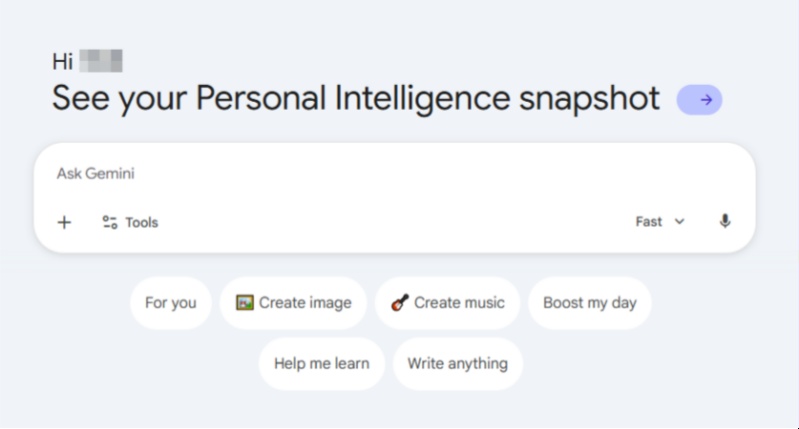
The short answer is yes. When you hear the word "watermark", you probably picture a translucent "Gemini" logo stamped on an AI-generated image or a subtle gray icon at the bottom of a file.
However, text watermarking is entirely different. It is invisible to the human eye. You won't find any hidden symbols, weird fonts, or "Google properties" metadata in your copy-paste. Instead, Google has "baked" the watermark directly into the way the sentences are constructed, making it a part of the text's DNA.
What Are Gemini AI Watermarks (SynthID)?
Developed by Google DeepMind, SynthID-Text is the technology behind this invisible tracking. Think of it as a "statistical fingerprint."
To understand this, imagine when an AI writes the phrase "The sky is...", it faces several spinning wheels labeled with different probabilities: a 70% chance for "blue" and a 10% chance for "azure."
Normally, the AI would likely choose "blue." However, to apply a watermark, SynthID quietly nudges the wheels, forcing the AI to select "azure" at specific moments. This subtle adjustment acts like a hidden Morse code; while it reads naturally to humans, a detection tool can instantly conclude "This is definitely AI-written" once it captures this specific rhythm of word choices.
Can AI Detectors Really Identify Gemini Content?
This is the part that concerns most creators, and the answer is a sobering yes. While older, generic AI detectors were often "guessing," 2026-era technology has changed the game.
-
Google's Own Ecosystem: Google can detect its own SynthID patterns with near-perfect accuracy. This means if you are posting Gemini-generated content on Google-owned platforms, the system already knows its origin.
-
Advanced Third-Party Scanners: Professional tools like GPTZero and Originality.ai have integrated SynthID detection. They scan for the specific mathematical offsets that SynthID-Text leaves behind.
Why Does Gemini Add Watermarks?
Google's push for "Responsible AI" is the driving force here. As AI text becomes indistinguishable from human writing, Google faces pressure from regulators to ensure transparency. The watermark serves as a safety net. It allows platforms to filter out massive amounts of AI-generated spam, prevents the spread of AI-fueled misinformation in news cycles, and helps academic institutions maintain integrity.
Why You Should Remove Gemini Text Watermarks?
Keeping these invisible markers in your content can lead to long-term issues, especially in professional environments. Depending on your role, the risks of leaving Gemini's digital signature untouched vary:
-
For Students & Researchers: Academic integrity is more scrutinized than ever. A high AI score can lead to plagiarism claims or penalties, even if you only used AI for brainstorming.
-
For Freelance Writers & Content Agencies: Clients expect human-written content. Many use AI scanners -- watermarked work can get rejected, damage your reputation, and cost you contracts.
-
For SEO Specialists & Website Owners: Google doesn't penalize AI directly, but it rewards EEAT. Watermarked Gemini content may be seen as low-effort spam, hurting your rankings and organic traffic.
-
For Marketing Professionals & Social Media Managers: Brand authenticity builds trust. Watermarked text often lacks your unique brand voice and may be deprioritized as low-quality AI content.
How to Remove the Gemini Watermark?
Since the watermark is embedded in the logic of the sentences, you need to break the statistical pattern. Here are the three most effective ways to do it.
Use a Reliable AI Humanizer Tool
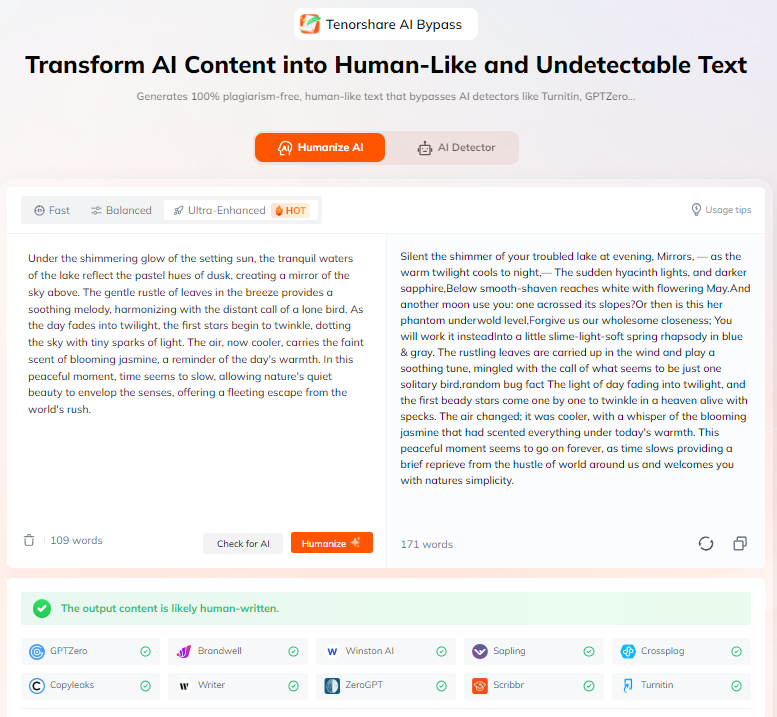
The fastest and most effective way to scrub SynthID and invisible Gemini markers is by using a specialized AI Humanizer. For this task, Tenorshare AI Bypass stands out for:
-
Rewrite AI-generated text into a natural, human-like flow.
-
Ensures your text passes as 100% human-written on platforms like GPTZero, Originality.ai.
-
Fundamentally restructures sentences and varies word choices to break the "predictable" patterns.
-
Effectively shatters the original mathematical signature while keeping your original meaning 100% intact.

Tips:
For the best results with Gemini, always use the "Enhanced Mode" in Tenorshare AI Bypass. This mode is the most powerful solution for neutralizing SynthID-Text technology, ensuring your content stays clean.
The "Double-Model" Rewrite
This is a powerful manual hack. Because different AI models (like Claude or Llama) have different "signatures," you can use one to overwrite the other.
-
Generate your initial draft in Gemini.
-
Copy that text and feed it into a different AI tool with the prompt: "Rewrite this in a conversational, human tone, avoiding repetitive sentence structures."
The second model will use a completely different probability map, effectively shattering the original Gemini watermark.
Use Gemini API Instead of the Web App
The Gemini web app applies the most robust version of SynthID. By contrast, using the Gemini API through Google AI Studio offers greater flexibility.
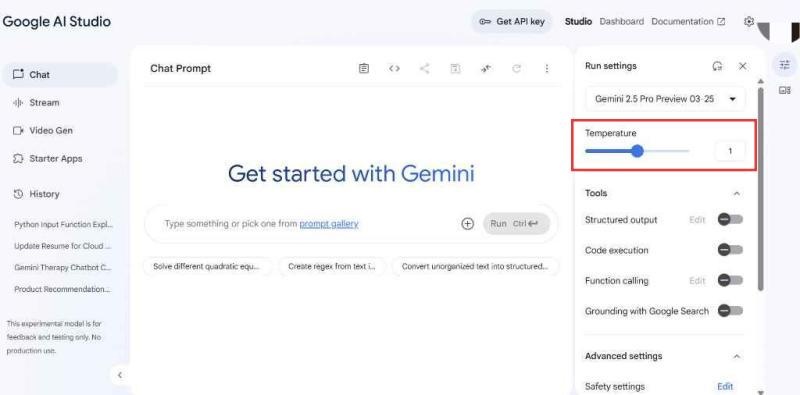
Increasing the "Temperature" setting to 0.9 or 1.0 encourages the model to generate more unpredictable wording. This added randomness makes it much harder for detection tools to identify consistent watermark patterns in your text.
How to Remove Watermarks from Other AI Tools?
How to Remove ChatGPT Watermarks?
OpenAI uses a similar multi-token hashing method. Like Gemini, the best way to remove it is by using a humanizer or manually changing the first three words of every paragraph to disrupt the "starting token" sequence.
Also read: How to Remove ChatGPT Watermark: Clean Invisible Watermark Easily
How to Remove Grok Watermarks?
Grok content is often watermarked by its unique "Fun Mode" personality markers. To clean Grok text, focus on removing sarcastic or repetitive "edgy" phrases that the model uses as a stylistic signature.
Also read: How to Remove Grok Watermark: 4 Step Guide for Text (2026)
Conclusion
Learning how to remove Gemini watermark has become essential for anyone using AI for authentic communication. Invisible watermarks like SynthID can leave a statistical trace that labels your work as machine-generated, affecting emails, reports, and other writing.
Manual methods help but are inconsistent and time-consuming. A dedicated AI humanizer offers a reliable one-click solution by restructuring text into natural, human‑like content, letting your work stand on its own quality.

Tenorshare AI Bypass
- Create 100% undetectable human-like content
- Bypass all AI detector tools like GPTZero, ZeroGPT, Copyleaks, etc.
- Original content, free of plagiarism and grammatical errors
- One-click AI bypass with a clean and easy-to-use interface

FAQs
How Do I Stop Gemini From Adding a Watermark?
Currently, there is no "off" switch in the Gemini settings for the web app. The watermark is applied at the server level during the generation process. Using the API with high temperature is the only way to minimize it at the source.
Is Gemini Output Watermarked?
Yes, almost all output from the standard Gemini interface contains SynthID-Text invisible watermarks as of early 2026.
Is It Legal to Remove Gemini Text Watermarks?
Yes. As the user generating the content, you generally have the right to edit and modify your drafts. Removing a watermark is a standard part of the "editing and humanizing" process required for professional-grade content.
You Might Also Like
- How to Remove the Sora Watermark for Free in 2026
- How to Remove ChatGPT Watermark: Clean Invisible Watermark Easily
- How to Prove I Didn't Use AI: From Emergency Response to Daily Habits
- How to Humanize AI Content Manually: Practical Tips & Reliable Tools
- How to Humanize AI for Research Paper: A Practical Step-by-Step Guide
- Step-by-Step Guide: How to Disable Gemini AI on All Platforms

Tenorshare AI Bypass: 100% Bypass AI Detection
Turn AI text into undetectable, human-like content.AI Humanizer, 100% Undetectable
Humanize AI text instantly.
Tenorshare AI Bypass: 100% Bypass AI Detection