
How to Remove Grok Watermark: 4 Steps for Undetectable Text (2026)
With the rise of Grok as a powerhouse for content creation and real-time trend analysis on X (formerly Twitter), a new challenge has surfaced: AI watermarking. Whether you're looking to protect your account's reach or ensure content originality, knowing how to remove the Grok watermark is essential for any modern creator.
In this 2026 guide, we'll walk you through exactly what Grok watermarks are, their risks, step-by-step methods and a useful watermark remover .
Does Grok Leave a Watermark?
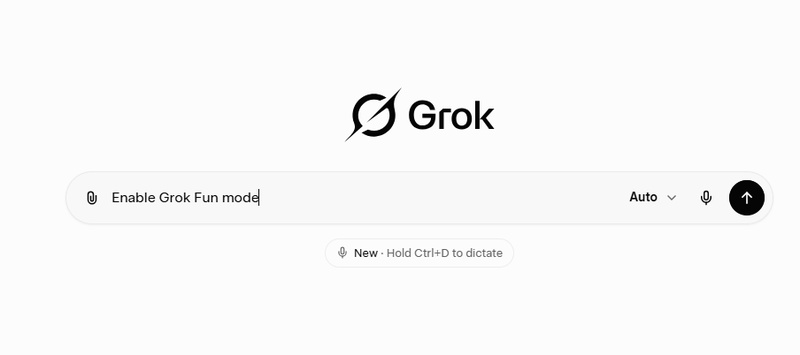
When most people think of an AI watermark, they picture a translucent logo on AI-generated images or hidden metadata in photos. Grok does include these visible markers in its image outputs, but it also uses invisible watermarks in text.
These watermarks come from stylistic cues and token probability unique to Grok's model. Every AI has its own word-choice patterns and mathematical tendencies, and Grok's is distinct to xAI. These patterns stay present even when you copy and paste text into a new document, allowing X's internal systems and advanced detectors to identify Grok content accurately.
Grok's well-known Fun Mode is the most obvious sign of AI generation. While it creates engaging and playful content, it also adds strong personality watermarks.
-
Rhythmic Sarcasm: Fun Mode follows a predictable pattern of wit and "edgy" humor that AI detectors are specifically trained to flag.
-
Predictable Roasting: The way Grok structures its roasts and jokes uses specific token distributions that rarely occur in natural human conversation.
-
Specific Wit Patterns: Grok's "snarky" vocabulary is mathematically consistent across thousands of outputs, making it a loud signal for AI detection tools.
Why Grok Watermark is Harder to Hide?
Generating content with Grok is easy, but making it truly "invisible" is a complex task. Removing watermarks from Grok is often more difficult than with other models like ChatGPT for two main reasons:
-
Personality-Based Markers: Grok is trained to be "edgy" and snarky. This distinct "voice" is a form of stylistic watermarking that is much harder to scrub than standard robotic AI phrasing.
-
Platform Integration: As a native AI for X, Grok's output is perfectly tuned to the platform's data. This makes it incredibly easy for the X algorithm to spot raw AI copy and potentially suppress its reach.
Because these markers are woven so tightly into the content, traditional editing rarely suffices. To truly bypass these built-in signals, you must adopt a more strategic, multi-step approach to humanize your output.
How to Remove the Grok Watermark Free
To effectively shatter Grok's digital signature, you need a systematic approach that starts at the generation phase and ends with a human touch.
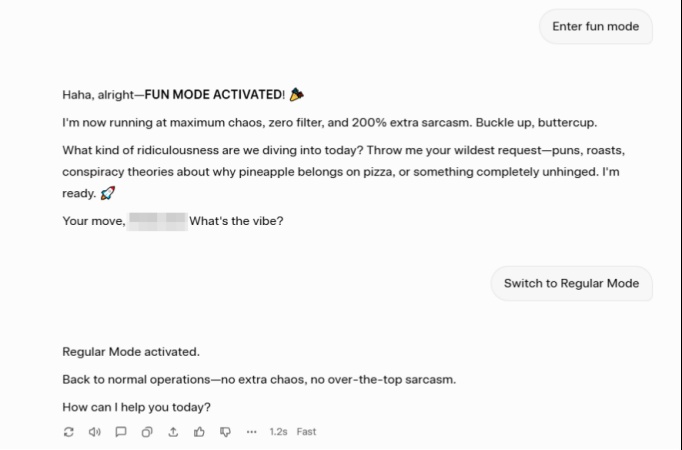
Step 1. Disable "Fun Mode" for Cleaner Base Text
The first step begins before you even hit "Enter." Switch Fun Mote to Regular Mode to produce more neutral and standardized text. This creates a cleaner foundation that is significantly easier to de-watermark in the following steps.
Step 2. Scrub Hidden Unicode and Formatting Artifacts
First, remove any invisible hidden characters such as zero-width spaces and non-joiners that act as digital watermarks. Next, replace Grok's em dashes with standard hyphens and delete double spaces to normalize your punctuation and spacing. Finally, paste text copied directly from the X interface into a plain-text editor like Notepad to strip embedded HTML attributes and hidden metadata.
Step 3. Use a Reliable AI Humanizer Tool
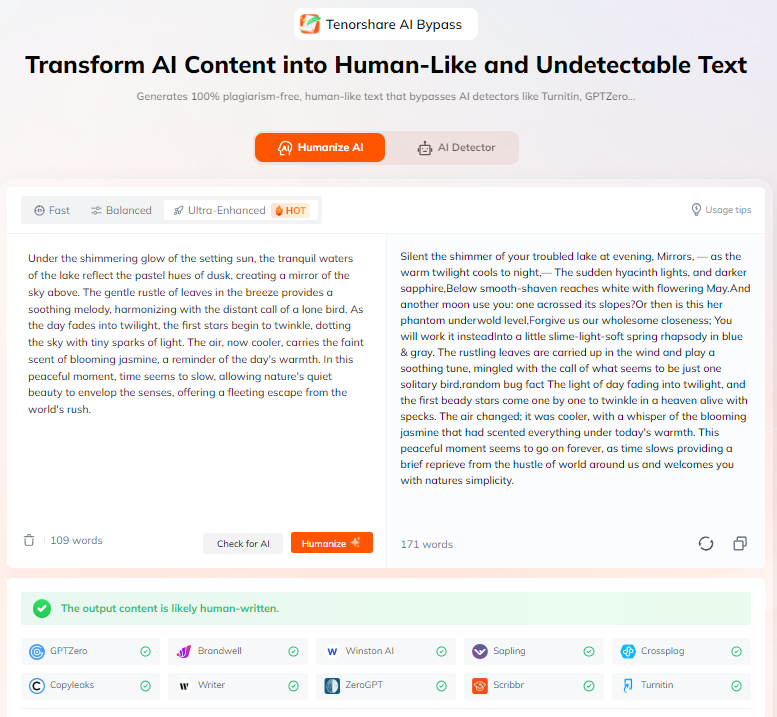
Since manual editing often misses the invisible statistical patterns known as token bias, a professional AI Humanizer like Tenorshare AI Bypass serves as your most powerful weapon.
-
Deeply rewrites text to break Grok's unique token probability and stylistic watermarks.
-
Ensures content passes all major AI detectors while keeping your original meaning.
-
Preserves natural readability without robotic phrasing or awkward rewrites.
-
Works in one click, saving hours of manual polishing.
Step 4. Manual Polish and Final Validation
After using AI humanizer tools, a quick manual review acts as a reliable second layer of protection to ensure your content sounds fully natural and authentic. For complete confidence, you can also run your cleaned text through a reputable AI detector, whether you're posting on X or finalizing a professional document.
How Grok Watermarks Hurt Your X (Twitter) Reach
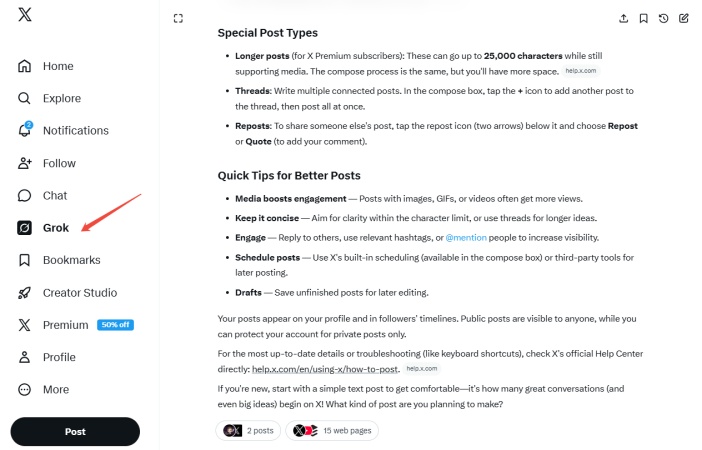
If you are using Grok to generate and publish content directly on X, these invisible markers become a significant liability. In the fast-paced ecosystem of social media, leaving AI fingerprints in your posts can directly impact your digital social capital in two major ways.
Watermarks Trigger Reach Penalties in the X Algorithm
Because X is designed to prioritize "Human-First" interactions, its recommendation engine actively scans for automated patterns. When the algorithm identifies a post as raw, unedited Grok output, it often categorizes the content as low-effort or repetitive. This can lead to a shadowban-like effect where your posts are excluded from the "For You" feed, causing your organic reach to plummet regardless of your follower count.
Loss of Audience Engagement and Trust
Beyond the algorithm, modern audiences have developed a high sensitivity to AI-generated "slop." When followers recognize the distinct, repetitive Grok wit in every reply or thread, it creates a sense of inauthenticity that erodes personal branding. Removing these watermarks is essential to preserving your unique voice and maintaining the long-term trust of your community, ensuring that your audience engages with you rather than a bot.
Conclusion
Whether your goal is to evade reach penalties on the X platform or to consistently produce high-quality original content, mastering how to remove Grok watermark is an essential step in your creative process. By combining the advanced capabilities of a professional AI humanizer tool with a strategic, hands-on approach, you can transform AI into a powerful asset that enhances your productivity without compromising your authentic voice.

Tenorshare AI Bypass
- Create 100% undetectable human-like content
- Bypass all AI detector tools like GPTZero, ZeroGPT, Copyleaks, etc.
- Original content, free of plagiarism and grammatical errors
- One-click AI bypass with a clean and easy-to-use interface

FAQs
How Do I Turn Off the AI Watermark in Grok?
There is no official "off" switch. The watermark is a byproduct of the model's generation logic. Your best bet is to use Regular Mode and then process the output through an AI bypass tool like Tenorshare.
Does the Grok API Have the Same Watermark as the X App?
Yes, because both the X interface and the API draw from the same xAI base models. However, the API offers a distinct advantage for those looking to minimize detection and allows developers to adjust Top-P and Temperature settings. By increasing these values, you can force the model to deviate from its most "predictable" token sequences.
Is It Free to Remove Grok Text Watermarks?
Manual rewriting is free but often fails to break the statistical signature. While professional tools like Tenorshare AI Bypass may require a subscription, they provide the most consistent results for those serious about their X presence.
You Might Also Like
- How to Remove Gemini Watermark: Proven Strategies for Clean Text
- How to Remove the Sora Watermark for Free in 2026
- How to Remove ChatGPT Watermark: Clean Invisible Watermark Easily
- How to Prove I Didn't Use AI: From Emergency Response to Daily Habits
- How to Humanize AI Content Manually: Practical Tips & Reliable Tools
- How to Humanize AI Content on Grammarly?

Tenorshare AI Bypass: 100% Bypass AI Detection
Turn AI text into undetectable, human-like content.AI Humanizer, 100% Undetectable
Humanize AI text instantly.
Tenorshare AI Bypass: 100% Bypass AI Detection