
6 Best Symbolab Alternatives in 2026 for Different Math Needs
Symbolab is a familiar choice for solving equations, graphing functions, and reviewing math procedures. However, its free access may not include every feature a student needs, especially detailed solution steps. That is why many students search for a free alternative to Symbolab that better fits their course, budget, and preferred way of learning.
The right choice depends on the task. Some tools focus on advanced computation, while others are better for graphing, photo-based input, or reviewing a method after solving a problem.
This guide compares 6 Symbolab alternatives by their main strengths and limitations.
Catalogs:
What Is Symbolab?
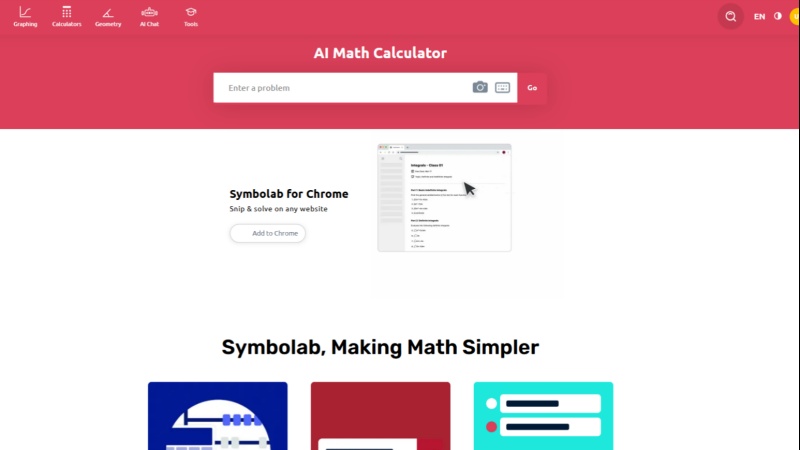
Symbolab is an online math solver that helps users work through problems in algebra, trigonometry, calculus, statistics, and related subjects.
After analyzing a question, it can return an answer with the main solving steps---for example, showing how an equation is simplified, how a derivative is calculated, or how an integral is evaluated. For many students, the step-by-step explanation is more valuable than the final answer because it helps them review the method and identify mistakes.
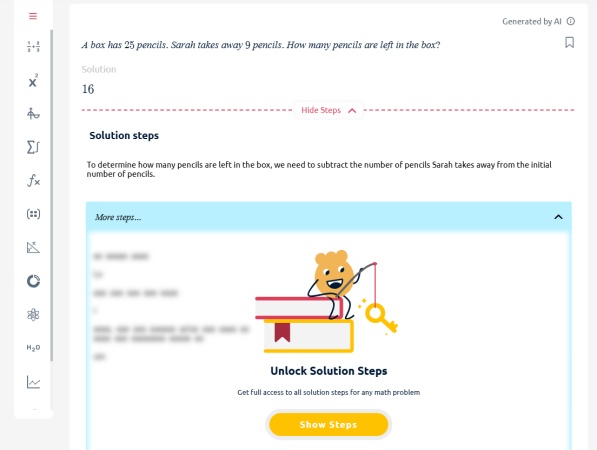
However, Symbolab's free version may provide only limited explanations . More detailed step-by-step breakdowns and additional solving information may require a paid subscription.
This limitation is one reason users look for a Symbolab alternative. The comparison below focuses on whether each tool supports detailed explanations, as well as other needs such as photo input, graphing, advanced computation, and practice.
Quick Comparison of Symbolab Free Alternatives
| Tool | Best For | Input Options | Step-by-Step Support | AI Learning Tools |
|---|---|---|---|---|
| Tenorshare AI Math | Everyday solving and review | Text, image, PDF | Free detailed step-by-step solutions | Video explanations and similar practice questions |
| Wolfram Alpha | Advanced computation | Text and mathematical queries | Available for some features and plans | No dedicated AI learning suite |
| Desmos | Free graphing | Equations, tables, and data | Not a full step-by-step solver | Interactive graph exploration |
| GeoGebra | Geometry and visualization | Equations, geometry tools, and data | Varies by tool and workflow | Interactive geometry and visual exploration |
| Photomath | Photo math solving | Camera, image, and calculator input | Available for supported problems | Guided explanations for supported problems |
| Mathway | Quick math answers | Typed and photo input | May depend on plan and topic | No dedicated AI learning suite |
Feature availability, free access, and plan limits can change over time. Check each tool's current product page before relying on a specific feature.
6 Best Alternatives to Symbolab for Different Math Needs
Tenorshare AI Math: Best for Everyday Math Solving and Review
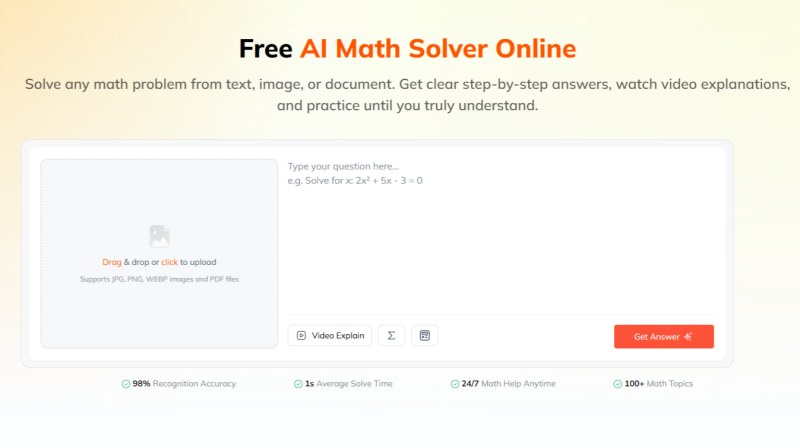
Tenorshare AI Math is a web-based AI math solver designed for students who need help with everyday homework, concept review, and exam preparation.
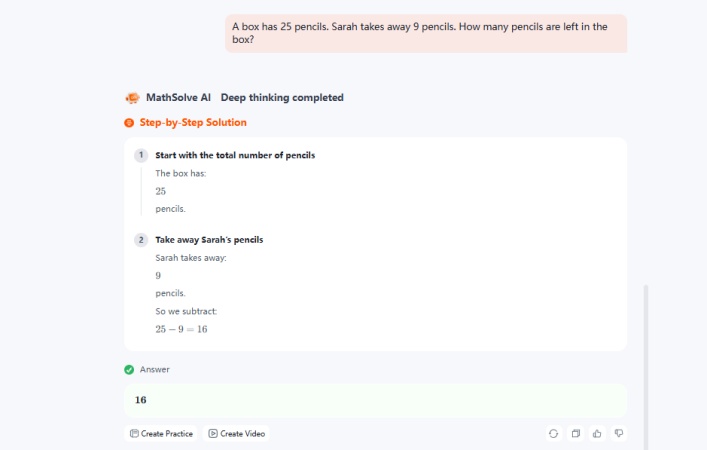
Its free trial includes access to detailed step-by-step solutions , so users can review how an answer is reached before deciding whether they need more regular access.
Instead of requiring a detailed prompt, it follows a direct workflow : enter or upload a problem, review the solution steps, explore an explanation, and practice related questions. It supports text, image, and PDF inputs, making it suitable for worksheets, textbooks, screenshots, and digital assignments.
Key Features
-
Provides detailed step-by-step solution explanations during the free trial
-
Accepts text, image, and PDF math problems
-
Includes AI-generated video explanations
-
Generates similar practice questions and quizzes
-
Offers a built-in calculator for expressions and simple calculations
Symbolab is mainly organized around calculators and mathematical operations, while Tenorshare AI Math is structured as a solve-to-review workflow . After providing an answer, it can add video explanations, follow-up support, and similar practice questions, which may help students revisit the underlying concept rather than stop at the result. Its PDF input also gives it a different entry point for students working with digital homework materials.
Best for: Students who want a structured math-solving and review workflow instead of a final answer alone.
Wolfram Alpha: Best for Advanced Computation
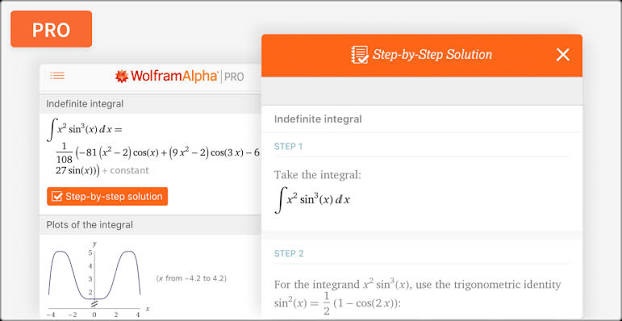
Wolfram Alpha is a computational knowledge engine that handles a wide range of mathematical and technical queries. It is commonly used for evaluating expressions, solving equations, graphing functions, finding derivatives and integrals, and working with statistics, units, and scientific data.
Its scope extends beyond typical school homework, making it relevant for c ollege-level STEM courses and users who need computational reference information.
Key Features
-
Solves symbolic and numerical math problems
-
Supports calculus, linear algebra, statistics, differential equations, and more
-
Generates plots, alternate forms, formulas, and computational results
-
Handles scientific calculations, units, and technical queries
-
Accepts natural-language and mathematical input
Both tools can solve mathematical expressions and display graphs, but Wolfram Alpha is more centered on computational output and broad technical coverage . It can be useful when a query involves scientific constants, units, data, engineering calculations, or higher-level mathematics.

Symbolab may feel more familiar for students using topic-specific calculators and guided math workflows, while detailed step-by-step functionality in Wolfram Alpha may depend on the query and plan .
Best for: College students and technical users who need broad computational support beyond standard homework problems.
Desmos: Best for Free Graphing
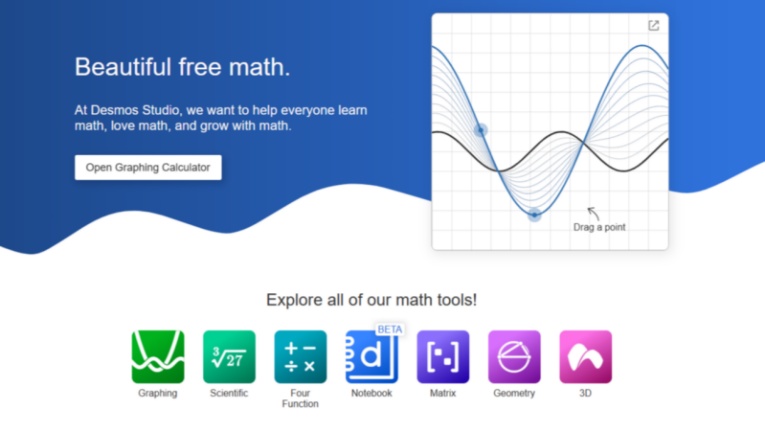
Desmos is an interactive graphing calculator that helps users explore equations, functions, inequalities, tables, and data visually. Rather than treating math as a sequence of written steps only, it lets users change values, compare expressions, and observe how a graph responds in real time. This makes it useful when the goal is to understand the behavior of a function, test a hypothesis, or connect algebraic notation with a visual result.
Key Features
-
Graphs functions and inequalities in real time
-
Supports tables, sliders, regressions, and data visualization
-
Lets users compare multiple equations on one graph
-
Works on the web and mobile devices
-
Provides a free, visual way to explore mathematical relationships
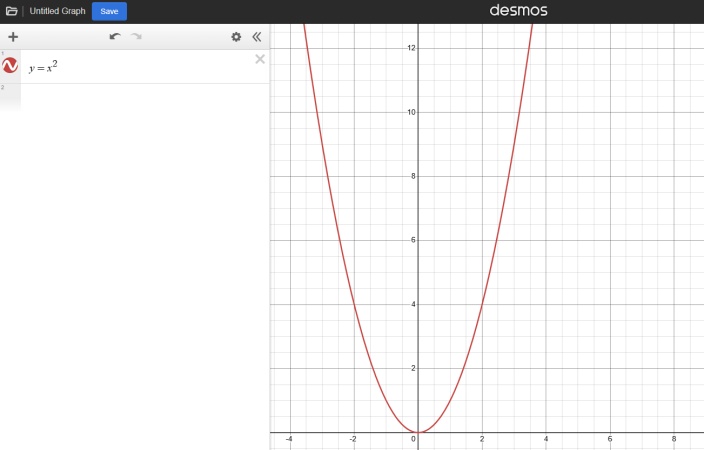
Desmos is not designed as a full step-by-step equation solver. Its main value is interactive graphing : users can move sliders, compare transformations, and see the effects of changing coefficients immediately. Symbolab is generally more useful when a student needs a written method for solving an expression, whereas Desmos is better for exploring what that expression means on a graph.
Best for: Students who need to understand how a function looks and changes, rather than receive a full written solution.
GeoGebra: Best for Geometry and Visualization
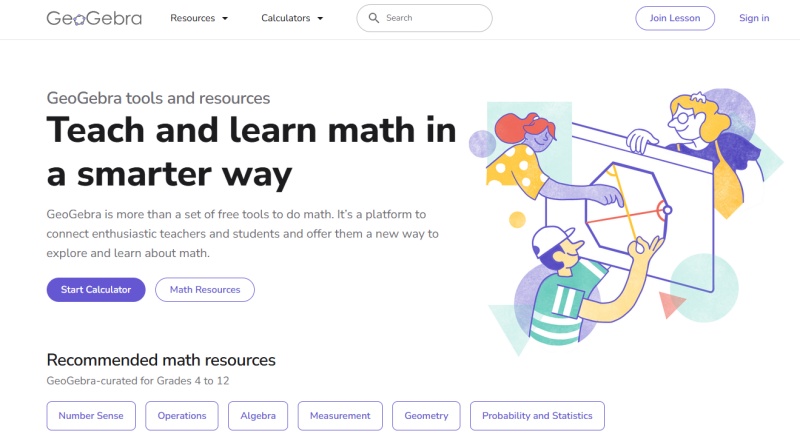
GeoGebra is an interactive mathematics platform that brings together graphing, geometry, algebra, statistics, and 3D visualization. Users can construct geometric figures, enter equations, create dynamic graphs, and adjust variables to see how a mathematical model changes.
Its range of tools makes it useful in classrooms and independent study, especially when a topic involves spatial reasoning or relationships that are easier to understand visually.
Key Features
-
Interactive graphing and geometry construction tools
-
Algebra and CAS features for expression work
-
Supports 2D and 3D visualization
-
Includes statistics and probability tools
-
Lets users adjust objects and values dynamically
Symbolab is primarily built around solving a submitted problem, while GeoGebra is built around constructing and exploring mathematical objects . A student can use GeoGebra to draw a triangle, change its dimensions, graph related equations, or examine a 3D object interactively. This makes it a complementary alternative for users who need to investigate geometry, graphs, or models rather than only obtain a linear solution path.
Best for: Students and teachers who need visual, interactive tools for geometry and graph-based learning.
Photomath: Best for Photo Math Solving
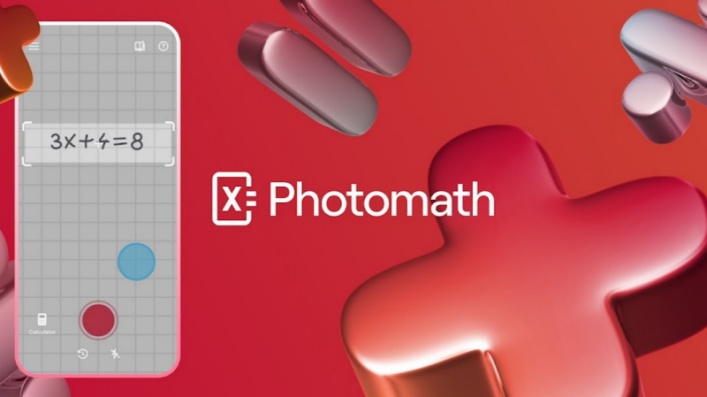
Photomath is a mobile-focused math app that allows users to scan printed or handwritten problems with a phone camera. It is designed for situations where manual equation entry is inconvenient, such as working from a textbook, worksheet, or notebook. Once a problem is recognized, the app can provide an answer and, for supported question types, guide the user through the solving process.
Key Features
-
Camera-based scanning for printed and handwritten math problems
-
Supports common school math topics, including algebra and calculus
-
Provides solution guidance for supported questions
-
Offers calculator-style math input
-
Designed for quick mobile homework help
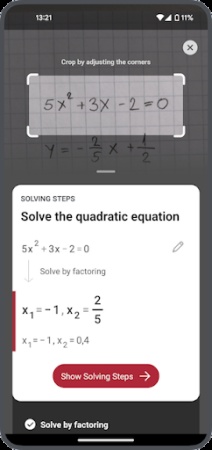
Photomath puts image recognition at the center of its experience, while Symbolab is often used through typed expressions and topic-specific calculators. For a student who has a multi-line handwritten equation or a textbook exercise, scanning may be faster than recreating the notation in a math input panel. Symbolab can be more suitable when a user already knows the operation they need, while Photomath is often more convenient for capturing a problem first.
Best for: Students who primarily need to solve math problems from photos.
Mathway: Best for Quick Math Answers
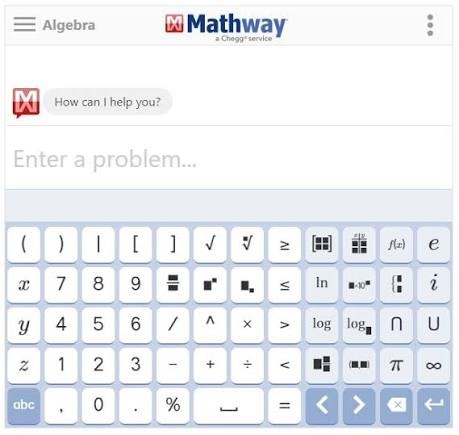
Mathway is an online and mobile solver that supports typed questions and photo input across a broad range of math topics. It covers everything from basic arithmetic and pre-algebra to calculus, statistics, and selected science subjects. Its calculator-style approach can be helpful when students want to check a result quickly or work through a familiar type of calculation without using a more specialized tool.
Key Features
-
Covers basic math, algebra, trigonometry, calculus, statistics, and chemistry
-
Accepts typed questions and photo input
-
Includes topic-specific calculators
-
Provides answers for common school and college math problems
-
Available on web and mobile platforms
Mathway and Symbolab are similar in that both focus on entering a problem, choosing a relevant operation, and returning a result. Their differences are more about interface, calculator organization, supported workflows, and feature availability than a completely different product category. Mathway may be useful for students who prefer a simple answer-checking flow , while detailed solution access in both tools can vary by plan and problem type.
Best for: Students who need fast answers across a broad range of math topics.
How to Choose the Right Symbolab Alternative?
Start with the type of help needed most often.
If the goal is to understand advanced symbolic calculations, Wolfram Alpha may be a useful option. If graphing and visual exploration matter most, Desmos or GeoGebra may be a better fit. For students who regularly work from printed assignments, Photomath can simplify problem entry. Mathway may suit quick answer checks across many common topics.
Students who want to combine solving with review can consider tools that support explanations, follow-up questions, and practice. Tenorshare AI Math is one example of an AI math solver that combines text, image, and PDF input with step-by-step explanations and study-oriented features.
Before choosing a tool, consider the following questions:
-
Does it support the math level and topics in the course?
-
Can it accept text, photos, handwriting, or PDFs as needed?
-
Are full solution steps included in the available plan?
-
Is graphing or geometry visualization important?
-
Does the explanation help the student reproduce the method independently?
-
Does the school allow AI-assisted tools for the assignment?
A useful study habit is to attempt the problem first, then use a solver to compare methods and identify where an error occurred.
Final Verdict: What Is the Best Alternative to Symbolab?
There is no single best alternative to Symbolab for every student.
Wolfram Alpha is a strong choice for advanced computation and technical queries. Desmos is useful for graphing and function exploration, while GeoGebra is better suited to geometry and interactive visualization. Photomath is convenient for camera-based problem input, and Mathway can help with quick calculations across common math topics. For students looking for a study workflow that supports everyday math solving, review, and practice from text, images, or PDFs, Tenorshare AI Math is an option to consider.
The best choice depends on whether the immediate need is a computed result, a graph, a photo scan, a detailed explanation, or additional practice.
Tenorshare AI Math
- Solve math from text, images & PDFs at 98% accuracy
- Deliver step-by-step answers with detailed logic breakdown
- Access video explanations for deeper math concept understanding
- Generate matching practice tests to solidify knowledge

FAQs
-
Is Symbolab or Mathway Better?
Neither tool is automatically better for every task. Symbolab is commonly used for calculator-based problem solving, graphing, and topic-specific tools. Mathway is often used for quick typed or photo-based questions across a broad range of math topics. Compare the available steps, supported topics, and plan limits for the specific type of problem being solved.
-
Is Wolfram Alpha Better Than Symbolab?
Wolfram Alpha and Symbolab serve overlapping but different needs. Wolfram Alpha is often better suited to advanced computational and scientific queries, while Symbolab is commonly used for structured math-solver workflows. The better choice depends on whether the priority is computational depth, graphing, a guided solution, or a specific calculator.
-
Is There a Free Version of Symbolab?
Symbolab offers free access to some features, including answers and selected calculator tools. Detailed steps and certain learning features may be limited by plan, topic, or platform. Check Symbolab's current pricing and feature information before choosing it for regular study.
-
What Are the Best Apps Like Symbolab?
Apps like Symbolab include Photomath for photo-based problem solving, Mathway for quick answers, Desmos for graphing, GeoGebra for geometry and visualization, and Wolfram Alpha for advanced computation. The best app depends on how a student enters problems and what type of help is needed afterward.
-
Is There a Calculator Like Symbolab That Shows Steps?
Several math tools can provide solution steps for supported problems, but the amount of detail and free access varies. Some tools focus on calculator-style procedures, while AI math solvers may explain a method in conversational language. Review whether full steps are available for the required topic before depending on any tool.
-
Which Symbolab Alternatives Support PDF Uploads?
PDF support is not standard across all math solvers. Some AI study tools can accept PDF-based assignments or documents, while traditional calculators are more likely to use typed expressions or image input. For example, Tenorshare AI Math supports text, images, and PDFs.
You Might Also Like
- Best GeoGebra Alternatives in 2026: 6 Tools Compared
- Microsoft Math Solver Alternatives: What to Use Now Microsoft Math Solver Is Gone
- What Are the Best MathGPT Alternatives? 8 Free Options for Students
- 8 Best GauthMath Alternatives Reviewed: Top Apps & Websites in 2026
- Best Wolfram Alpha Alternatives for Students: 6 Math Solvers With Steps
- 10 Best Mathway Alternatives in 2026: Free Math Solvers With Step-by-Step Solutions

Tenorshare AI Math: Solve any math problems with AI
Turn math questions into clear solutions, tutorial videos & targeted practice setsTenorshare AI Math: Instant Solutions
Steps, videos & practice for every problem
Tenorshare AI Math: Solve any math problems with AI