
Best GeoGebra Alternatives in 2026: 6 Tools Compared
GeoGebra Graphing Calculator is a useful all-in-one math tool, but it is not always the most convenient choice for every task. You may be looking for a lighter option that runs more smoothly, a simpler graphing calculator, better support for step-by-step solutions, or an easier way to work from a photo or PDF.
That is why there is no single GeoGebra alternative that works best for everyone. Some tools are designed for fast graphing, while others focus on interactive geometry, 3D visualization, advanced calculations, or homework explanations.
This guide compares six GeoGebra alternatives by the math task they handle best, so you can choose a tool that fits the way you study.
Also Read: Desmos Alternatives Review: 4 Best Graphing Calculators Compared in 2026
Catalogs:
What Is GeoGebra?
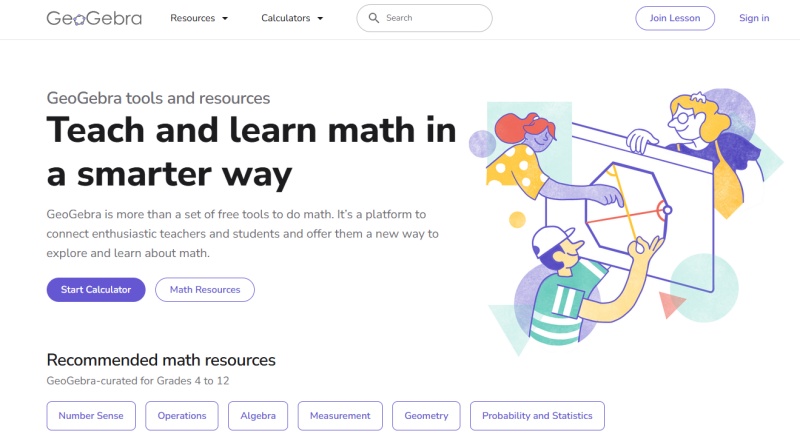
GeoGebra is a dynamic mathematics platform used in schools, universities, and self-study. It lets users create points, lines, circles, functions, graphs, tables, and geometric constructions that update when an object is moved.
Its main strength is the connection between multiple representations of the same math idea. For example, a student can construct a triangle geometrically, view its algebraic coordinates, and explore related measurements in the same workspace.
GeoGebra is commonly used for:
-
Interactive geometry constructions
-
Function graphing and transformations
-
Algebra and calculus visualization
-
3D graphing
-
Statistics and data exploration
-
Classroom demonstrations and student activities
Because GeoGebra covers several categories, a GeoGebra alternative may replace only one part of its workflow. A graphing calculator, for example, may be excellent for functions but not for draggable geometry constructions.
How to Use GeoGebra?
To use GeoGebra, choose the app or workspace that matches your task, such as Graphing Calculator, Geometry, 3D Calculator, or GeoGebra Classic. Then create objects with the toolbar or by entering commands in the input field.
A basic workflow is:
-
Select a tool, such as Point, Line, Circle, or Function.
-
Click or tap in the graphics view to create the object.
-
Adjust coordinates, values, or labels in the algebra panel.
-
Drag movable points to observe how the construction changes.
-
Save, share, or export the finished graph or geometry diagram if needed.
For simple graphing, entering an equation such as y = x^2 - 4 is often enough. For geometry, users typically begin by placing points and then build lines, circles, intersections, or polygons from those points.
Quick Comparison of GeoGebra Alternatives
| Tool | Best For | Interactive Geometry | Graphing | Step-by-Step Help | Photo or PDF Input |
|---|---|---|---|---|---|
| Desmos | Fast graphing and classroom exploration | Available through Desmos Geometry | Strong for 2D; separate 3D graphing option | Limited | No primary photo or PDF workflow |
| Mathway | Quick math answers across common school subjects | No | Basic graphing for supported queries | Available for supported problems and plans | Typed and photo input |
| Wolfram Alpha | Advanced calculations and computational queries | Limited | Supports plots and visualizations | Available for some features and plans | No primary photo or PDF workflow |
| Symbolab | Algebra and calculus solution steps | Limited | Available for many functions | Strong for supported queries | Image input may be available by product and platform |
| Photomath | Solving math problems from a photo | No | Limited | Available for supported problems | Photo input |
| Tenorshare AI Math | Text, image, and PDF-based math explanations | No | Not a dynamic geometry workspace | Step-by-step explanations | Text, image, and PDF input |
Feature availability, free access, and plan limits can change. Check each product's current terms before choosing a tool for a course, classroom, or long-term study workflow.
Best GeoGebra Alternatives for Different Math Needs
Desmos
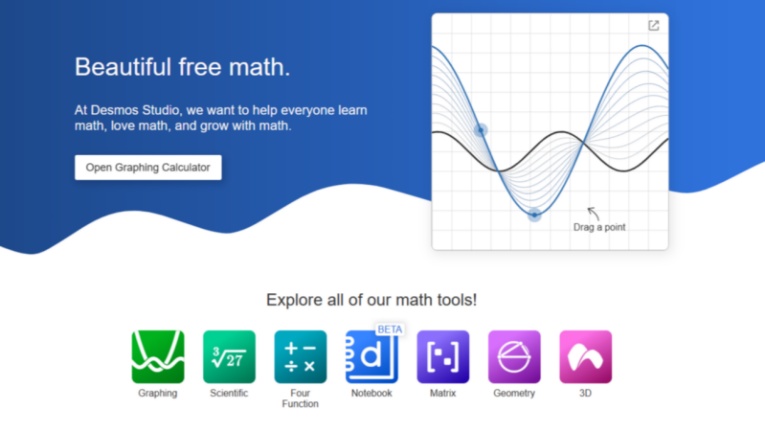
Desmos is one of the most common alternatives to GeoGebra for students who mainly need a clean, browser-based graphing calculator. It is widely used for plotting functions, building tables, adding sliders, and exploring how parameter changes affect a graph.
Desmos works especially well for:
-
Graphing lines, quadratics, trigonometric functions, and inequalities
-
Exploring transformations with sliders
-
Plotting tables and data
-
Creating visual demonstrations for algebra and precalculus
-
Quick graphing on a browser or mobile device
Desmos also offers a separate Geometry tool for basic constructions and a 3D graphing calculator for visualizing three-dimensional surfaces. However, users who depend on GeoGebra's combined algebra, geometry, and construction workflow may find that the tools are organized differently.
Desmos is a practical free GeoGebra alternative when fast graphing and visual clarity matter more than a broad all-in-one mathematics environment.
Also Read: GeoGebra vs Desmos: What's the Difference & Which One to Use?
Mathway
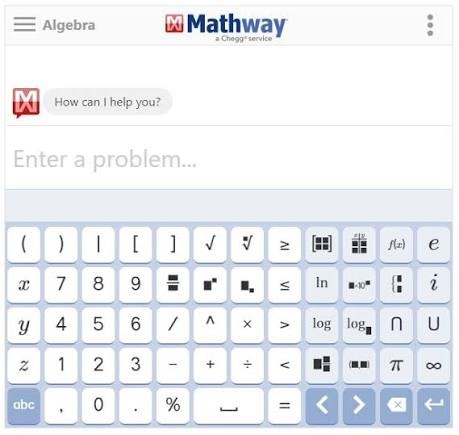
Mathway is a math solver that accepts typed questions and, on supported platforms, photo-based input. It covers a range of school and introductory college topics, including basic math, algebra, trigonometry, calculus, statistics, and some science subjects.
It can be useful for:
-
Entering an equation and checking an answer quickly
-
Working through common algebra and calculus questions
-
Using subject-specific calculator tools
-
Submitting a problem from typed or photo input
-
Switching between different school math topics in one tool
Mathway is not a replacement for GeoGebra's draggable geometry constructions or interactive graph exploration. Its main purpose is solving and checking individual proble ms rather than building a visual mathematical model.
For students looking for a GeoGebra alternative because they need quick homework answers or guided solution steps, Mathway may be more relevant than a dedicated graphing tool. Access to detailed steps and certain features can vary by problem type and current plan.
Wolfram Alpha
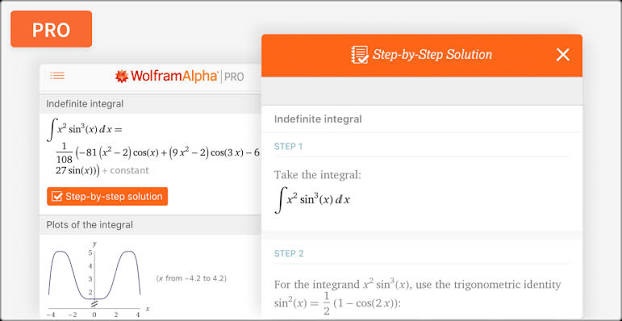
Wolfram Alpha is a computational tool that can interpret mathematical expressions and natural-language queries. It is often used for algebra, calculus, statistics, units, scientific calculations, and data-related questions.
It can be helpful for:
-
Evaluating expressions and solving equations
-
Finding derivatives, integrals, limits, and series
-
Generating function plots
-
Working with matrices, statistics, and scientific data
-
Checking advanced mathematical or technical calculations

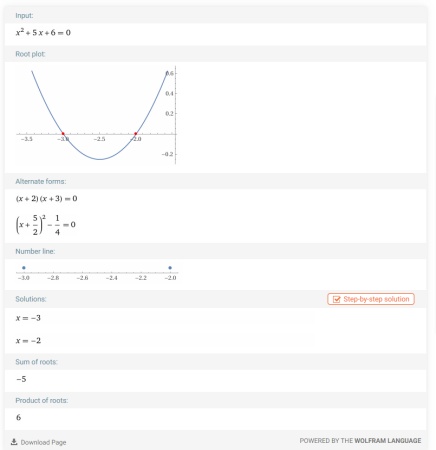
Wolfram Alpha is not primarily a dynamic geometry platform. It can display mathematical results and graphs , but it is not designed around draggable ruler-and-compass constructions in the way GeoGebra is.
For students looking for a GeoGebra alternative for advanced calculations, Wolfram Alpha can be useful when the main need is computation or symbolic math rather than interactive geometry.
Symbolab
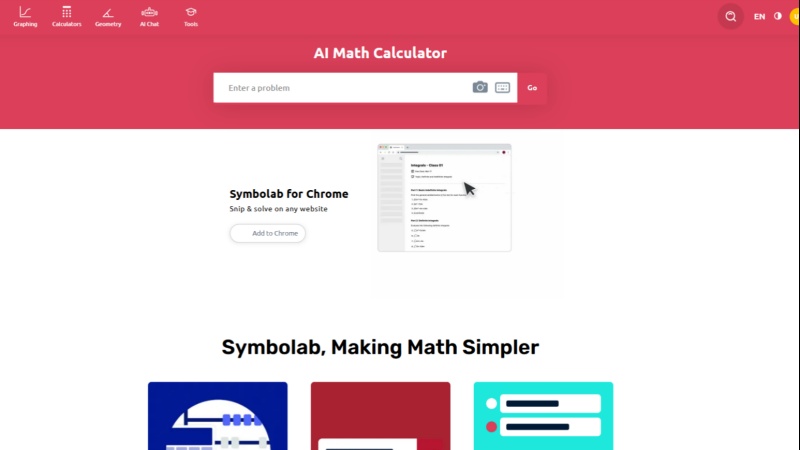
Symbolab is a math solver and calculator platform focused on structured mathematical procedures. It includes tools for algebra, trigonometry, calculus, matrices, statistics, and related topics.
It is most relevant for users who need:
-
Step-by-step algebra solutions
-
Derivative and integral calculations
-
Equation solving and simplification
-
Topic-specific math calculators
-
Support for higher-level school and introductory college math
Symbolab can complement graphing work , but its primary value is helping users inspect a calculation process . This makes it a stronger choice than a dynamic geometry tool when the task is to understand how an equation was solved.
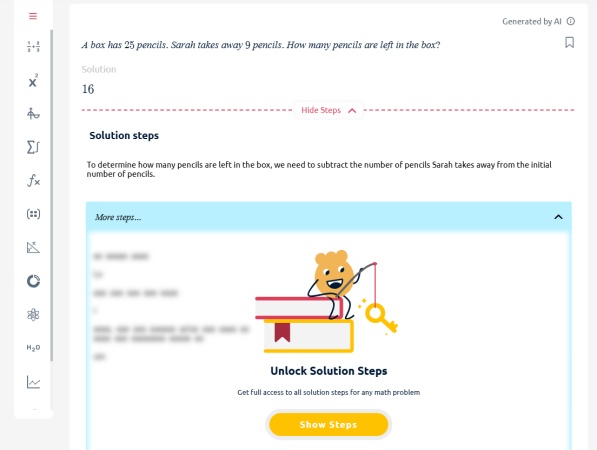
Detailed steps and other features may depend on the problem type and current plan. It is best to verify that the functions needed for a class are available before relying on it regularly.
Photomath
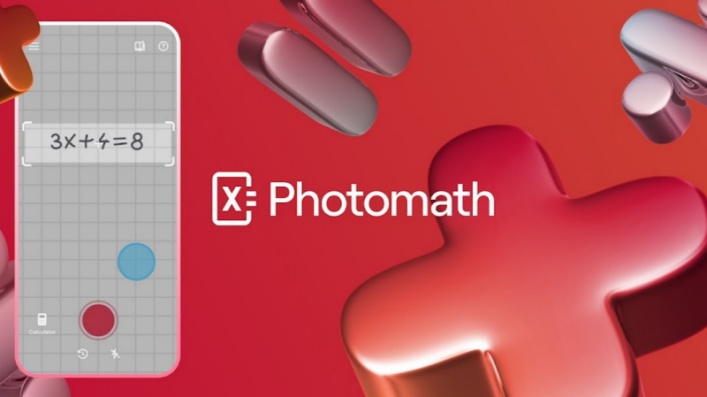
Photomath is designed around camera-based math input . Users can scan a printed or handwritten math problem and review the result and available explanation on a mobile device.
It may be useful for:
-
Worksheet and textbook questions
-
Basic algebra, geometry, trigonometry, and calculus problems
-
Students who prefer taking a photo instead of typing notation
-
Reviewing steps for supported problem types
Photomath is not a direct replacement for GeoGebra's interactive graphs and geometry constructions. Instead, it addresses a different need: quickly capturing a problem from paper and receiving help with the solution.
For students who search for a GeoGebra alternative because entering equations feels slow or difficult, a photo-based solver may be more relevant than another graphing application.
Tenorshare AI Math
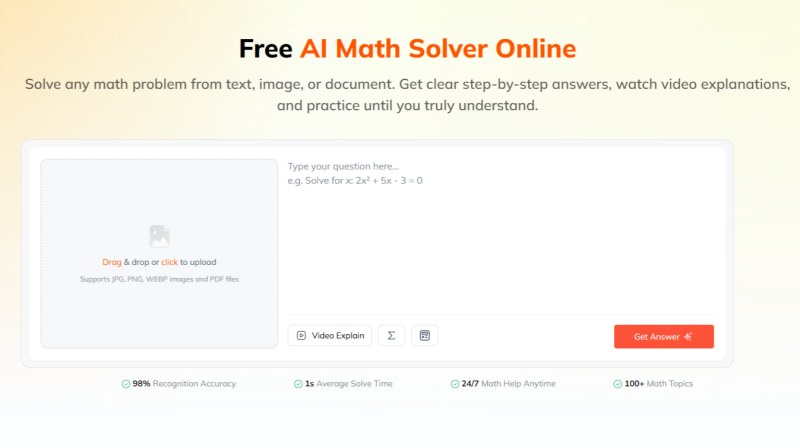
Tenorshare AI Math is an AI math tool for students who want to submit questions through text, images, or PDF files and receive explanatory support. Rather than replacing a graphing or dynamic geometry tool, it can be used alongside one as part of a broader study workflow .
For example, a student working on a difficult function, algebra, or calculus problem may first use a graphing tool to visualize the equation, test parameters, or observe how a graph changes. They can then use Tenorshare AI Math to review a step-by-step solution, ask about an unfamiliar transformation, and check the reasoning behind the answer.
It may be useful for:
-
Uploading a math problem from an image or PDF
-
Reviewing step-by-step solution logic
-
Asking follow-up questions about a method or individual step
-
Using video explanations and related practice features where available
-
Generating similar questions for additional practice
-
Working through common homework formats in one web-based workspace
Tenorshare AI Math is not a dynamic geometry alternative for users who need to drag objects, construct circles, or explore geometric relationships interactively. It is more relevant when the goal is to understand a solved problem, review the reasoning, and continue practising afterward.
Used together, a graphing tool and an AI math solver can support different parts of the learning process: visualization can help students see the problem, while explanations and practice can help them understand and apply the method.
How to Choose the Right Alternative to GeoGebra?
Start with the task you perform most often. No single tool replaces every part of GeoGebra, so it helps to prioritize graphing, calculation, homework input, or learning support.
Choose Desmos if you mainly need a simple graphing calculator for functions, sliders, tables, and visual exploration. It is often useful for algebra, precalculus, and classroom graphing activities.
Choose Mathway if you want quick help with individual math questions across common school topics. Its typed and photo-input workflow is more suitable for solving problems than for building interactive geometry constructions.
Choose Wolfram Alpha if you need advanced calculations, symbolic results, scientific queries, or technical reference information. It is best suited to computational tasks rather than draggable geometric exploration.
Choose Symbolab if you need calculator-style steps for algebra, derivatives, integrals, or other structured procedures. It can be useful when you want to inspect how a supported calculation is carried out.
Choose Photomath if your main need is to scan a question from a worksheet, textbook, or notebook. It is designed around photo-based problem input rather than graphing or geometry construction.
Choose Tenorshare AI Math if you need help understanding questions from text, images, or PDFs and want a study-oriented workflow with explanations and follow-up practice. It can work alongside a graphing tool when you need both visualization and solution guidance.
Before deciding, consider these questions:
-
Do you need dynamic geometry or only function graphing?
-
Do you need 2D graphs, 3D graphs, or both?
-
Will you enter equations manually, scan a photo, or upload a PDF?
-
Do you need a final answer, visible solution steps, or interactive exploration?
-
Does your class require offline access, web access, or mobile use?
-
Are free-plan limits suitable for your normal workload?
Final Verdict: Which GeoGebra Alternative Is Best?
There is no single best GeoGebra alternative for every student because the tools serve different purposes.
Desmos is a strong option for fast graphing, sliders, and visual function exploration. Mathway is useful for quick answers to typed or photo-based math questions across common school topics. Wolfram Alpha is useful for advanced calculations and computational queries. Symbolab is designed for structured algebra and calculus steps, while Photomath is convenient for photo-based homework input.
Tenorshare AI Math is most relevant for users who want to work from text, images, or PDFs and review explanations after receiving a solution.
If you need a complete dynamic mathematics environment that combines geometry, graphing, algebra, and construction tools, GeoGebra may still be the closest fit. If you only need one part of that workflow, choosing a specialized tool can be simpler.
Tenorshare AI Math
- Solve math from text, images & PDFs at 98% accuracy
- Deliver step-by-step answers with detailed logic breakdown
- Access video explanations for deeper math concept understanding
- Generate matching practice tests to solidify knowledge

FAQs
-
Is GeoGebra Free to Use?
GeoGebra offers free access to its core mathematics tools for learning and teaching. Its apps and web tools include graphing, geometry, algebra, and 3D features. Availability and terms may vary by product, platform, school environment, or future updates.
-
Is Desmos Better Than GeoGebra?
Neither tool is universally better. Desmos is often preferred for fast, clean graphing and slider-based exploration. GeoGebra is broader for users who need to connect geometry constructions, algebraic objects, spreadsheets, graphing, and other mathematics tools in one workspace. The better choice depends on whether your priority is simple graphing or a more extensive dynamic mathematics environment.
-
How to Make a Circle in GeoGebra?
To make a circle in GeoGebra, select the Circle with Center and Radius tool. Click to place the center, then click a second point or enter a radius value. To create a circle through three existing points, select the Circle Through Three Points tool and choose the three points. GeoGebra will construct the circle that passes through all of them.
-
Can an AI Math Solver Replace GeoGebra?
An AI math solver can help with explanations, homework questions, images, PDFs, and step-by-step methods. However, it does not fully replace GeoGebra's interactive geometry, draggable constructions, graphing workspace, or classroom exploration tools. The two tool types can be used together: GeoGebra for visualization and construction, and an AI math solver for reviewing methods or asking questions about a problem.
-
Is There a GeoGebra Alternative for 3D Graphing?
Several tools can support parts of a 3D graphing workflow. Desmos offers a 3D graphing calculator for visualizing surfaces and equations, while Wolfram Alpha can generate plots and computational results for many mathematical queries. If interactive 3D geometry construction is essential, compare the available 3D features carefully. A 3D graphing calculator may plot a surface well without providing the same construction tools as GeoGebra 3D Calculator.
You Might Also Like
- Microsoft Math Solver Alternatives: What to Use Now Microsoft Math Solver Is Gone
- What Are the Best MathGPT Alternatives? 8 Free Options for Students
- 8 Best GauthMath Alternatives Reviewed: Top Apps & Websites in 2026
- Best Wolfram Alpha Alternatives for Students: 6 Math Solvers With Steps
- 10 Best Mathway Alternatives in 2026: Free Math Solvers With Step-by-Step Solutions
- 6 Best Photomath Alternatives in 2026: Math Apps and Online Tools Compared

Tenorshare AI Math: Solve any math problems with AI
Turn math questions into clear solutions, tutorial videos & targeted practice setsTenorshare AI Math: Instant Solutions
Steps, videos & practice for every problem
Tenorshare AI Math: Solve any math problems with AI