
Which Is the Best AI for Calculus? Top Picks for Students in 2026
Calculus students now have access to many AI-powered tools, but these tools do not all serve the same purpose. Some focus on symbolic calculations, while others provide step-by-step explanations, graphing features, photo recognition, or conversational tutoring.
The best AI for calculus therefore depends on what you need to do. Wolfram Alpha is designed for mathematical computation, Symbolab focuses on guided solutions, GeoGebra supports visual learning, Photomath is built around scanned problems, and tools such as ChatGPT and Claude can help explain concepts through conversation.
This guide compares these tools based on their core functions, learning support features, input methods, and typical use cases to help you find the best fit for your needs.
Catalogs:
What Makes a Good Calculus AI Tool?
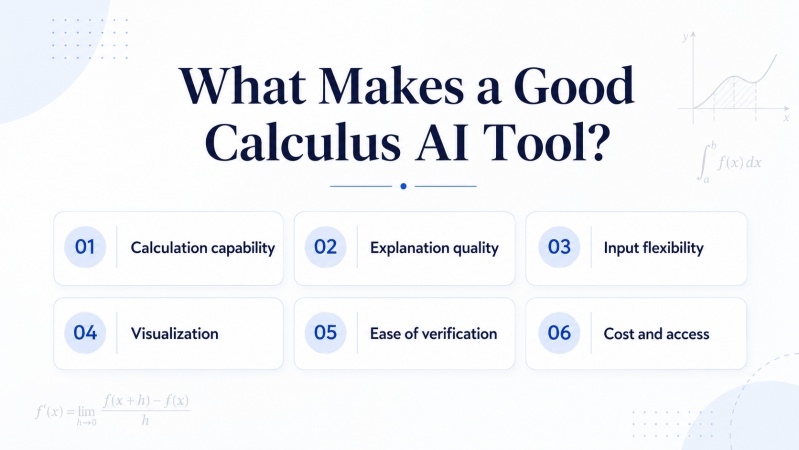
A useful calculus AI tool should do more than produce a final number. Students may need to understand the method, check an intermediate step, visualize a function, or practice a similar problem.
Several factors are especially important.
-
Calculation capability: The tool should handle common calculus topics such as limits, derivatives, integrals, series, and equations.
-
Explanation quality: A result is more useful when the tool shows how it was obtained. Clear explanations should identify the relevant rule or method instead of listing unexplained algebraic steps.
-
Input flexibility: Typed expressions, natural-language questions, images, handwriting, and PDF files are useful in different study situations.
-
Visualization: Graphs can help students understand limits, derivatives, areas under curves, optimization, and three-dimensional functions.
-
Ease of verification: AI-generated answers should be easy to check. Tools that display formulas, intermediate steps, or graphs make it easier to identify an error.
-
Cost and access: Free features, subscription requirements, device support, and account restrictions can affect whether a tool is practical for regular study
No single tool is strongest in every category. A computational engine may be useful for checking an answer, while a tutoring tool may be better for explaining the underlying idea.
The Best Math AI for Calculus Reviewed
Wolfram Alpha: Best for Accurate Calculations
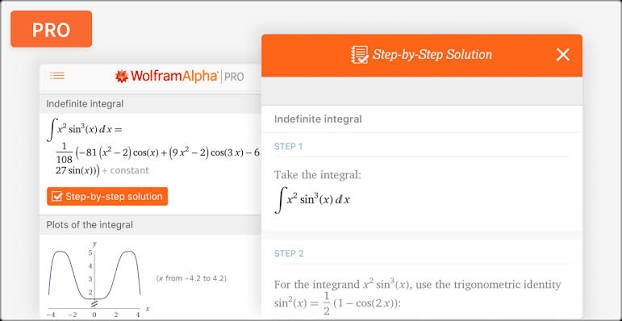
Wolfram Alpha is a computational engine designed for students who need precise answers in calculus, especially when working with symbolic math or verifying results. It is most effective when you already have a problem and want a reliable computational check or a deeper exploration of the mathematical structure behind it.
Key features
-
Supports both mathematical input and natural-language queries
-
Handles symbolic calculations and scientific computations
-
Provides graphs and visual representations
-
Can display step-by-step solutions for supported problems
-
Covers topics from basic calculus to advanced mathematics
Limitations to consider
-
Detailed step-by-step solutions may depend on the product version or subscription plan
-
Complex queries may require familiarity with specific mathematical input formats
-
The platform focuses more on computation than conversational tutoring
Best for
-
Checking derivatives, integrals, limits, and series
-
Working with multivariable calculus and differential equations
-
Exploring symbolic results and function behavior
-
Verifying answers produced by another AI tool
Best way to use it
Use Wolfram Alpha as a calculation and verification tool rather than a learning tutor. It is especially useful for confirming final answers or exploring alternative forms of a result. If you need conceptual understanding, pair it with a tutoring-focused AI or textbook explanation.
Symbolab: Best for Understanding Each Step
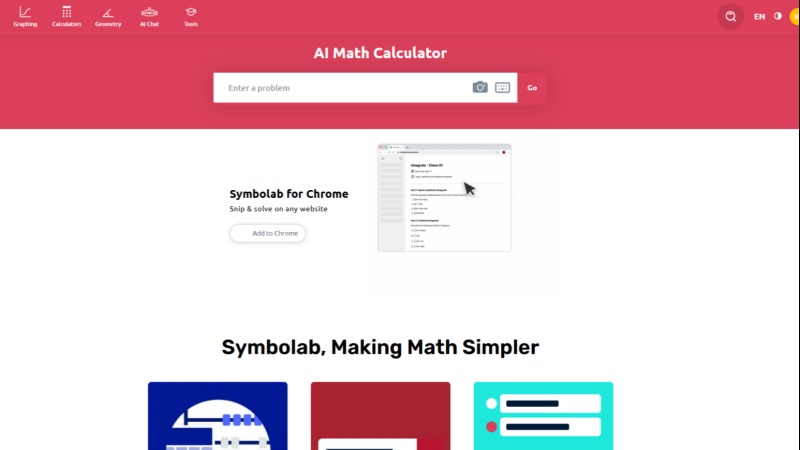
Symbolab is designed to help students understand the process behind calculus solutions. It is particularly useful when you want to see how each step is performed and compare it with your own work.
Key features
-
Provides step-by-step solutions for many math problems
-
Includes derivative, integral, limit, and equation calculators
-
Offers graphs and related mathematical tools
-
Supports practice activities and follow-up learning features
-
Organizes solutions in a clear, structured format
Limitations to consider
-
The level of detail may vary depending on the problem and plan
-
Some advanced or unusual problems may require additional verification
-
Students still need to check domain restrictions, constants, units, and assumptions
Best for
-
Reviewing derivatives, integrals, and limits
-
Studying techniques such as substitution and integration by parts
-
Comparing your own work with a complete solution
-
Practicing standard calculus exercises
Best way to use it
Attempt the problem first, then use Symbolab to compare each step of your solution. Focus on understanding why each method is used rather than memorizing the final answer.
GeoGebra: Best Free Tool for Graphs and Visual Learning
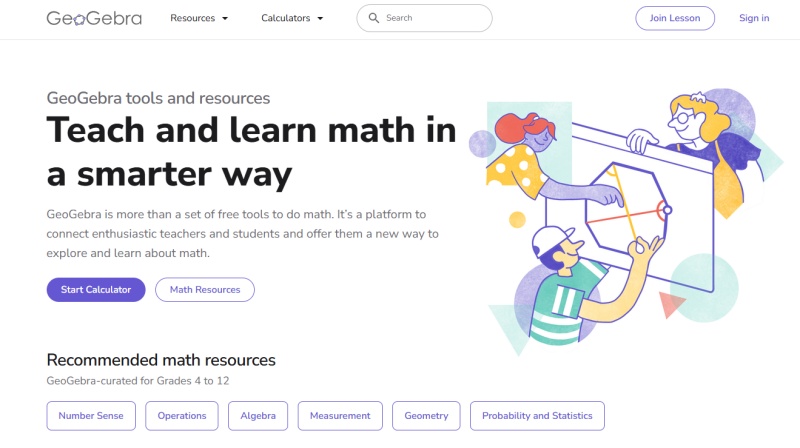
GeoGebra is a visualization-focused tool that helps students connect calculus concepts with graphical behavior. It is especially useful for building intuition about how functions change.
Key features
-
Free graphing and mathematics tools
-
Supports calculus, algebra, geometry, and 3D exploration
-
Includes interactive sliders for parameter changes
-
Allows comparison of equations and graphical behavior
-
Offers community-created learning resources
Limitations to consider
-
Primarily a visualization tool, not a conversational tutor
-
Does not always provide detailed written solution steps
-
May require another tool for symbolic verification
Best for
-
Exploring functions and their derivatives
-
Studying tangent lines, slopes, and areas
-
Visualizing extrema, roots, and parameter changes
-
Working with three-dimensional functions
-
Connecting symbolic expressions with graphs
Best way to use it
Use GeoGebra after learning a concept or formula to visualize how it behaves. For example, graph a function and its derivative to understand how slope changes across the curve.
Photomath: Best for Scanning Calculus Problems
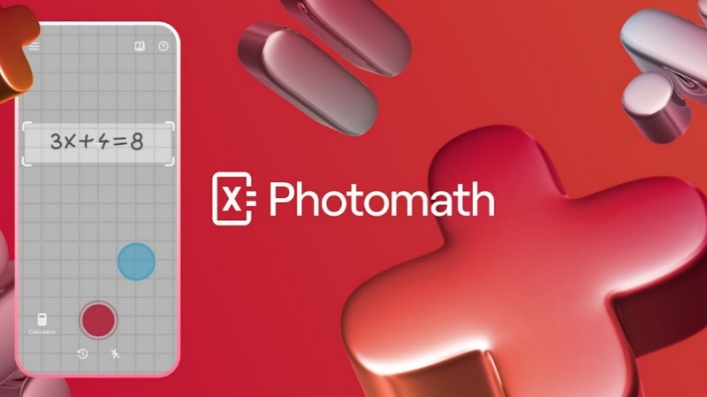
Photomath is a mobile-first tool designed for quickly solving calculus problems from textbooks or handwritten notes. It is especially useful when you want fast access to solutions without manually typing expressions.
Key features
-
Recognizes problems using a mobile camera
-
Supports both image-based and typed input
-
Covers calculus and other common math topics
-
Provides step-by-step solutions for supported problems
-
May include additional explanations depending on the plan
Limitations to consider
-
Accuracy depends on handwriting clarity, lighting, and image quality
-
Word problems and diagrams may require manual interpretation
-
Advanced problems may need verification with other tools
Best for
-
Scanning textbook exercises
-
Checking routine derivatives and integrals
-
Reviewing handwritten or printed expressions
-
Getting quick help while studying on mobile devices
Best way to use it
Use Photomath to quickly check your work, then rewrite the solution steps in your own notes. For word problems, always confirm that the translated equation correctly represents the original question.
ChatGPT and Claude: Best for Explaining Difficult Concepts

ChatGPT and Claude are general-purpose AI assistants that excel at explaining calculus concepts in a flexible, conversational way. They are most useful when you need understanding rather than just an answer.
Key features
-
Accept natural-language questions
-
Adapt explanations to different learning levels
-
Provide examples and analogies
-
Support interactive follow-up discussion
-
Generate customized exercises and study prompts
Limitations to consider
-
Not dedicated computer algebra systems
-
May produce occasional arithmetic or symbolic errors
-
Long or complex calculations should be verified independently
-
Answer quality depends on clarity of the prompt
Best for
-
Explaining why a calculus method works
-
Comparing techniques such as substitution and integration by parts
-
Simplifying complex explanations
-
Generating practice questions
-
Asking follow-up questions about solutions
Best way to use them
Use these tools to understand concepts and reasoning rather than final numeric answers. After learning the method, verify results using a dedicated math tool like Wolfram|Alpha or Symbolab.
Quick Comparison of the Five Tools
| Tool | Main strength | Best input method | Best for | Main limitation |
|---|---|---|---|---|
| Wolfram Alpha | Symbolic computation | Mathematical or natural-language input | Accurate calculations and verification | Less focused on conversational teaching |
| Symbolab | Step-by-step solutions | Typed mathematical input | Reviewing standard calculus methods | Advanced results may require verification |
| GeoGebra | Interactive visualization | Typed expressions and graphs | Functions, slopes, areas, and 3D concepts | Not primarily a written solution tutor |
| Photomath | Image recognition | Camera scan or typed input | Quick mobile problem checking | Recognition and interpretation can vary |
| ChatGPT and Claude | Conceptual explanations | Natural-language prompts | Follow-up questions and customized learning | Not a substitute for a dedicated math engine |
A Faster Way to Solve Calculus Problems: Tenorshare AI Math
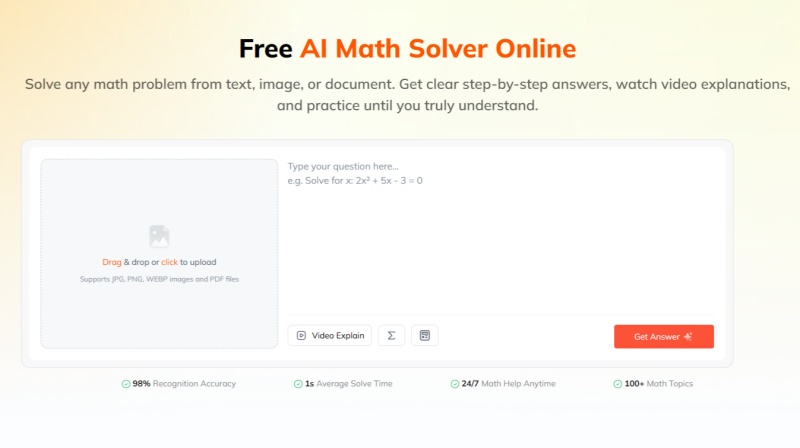
The tools above support different parts of calculus learning. In practice, however, each tool may require some setup . Students may need to enter complex mathematical symbols into a calculator, install a mobile app to scan a problem, or adjust prompts before a general AI assistant provides a useful response. These steps can slow down the process of getting help with a calculus question.
A dedicated AI math solver can reduce this input friction by combining problem recognition, solution generation, and learning support in one workflow. Tenorshare AI Math is designed for this type of use.
It supports multiple ways to submit a calculus problem, including:
-
Typed questions
-
Screenshots and image files
-
PDF documents
After analyzing the problem, it provides a step-by-step solution that explains the formulas and calculations used. This allows students to work from an existing worksheet, textbook page, or assignment file without manually re-entering every mathematical symbol.
The platform also includes additional learning features:
-
AI-generated video explanations
-
Follow-up questions about the solution
-
Similar practice questions and quizzes
-
Study guides for reviewing related concepts
-
A built-in calculator for simpler calculations
After reviewing a solution, students can use video explanations, follow-up questions, similar practice problems, and quizzes to reinforce the same concept. This can be useful for topics such as integration, optimization, related rates, and multivariable calculus, where understanding the method is as important as obtaining the answer.
For students who want a lower-friction way to upload calculus questions and continue from solving to explanation and practice, Tenorshare AI Math offers an alternative to combining several separate tools.
Final Verdict: Which AI Is Best for Calculus?
There is no single best AI for every calculus student or every type of problem. The right choice depends on whether you need accurate symbolic calculations, guided solution steps, visual explanations, mobile problem scanning, or conversational support.
For regular calculus study, the most effective approach may be to combine tools rather than rely on one platform for every task. A student might use a solver like Tenorshare AI Math to check an integral, a graphing tool to understand the function, and a conversational AI to review the underlying concept.
Tenorshare AI Math
- Solve math from text, images & PDFs at 98% accuracy
- Deliver step-by-step answers with detailed logic breakdown
- Access video explanations for deeper math concept understanding
- Generate matching practice tests to solidify knowledge

FAQs
-
Which AI Is Best for Mathematical Calculations?
Wolfram|Alpha is a suitable choice for mathematical calculations because it is built around symbolic and computational operations. Symbolab can also handle many calculus calculations while presenting solution steps. For important coursework, students should verify results and check the assumptions behind the answer.
-
How Accurate Are AI Calculus Solvers?
Accuracy varies by tool, problem type, input quality, and level of complexity. Dedicated computational systems are generally designed for reliable symbolic calculations, while general-purpose language models may make arithmetic or algebraic errors. Students should verify long calculations, advanced problems, and answers involving domain restrictions.
-
Can AI Solve Multivariable Calculus and Triple Integrals?
Some tools can process multivariable calculus and triple integrals, but performance depends on the expression, coordinate system, bounds, and required interpretation. Wolfram|Alpha is designed for advanced symbolic computation, while other tools may be more useful for explaining individual steps. Students should carefully check the setup and limits of integration.
-
Can AI Explain Calculus Word Problems?
Yes. AI tools can help identify variables, translate a word problem into equations, and explain the reasoning behind a setup. However, the student must still confirm that the variables, assumptions, units, and constraints accurately reflect the original question.
-
Which AI Tool Shows the Most Detailed Solution Steps?
Symbolab is specifically designed around step-by-step mathematical solutions. Other tools, including Wolfram|Alpha and dedicated AI math solvers, may also provide detailed working depending on the problem and available features. The level of detail can vary between free and paid plans.
-
Should Students Use AI to Check Their Calculus Homework?
Students can use AI to check homework when it supports learning and follows their school or instructor's policies. A responsible approach is to attempt the problem first, compare the method, verify the result, and ask for clarification on uncertain steps. Using AI only to copy final answers provides less educational value and may violate course rules.
You Might Also Like
- 2026 Best AI for Statistics: 6 Tools for Homework and Data Analysis
- Best App for Math Problem Solving: 5 AI Math Solver Apps Tested and Compared
- Best AI Math Solvers 2026: Honest Comparison for All Math Problems
- 5 Best AI Tools for Advanced Math Proofs & Proof-Based Math (2026)
- 10 Best Math Homework Help Tools in 2026: AI Solvers for Step-by-Step Answers

Tenorshare AI Math: Solve any math problems with AI
Turn math questions into clear solutions, tutorial videos & targeted practice setsTenorshare AI Math: Instant Solutions
Steps, videos & practice for every problem
Tenorshare AI Math: Solve any math problems with AI