
Best AI Math Solvers 2026: Honest Comparison for All Math Problems
The best AI for math depends on the type of help you need. Photomath is a practical choice for scanning everyday homework, Wolfram Alpha and Symbolab are stronger for symbolic calculations, and ChatGPT or Gemini can help explain word problems and visual questions. For students who want step-by-step solutions, practice support, and a focused study workflow in one place, Tenorshare AI Math is a strong option.
This guide compares eight popular AI math solvers by their main use case, explanation quality, input options, learning support, free-plan limits, and likely drawbacks. Use the quick recommendations below first, then read the detailed comparisons to choose the tool that fits your math task.
Catalogs:
Best AI for Math at a Glance
These are the quickest recommendations by use case. The full comparison below includes all eight tools, including MathGPT and Math AI.
| Best for | Recommended tool | Why it stands out |
|---|---|---|
| Step-by-step learning and practice | Tenorshare AI Math | Connects solutions, visual explanations, follow-up questions, and related practice in a structured solve-to-practice workflow. |
| Scanning printed homework | Photomath | Designed around camera-based math recognition and quick homework checks. |
| Calculus and symbolic steps | Symbolab | Useful for seeing intermediate operations, rules, derivatives, integrals, and matrices. |
| Advanced computation | Wolfram Alpha | Built for numerical, scientific, and symbolic computation rather than conversational tutoring. |
| Word problems and follow-up tutoring | ChatGPT | Can turn long written questions into equations and explain methods in conversation. |
| Geometry, graphs, and visual questions | Gemini | Useful when an image, diagram, or handwritten visual context needs explanation. |
Quick answer: There is no single best math AI for every user. Choose a dedicated learning tool for structured practice, a scanner for fast homework capture, or a computational engine for advanced math.
How to Choose the Best AI Math helper
When picking a math AI tool, four core criteria separate functional, student-friendly platforms from ineffective alternatives. Each metric serves distinct learning scenarios, and different categories of math AI prioritize these features differently, so you can weigh them based on your daily study needs.
Accuracy in Solving Math Problems
Accuracy is the most important baseline, especially for exams, advanced math, or complex equations. Errors can lead to extra checking and wasted time, making precision essential for higher-level learning.
Computational engines usually prioritize accuracy, while lightweight apps and general AI tools may trade some precision for speed and flexibility. If you work with calculus, matrices, or proofs, accuracy should be your top priority.
Step-by-step Explanation Quality
This determines whether a tool helps you learn or just gives answers. If you need to understand concepts, fix weak areas, or prepare for exams, detailed step breakdowns are essential.
Some tools focus on full teaching-style explanations, while others only show partial steps unless upgraded. For long-term learning, explanation quality matters more than just getting the final answer.
Speed vs Learning Depth
Most AI math tools balance speed and depth differently. Fast tools are useful for quick homework checks, while more detailed systems focus on learning and understanding.
If you only need instant answers, prioritize speed. If your goal is to improve math skills, deeper explanations are more valuable.
Photo, Text, and Document Input Support
Input flexibility affects how easily you can use a tool in daily study. Students often switch between handwritten work, textbook photos, and digital worksheets.
Photo-based tools are ideal for mobile use, while document and text support are better for desktop or structured assignments. If your workflow includes multiple formats, multi-input support becomes important.
8 Best Math AI Solvers Compared
We compared each tool by its intended use, input options, explanation depth, learning support, free-plan limits, pricing, and key limitations. Features and prices can change, so check each provider’s official page before subscribing.
Tenorshare AI Math
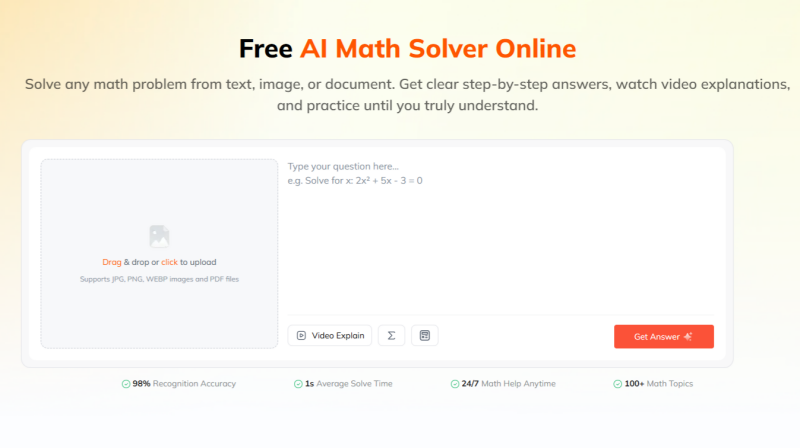
Tenorshare AI Math is an AI math solver built for students who want to learn from a solution, not simply receive an answer. Instead of relying on users to write detailed prompts or direct a general chatbot, it provides a dedicated workflow: Problem → Solution → Explanation → Practice.
Students can submit a question as text, an image, or a PDF, then review the step-by-step solution, ask follow-up questions, watch a visual explanation, and practise the same method with related questions. This makes it especially useful for regular homework, revision, and students who need help turning a solved problem into lasting understanding.
- Complete Solve-to-Practice Workflow: Moves beyond a final answer by connecting problem solving, explanation, review, and similar-question practice in one process.
- Visual Video Explanations: Adds visual lessons to written solution steps, helping students understand difficult concepts instead of only copying a method.
- Practice Generated From the Problem: Lets students reinforce a weak topic with related questions after seeing how the original problem is solved.
- Math-Focused, Low-Prompt Workflow: Users can upload or enter a question directly rather than spending time creating prompts or guiding a general AI conversation.
- Flexible Homework Input: Supports text questions, images, and PDF files for common study formats.
- Designed Mainly for Student Learning: It is most relevant to homework, revision, and general math practice rather than highly specialized university research or engineering computation.
- Advanced Proofs Need Verification: Complex proofs, abstract mathematics, and high-stakes calculations should still be checked with course materials, instructors, or specialist tools.
- Web-Based Tool: Users need an internet connection to upload questions and generate AI explanations.
Best for: Students who want a dedicated AI math homework helper with step-by-step solutions, visual explanations, practice support, and an easy-to-use workflow.
MathGPT
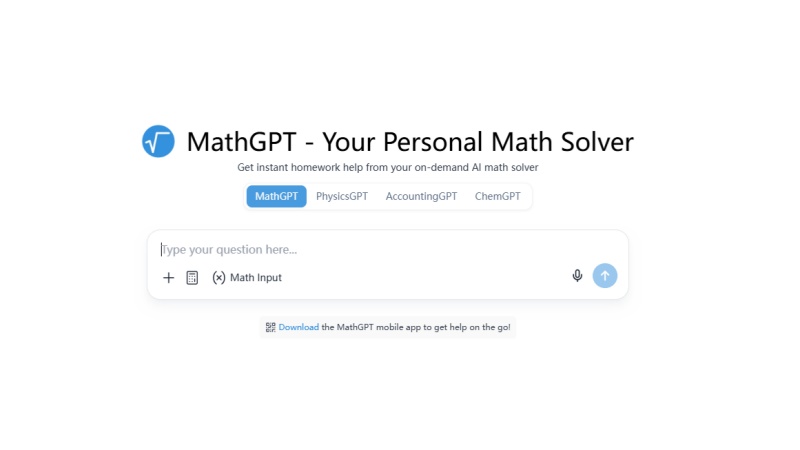
MathGPT is a dedicated niche AI built exclusively for mathematical problem-solving, removing generic conversational bloat found in all-purpose LLMs. Its core design follows educational scaffolding principles to reduce math anxiety by breaking intimidating complex questions into digestible sequential steps, even within its free tier.
- Supports photo uploads, typed equations, and full PDF worksheet imports without mandatory account creation for basic use
- Uniformly detailed step breakdowns for algebra, trigonometry, statistics, linear algebra, and introductory calculus
- Clean, distraction-free web and mobile interface optimized for younger students with minimal technical skill
- Generates custom similar practice problems automatically after solving a question to reinforce weak topics
- Lacks advanced support for graduate-level pure math, formal proofs, and engineering-specific computational math
- Response speed slows noticeably when processing multi-page long PDF documents
- No native animated tutorial featuresfor visual learners
Best for: Middle school, high school, and early undergraduate students seeking a free, student-first math AI without general AI irrelevant functionality.
Math AI
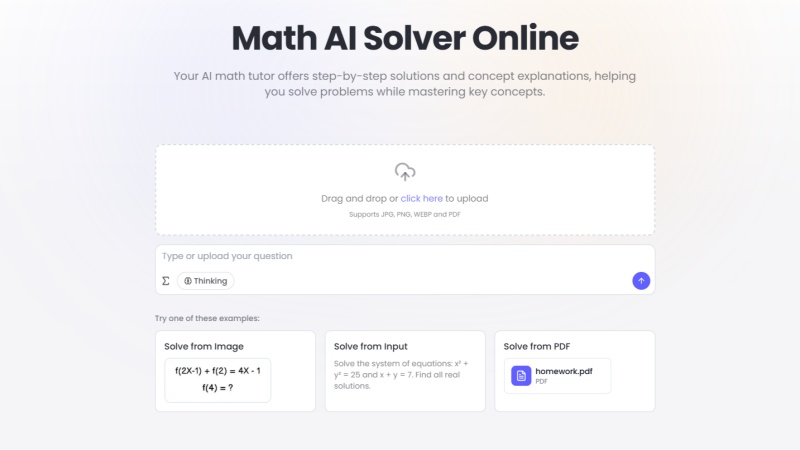
Hosted at math-gpt.ai , Math AI is a math-specific learning tool built solely for solving math problems, distinct from generic photo scanner applications and general large language models. Its core framework centers on walking users through problem-solving logic instead of simply providing final answers.
- Compatible with three input types: photo scans, manually typed equations, and PDF uploads to match regular student study workflows.
- Delivers consistent solving accuracy for K-12 and entry-level college math, trained on standard curriculum math materials.
- Comes with built-in auxiliary learning functions, including automatically generated practice problems, formula cards, and basic graph drawing tools.
- It cannot fully handle postgraduate-level pure mathematics, complex formal proofs, and specialized engineering computing questions.
- Recognition performance declines when processing messy cursive handwriting or compact multi-line equations.
- Users need a premium plan to unlock unlimited batch PDF processing and animated explanation videos.
Best for: Middle school, high school, and first-year college students that need a functional math learning tool with free full solving steps, as well as users who often import multi-page homework PDF files.
Photomath
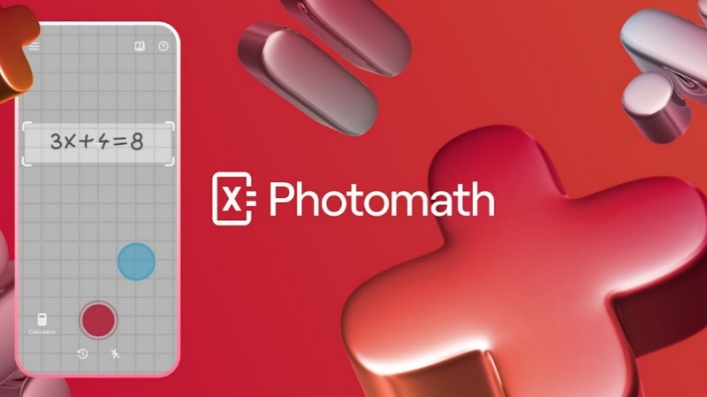
As one of the earliest and most widely adopted mobile math AI scanners, Photomath sets the industry benchmark for printed and handwritten equation camera recognition across K-12 and early college coursework
- Industry-leading handwriting and textbook print scan accuracy, reliably parsing messy student work
- Free tier provides basic step-by-step breakdowns for most standard high school math problems
- Premium subscription unlocks animated walkthrough videos, textbook solution libraries, and error analysis
- Cross-platform iOS and Android app with offline scan functionality for areas without Wi-Fi
- Advanced calculus, differential equations, and formal proof explanations remain locked behind Pro pricing
- Web browser functionality is limited; the full feature set is exclusive to mobile apps
- Occasional ad interruptions for free-tier users
Best for: K-12 students, after-school homework helpers, and anyone who prefers solving math problems entirely via smartphone camera scanning.
Symbolab
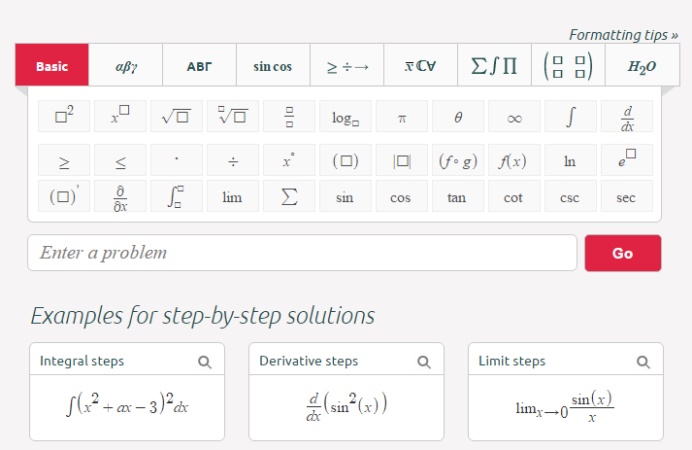
Symbolab specializes in granular, logic-focused mathematical breakdowns and stands out as the top choice for students studying rigorous high school and undergraduate STEM coursework. Unlike scanner-first apps, it prioritizes explaining the mathematical reasoning behind every operation.
- Unmatched depth of step logic for calculus, limits, derivatives, integrals, and matrix algebra
- Clearly labels every mathematical rule and identity used within each solving sequence
- Combines typed input, photo scanning, and LaTeX support for advanced math notation
- Free web tier includes full intermediate steps for most introductory college-level problems
- Handwriting scan recognition quality falls behind Photomath and Gemini
- Interface contains dense technical notation that can overwhelm middle school beginners
- Very limited support for open-ended math word problems with long narrative context
Best for: High school AP math students, college engineering and math majors focused on mastering symbolic calculation rules.
Wolfram Alpha
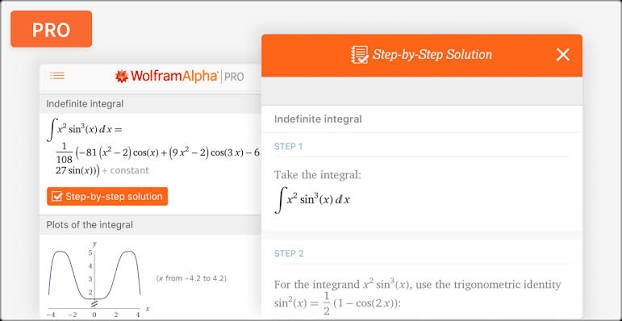
Wolfram Alpha is not a generative LLM but a specialized computational math engine built on decades of curated mathematical datasets, which makes it well known for producing highly reliable results in advanced numerical and symbolic computation.
- Near-perfect solving accuracy for graduate-level math: differential equations, complex analysis, statistics modeling, engineering computations
- Native support for graph plotting, 3D geometry visualization, unit conversion, and scientific data analysis
- Processes complex typed mathematical syntax and LaTeX without misinterpretation
- Industry trust among university professors, engineering professionals, and math researchers
- No native photo scanning or handwriting input functionality
- Full step-by-step solution breakdowns require a monthly Pro subscription
- Lack of conversational teaching features; outputs raw technical results with minimal plain-language context
Best for: University STEM majors, engineering professionals, researchers, and anyone requiring 100% reliable advanced mathematical computation.
Gemini for Math
Gemini is a general large language model developed by Google, not a tool built exclusively for math problem solving. It covers a wide range of tasks beyond mathematics, so all math outputs should be manually verified for correctness.
- It can process visual math materials including hand-drawn geometry proofs and function graphs, alongside typed text questions.
- It can output conversational explanations and simple visual diagrams to help interpret abstract math knowledge.
- A free access channel via Google AI Studio is provided with a relatively loose daily usage cap.
- It may produce flawed logical deductions when working through lengthy multi-step symbolic proofs, performing less reliably than dedicated math computing engines like Wolfram Alpha.
- For specialized engineering math calculations, its computational precision cannot match professional math software.
Best for: Learners who often work on geometry and diagram-based math questions, and users who need a single general AI tool to handle math alongside other study tasks.
ChatGPT for Math
ChatGPT is a versatile general LLM rather than a specialized math solver, designed to handle writing, research and daily queries in addition to math. Users need to manually check all math results for potential mistakes. It performs well at sorting out long descriptive word problems with real-life background information.
- It can break down lengthy multi-paragraph word problems and convert textual descriptions into corresponding mathematical equations.
- It supports interactive dialogue. Users can ask follow-up questions, request alternate solving methods or ask for repeated simplified explanations.
- Native handwriting scan quality lags behind Photomath and Gemini; image math input requires extra prompt tuning
- Prone to minor arithmetic errors on high-precision calculations without activated math plugins
- Free tier caps daily advanced math processing limits
Best for: Students tackling story-based word problems, anyone seeking interactive AI math tutoring sessions, and users who want a single general AI tool for writing, research, and math support.
AI Math Tools: Pricing & Value Comparison
Price and included features are key factors when selecting a long-term math learning tool. The table below summarizes the core pricing rules and representative features of all 8 mathematics AI tools for quick horizontal comparison.
| Tool | Free Tier Limits | Monthly Plan Cost | Annual Equivalent Monthly Cost | Exclusive Premium Core Features |
|---|---|---|---|---|
| Tenorshare AI Math | 5 questions/day, video explanations, and practice tests | $9.99/month | ~$4.99/month ($59.88/year) | Unlimited AI solutions, step-by-step video lessons, unlimited practice tests & quizzes, AI study guides, note export |
| MathGPT | Basic step answers only, daily query cap of 12 problems | $6.49/month | ~$4.49/month | PDF bulk import, custom practice problem generation, ad-free interface |
| Math AI | 10–15 questions / day, full written steps only | $5.90/month | ~$3.90/month | PDF batch processing, animated tutorial videos, unlimited practice generators |
| Photomath | 3 scan problems / day, basic text steps only | $9.99/month | ~$4.99/month ($59.99/year) | Animated walkthroughs, ad-free, personalized practice, offline scan |
| Symbolab | Strict daily cap on full step outputs | $9.99/month | ~$6.67/month ($79.99/year) | Offline mode, ad-free, handwriting recognition priority |
| Wolfram Alpha | Only final answers, no breakdown steps | $9.99/month | $5/month ($60/year) | Professional computation, 3D plotting, advanced symbolic math |
| Gemini for Math | Limited daily high-precision math queries, free basic multi-modal | $7.99/month (Google AI Plus) | $7.99/month (no annual discount) | Extra large PDF upload quota, multi-modal diagram generation |
| ChatGPT for Math | Daily cap on advanced math processing | $20/month (ChatGPT Plus) | $20/month (no annual discount) | Plugin math calculation, worksheet generation, long dialogue tutoring |
Specialized math tools and general AI assistants differ significantly in pricing and feature focus. General AI platforms such as ChatGPT and Gemini usually come with higher subscription costs because they provide broader capabilities beyond mathematics, including writing, coding, and general knowledge assistance.
Among dedicated math AI tools, the annual subscription prices are generally within a similar range. However, these tools focus on different user needs, with some prioritizing quick problem solving and others providing more structured explanations, learning support, or practice features.
For students looking for a convenient and easy-to-use AI maths solution, Tenorshare AI Math is worth considering as a dedicated option for everyday math learning and homework support.
Best AI for Different Math Tasks
Best AI for Math Homework
Photomath is useful for quick photo-based homework checks, while Tenorshare AI Math is better suited to students who also want explanations and practice support.
Best AI for Calculus
Symbolab is a strong choice for visible calculus steps, while Wolfram Alpha is better for advanced symbolic and technical computation.
Best AI for Geometry and Diagrams
Gemini can help interpret visual questions, graphs, and diagrams. Always verify labels, assumptions, and the final solution.
Best LLM for Math Problems
ChatGPT is useful for word problems and follow-up tutoring. For symbolic calculations, pair an LLM with a specialist tool such as Wolfram Alpha or Symbolab.
Conclusion: What Is the Best AI for Math Based on Your Goals
Choosing the best AI for maths depends on your specific learning needs rather than a single "perfect" tool. Different platforms serve different purposes, from quick problem solving and homework support to advanced computation and interactive learning.
If you need fast solutions or problem scanning, tools like Photomath can be useful for everyday homework help, while Wolfram Alpha is better suited for advanced symbolic calculations. For students who want a more structured math learning workflow with step-by-step explanations, video lessons, and practice support, Tenorshare AI Math provides a dedicated option focused on helping users solve and understand math problems.
Ultimately, the best AI for math is the one that matches your study goals — whether you need quick answers, deeper explanations, or long-term skill development.
Tenorshare AI Math
- Solve math from text, images & PDFs at 98% accuracy
- Deliver step-by-step answers with detailed logic breakdown
- Access video explanations for deeper math concept understanding
- Generate matching practice tests to solidify knowledge

FAQs
-
Which AI is currently best at math in 2026?
It depends on the type of math problem. Wolfram Alpha is strongest for advanced symbolic and numerical computation, Photomath is best for scanned homework, and ChatGPT performs well on word problems. If you are looking for a more all-in-one solution that combines high accuracy with the ability to break down solutions and let users follow up on reasoning steps, Tenorshare AI Math can be a better choice.
-
Is Gemini or Claude better for math?
Gemini is generally better, especially for image-based problems like handwritten math, graphs, and diagrams. Claude works well for text-based explanations but lacks strong visual math capabilities.
-
Which AI is better for math: ChatGPT or Gemini?
ChatGPT is better for word problems and tutoring-style explanations. Gemini performs better on image-based math such as scanned worksheets and diagrams.
-
Can AI solve all types of math problems?
No. AI can handle most standard math tasks, but advanced proofs, highly abstract problems, and competition-level math may still require human reasoning.
You Might Also Like
- 5 Best AI Tools for Advanced Math Proofs & Proof-Based Math (2026)
- 10 Best Math Homework Help Tools in 2026: AI Solvers for Step-by-Step Answers
- 8 Best AI Math Tutors in 2026 That Actually Help You Learn
- 2026 Best AI for Statistics: 6 Tools for Homework and Data Analysis
- Which Is the Best AI for Calculus? Top Picks for Students in 2026
- Best App for Math Problem Solving: 5 AI Math Solver Apps Tested and Compared

Tenorshare AI Math: Solve any math problems with AI
Turn math questions into clear solutions, tutorial videos & targeted practice setsTenorshare AI Math: Instant Solutions
Steps, videos & practice for every problem
Tenorshare AI Math: Solve any math problems with AI