
Best AI for Geometry in 2026: We Tested the Top 7 AI Math Tools
Geometry is different from many other areas of math. In addition to calculations, it often involves diagrams, shapes, proofs, and spatial reasoning. While many AI math tools can solve equations, their performance may vary when working with geometry diagrams, image-based questions, or proof-style problems.
To better understand their strengths, we compared seven popular AI math tools . Whether you're looking for the best AI for geometry problems , a geometry app for homework, or a tool that explains solutions step by step, this guide compares the available options side by side.
Comparison Table: Best AI for Geometry at a Glance
| Tool | Best For | Photo Input | Step-by-Step Solutions | Geometry Diagrams | Geometry Proofs | Free Version |
|---|---|---|---|---|---|---|
| Tenorshare AI Math | AI geometry homework & explanations | ✔️ | ✔️ | Analyze | Support | Yes |
| Photomath | Solving textbook and worksheet problems | ✔️ | ✔️ | Analyze | Limited | Yes |
| Symbolab | Detailed mathematical solutions | Limited | ✔️ | Limited analysis | Partial | Yes |
| Wolfram Alpha | Advanced geometry and computation | ❌ | Partial | No | Partial | Yes |
| GeoGebra | Interactive geometry construction | ❌ | ❌ | Draw & construct | Limited | Yes |
| Desmos | Coordinate geometry and graphing | ❌ | ❌ | Draw & graph | No | Yes |
| ChatGPT | General geometry reasoning and explanations | ✔️ | ✔️ | Analyze | Partial | Yes |
Quick takeaway: If your goal is solving geometry homework with explanations, an AI math solver generally provide the most direct workflow. If you need to construct, explore, or visualize geometric figures, dynamic geometry tools such as GeoGebra and Desmos are often more suitable. Current educational resources also distinguish between AI problem-solving tools and interactive geometry software because they address different learning needs.
What Makes a Great AI for Geometry?
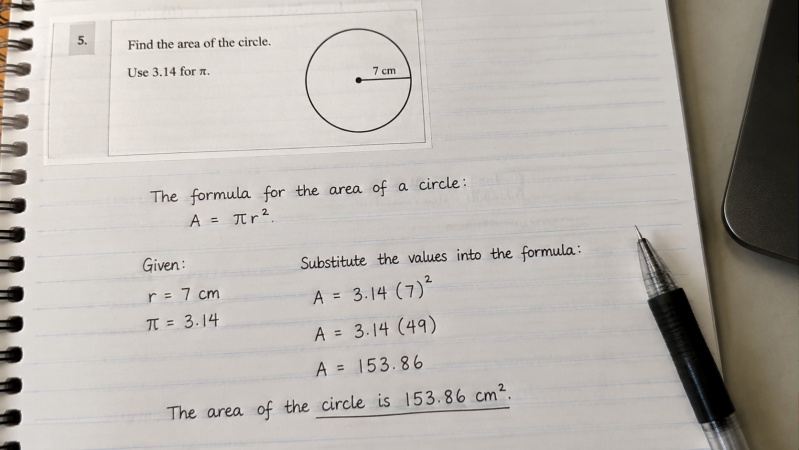
Unlike algebra, geometry requires more than symbolic calculation. A useful geometry AI should be able to interpret visual information, reason through geometric relationships, and explain each step clearly. Educational software comparisons increasingly separate geometry tools from general math solvers for this reason.
When comparing the tools in this review, we considered the following criteria.
Diagram Recognition
Many geometry questions include triangles, circles, polygons, or coordinate graphs. Some AI tools allow users to upload images or screenshots, while others rely entirely on text input. Image recognition can be especially helpful when solving homework from printed textbooks or handwritten notes.
Step-by-Step Explanations
Providing the correct answer is only part of the process. Step-by-step solutions help users understand how the result is obtained, making it easier to review concepts such as angle relationships, similarity, congruence, or the Pythagorean Theorem.
Geometry Proof Support
Proof questions require logical reasoning rather than numerical calculation. Some tools can explain common proof strategies or outline the reasoning process, while interactive geometry software focuses more on visualization than proof generation.
Interactive Geometry Features
Not every geometry tool is designed to solve problems automatically. Platforms like GeoGebra and Desmos allow users to construct figures, measure angles, explore transformations, and visualize geometric relationships dynamically. These capabilities can complement AI-generated explanations in learning environments.
Accuracy Across Different Geometry Topics
Geometry covers a wide range of topics, including:
-
Plane geometry
-
Coordinate geometry
-
Circles
-
Triangles
-
Polygons
-
Transformations
-
Solid geometry
Performance may differ depending on the question type, so it's useful to consider how each tool handles different categories rather than expecting identical results across every geometry problem.
Ease of Use
A practical geometry AI should make it easy to enter questions, whether by typing, uploading a photo, or using built-in drawing tools. A clear interface and straightforward workflow can also improve the overall user experience.
With these evaluation criteria in mind, the next section compares seven popular AI geometry tools individually, highlighting their primary features, supported geometry use cases, and suitable learning scenarios.
The 7 Best Math AI for Geometry
Tenorshare AI Math
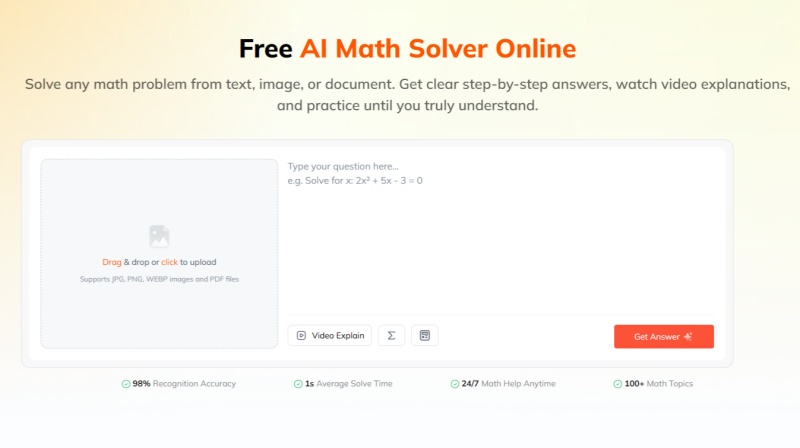
Best for: AI-powered geometry homework with step-by-step learning
Tenorshare AI Math is a web-based AI math solver designed to help students solve math problems while understanding the reasoning behind each solution. Instead of focusing only on the final answer, it combines multiple learning features into a single workflow, making it suitable for geometry homework, exam preparation, and self-study.
For geometry, the platform supports multiple input methods, including text, images, and PDF files.
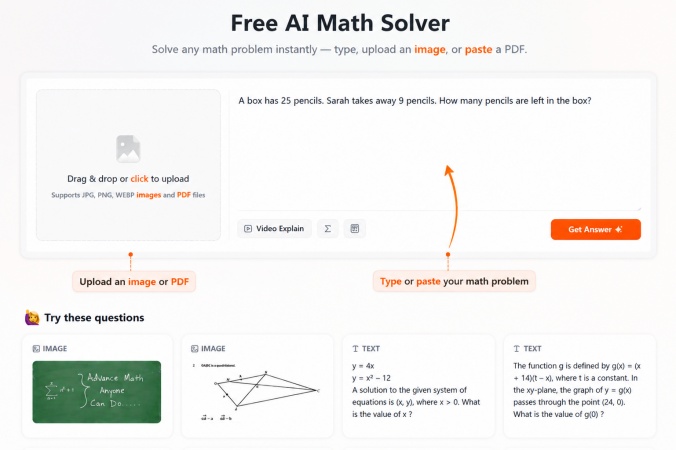
This flexibility allows users to upload textbook exercises , screenshots , or handwritten questions without retyping the entire problem.
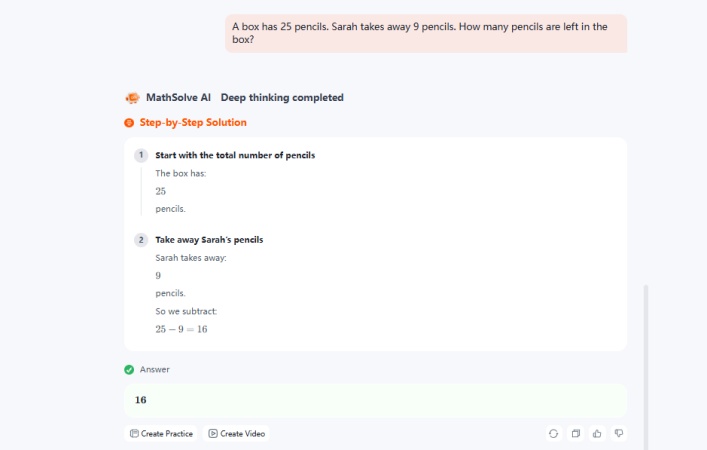
After analyzing the question, the tool provides a step-by-step solution and explains the mathematical reasoning involved.
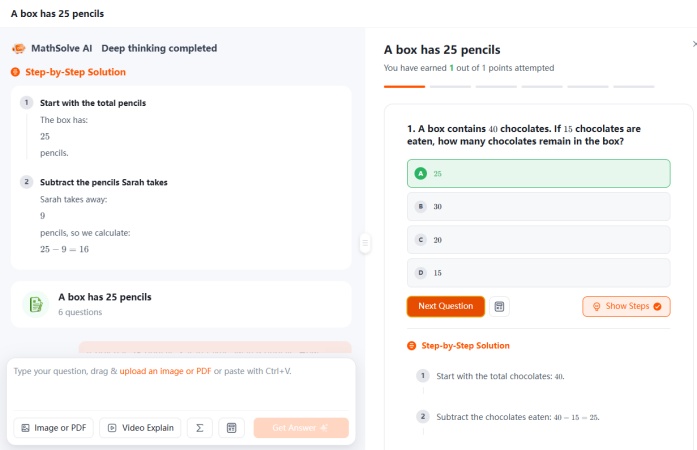
Additional features such as AI-generated video explanations and similar practice questions are designed to reinforce learning after the original problem has been solved.
While the platform covers a wide range of school-level geometry topics, users should still verify results when working on highly specialized or proof-intensive questions, as with any AI-based learning tool.
- Supports text, image, and PDF input
- Provides step-by-step explanations
- Includes additional learning features such as practice questions and video explanations
- Designed specifically for math learning rather than general AI conversations
- Requires an internet connection
- Advanced proof-based questions may require additional verification
Photomath
Best for: Solving geometry homework from a photo
Photomath is one of the most widely used math‑solving apps , particularly among students who prefer using a smartphone to scan textbook or handwritten problems. It supports many common geometry topics alongside algebra, trigonometry, and calculus, making it a practical option for everyday homework.
The app's primary strength is its camera‑based workflow . Users simply take a picture of a geometry problem, and the app recognizes the mathematical content before generating a solution.
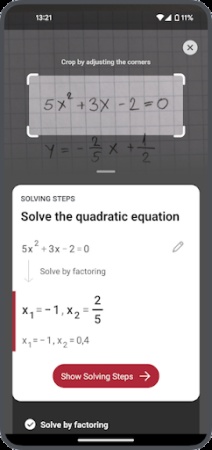
For many standard geometry exercises, Photomath also provides step‑by‑step explanations that help users follow the calculation process instead of viewing only the final answer. Some problems may include more than one solving approach, depending on the topic.
Photomath is primarily designed around solving individual homework questions rather than serving as a full geometry learning platform. Some advanced explanation features are available through paid plans.
- Fast camera‑based problem recognition
- Supports many common geometry topics
- Clear step‑by‑step explanations
- Beginner‑friendly mobile interface
- Mobile‑first experience may not suit every workflow
- Some advanced learning features require a subscription
Symbolab
Best for: Detailed mathematical reasoning and solution steps
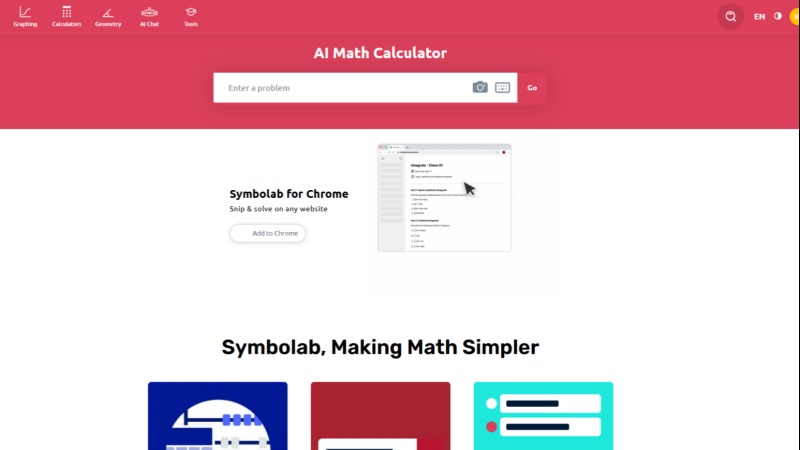
Symbolab is a math solver known for providing detailed solution breakdowns across subjects such as algebra, calculus, trigonometry, and geometry. For geometry, Symbolab offers dedicated calculators and supports many common topics, including angles, triangles, circles, coordinate geometry, and selected proof-style questions.
One of Symbolab's key features is its step-by-step solution process. After analyzing a problem, it breaks the solution into logical steps, showing how equations are simplified or geometric relationships are applied.
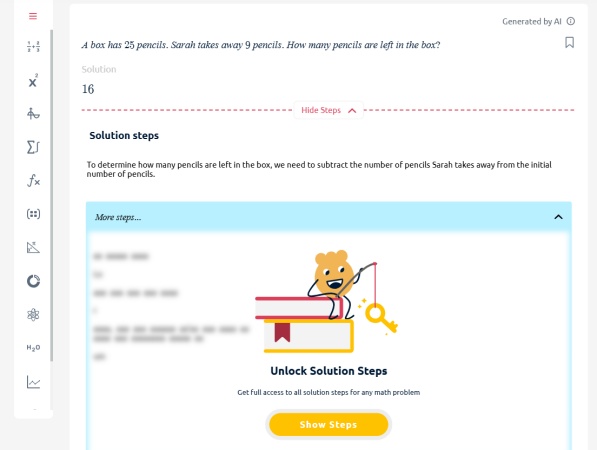
However, while the free version provides the final answer and some solving information, detailed step-by-step explanations and additional solution breakdowns are generally available through a Symbolab Pro subscription .
Compared with camera-first apps, Symbolab generally places greater emphasis on symbolic input and mathematical reasoning. It also includes graphing tools and a range of subject-specific calculators for users studying beyond introductory geometry.
- Detailed step‑by‑step solutions
- Broad coverage of school and college mathematics
- Useful for reviewing formulas and solving methods
- Includes specialized geometry calculators
- Some premium features require a subscription
- Interface may feel technical for beginners
Wolfram Alpha
Best for: Advanced geometry calculations and mathematical computation
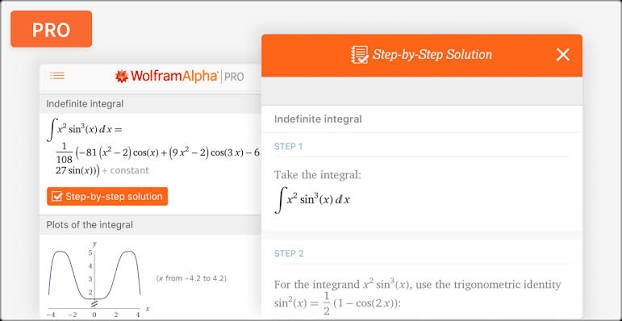
Wolfram Alpha is a computational knowledge engine rather than a traditional AI chatbot. It is widely used for mathematical computation, symbolic manipulation, graphing, and higher‑level problem solving. Its geometry capabilities extend beyond basic homework and include coordinate geometry, analytic geometry, transformations, and other advanced mathematical topics.
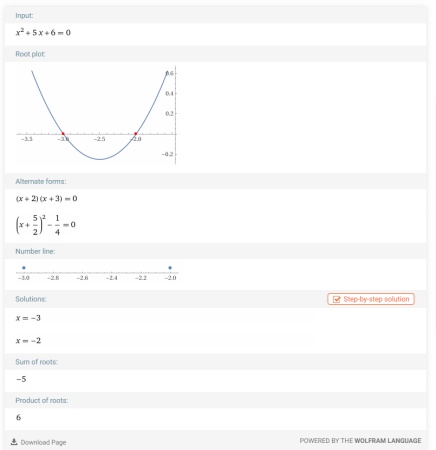
Instead of providing conversational tutoring, Wolfram Alpha focuses on generating precise computational results . Depending on the problem type and subscription level, users may also access additional solution steps and visualizations.
Because the platform is designed around mathematical computation, its workflow differs from AI homework assistants that prioritize photo recognition or guided learning. Users looking for interactive explanations may prefer combining it with another learning‑oriented tool.
- Strong support for advanced geometry and symbolic computation
- Generates mathematical graphs and visualizations
- Covers a broad range of higher‑level mathematics
- Suitable for academic and technical use
- Learning curve may be higher for new users
- Some step‑by‑step features are available only through paid plans
GeoGebra
Best for: Interactive geometry construction and visual learning
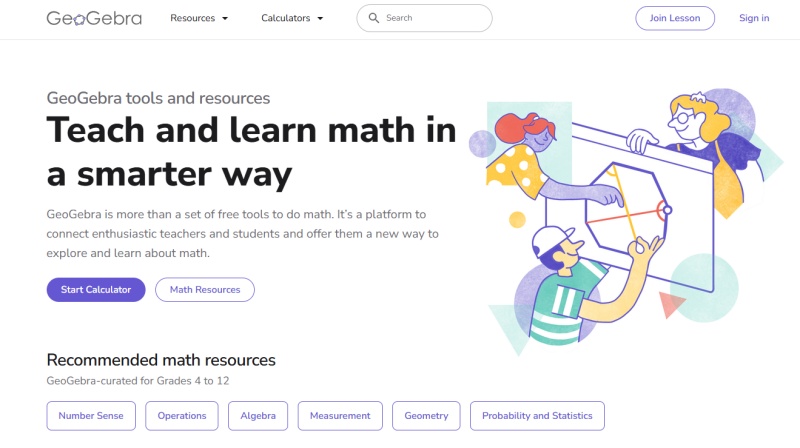
GeoGebra is one of the most widely used dynamic mathematics platforms for learning and exploring geometry. Rather than acting as an AI solver, it focuses on helping users construct geometric figures , visualize mathematical relationships , and investigate concepts through interactive manipulation.
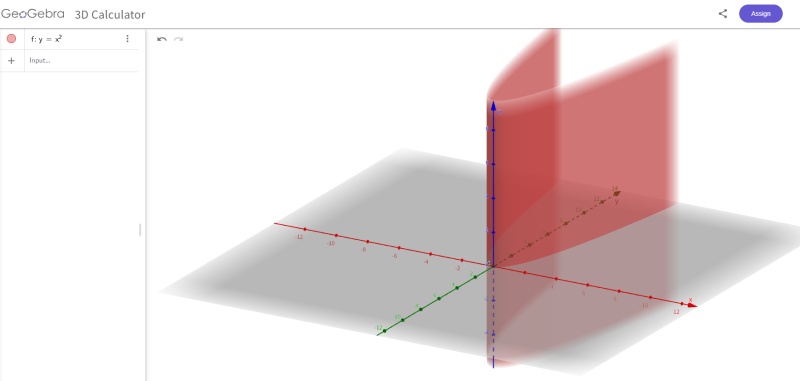
For geometry practice, users can build points, lines, circles, polygons, angles and transformations with native construction tools. All shapes stay dynamically connected. Students can drag vertices and instantly see shifts in measurements and geometric rules. This feature helps learners grasp congruence, similarity, loci, transformations and coordinate geometry through hands‑on exploration instead of rote memorization.
Unlike AI homework solvers, GeoGebra cannot scan geometry questions and produce full step‑by‑step answers . It works as an interactive workspace for drawing shapes, testing hypotheses and checking geometric relationships.
- Free for use across multiple platforms
- Robust tools for geometry building and visualisation
- Supports both 2D and 3D geometry
- Fits classroom lessons and independent study
- Cannot automatically complete geometry homework
- Diagrams must be created or edited manually
Desmos
Best for: Coordinate geometry and interactive graphing
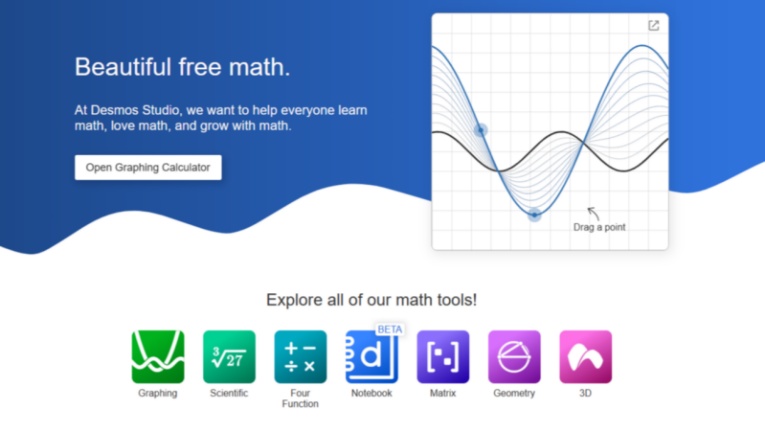
Desmos is famous for its graphing calculator , and it also offers a Geometry tool for interactive shape building and exploration. The Geometry tool includes standard drawing functions for points, line segments, circles, perpendicular and parallel lines, angle study and geometric transformations. Users can tweak constructions and watch real‑time changes to mathematical relationships. It works especially well for coordinate geometry demos and concept practice in class.
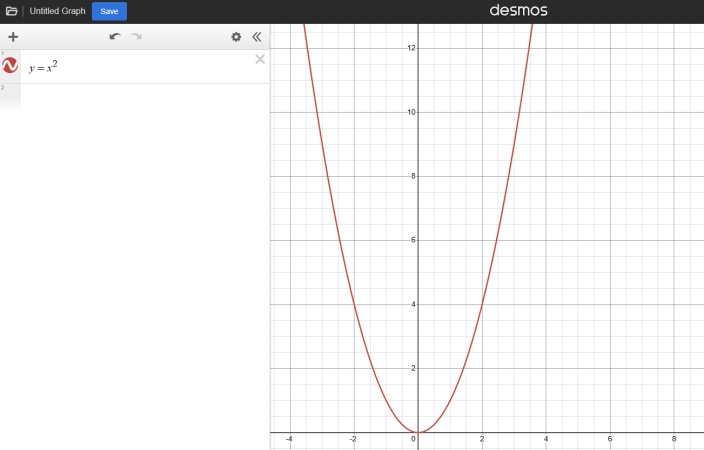
Like GeoGebra , Desmos is designed for interactive geometry rather than AI-powered problem solving. Both platforms allow users to construct and explore geometric figures, but Desmos generally emphasizes a simpler interface and graphing experience, while GeoGebra offers a broader collection of mathematical tools, including dedicated applications for geometry, algebra, and 3D visualization.
- Free web‑based access with no installation
- Great performance for graphing and coordinate geometry
- Interactive geometry construction toolkit
- Simple, beginner‑oriented layout
- Unable to process uploaded geometry problems
- No auto‑generated step‑by‑step AI solutions
ChatGPT
Best for: General geometry explanations and flexible AI assistance
ChatGPT is a general-purpose AI assistant that can help explain geometry concepts, solve many geometry problems, and answer follow-up questions through natural conversation. It supports a wide range of mathematics topics, making it useful not only for geometry homework but also for exploring related concepts or asking additional questions during the same conversation.
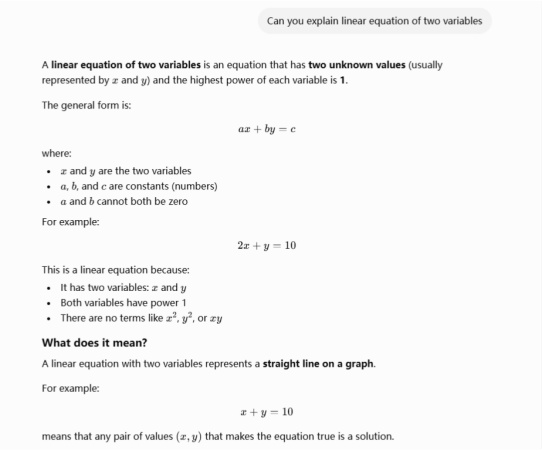
Unlike dedicated AI math solvers, ChatGPT is designed as a general AI model rather than a specialized education tool. As a result, the quality of its responses often depends on how clearly the problem is described. For geometry questions involving diagrams, multiple conditions, or proof-based reasoning, users may need to provide additional context or refine their prompts to obtain the desired level of detail. I mage input is also available only on supported platforms and plans.
For users who enjoy interacting with AI and refining questions through conversation, this flexibility can be an advantage. On the other hand, students looking for a faster homework workflow may prefer an AI math solver, where features such as image upload, structured solution steps, and dedicated math interfaces are built into the experience rather than relying on prompt refinement.
- Natural conversational explanations
- Can discuss a wide range of mathematics topics
- Supports follow-up questions and alternative solution methods
- Image input is available on supported platforms
- Solution quality depends on how the question or prompt is written
- May require additional prompt refinement for complex geometry problems
- Not specifically designed as a dedicated math-solving workflow
Final Verdict: Which AI Is Best for Geometry?
There is no single AI tool that is best for every geometry task. The right choice depends on what you need to accomplish, whether it's solving homework, constructing geometric figures, exploring mathematical concepts, or working through proof-based questions.
If your primary goal is solving geometry homework with step-by-step explanations, Tenorshare AI Math , Photomath, and Symbolab are all practical options.
For users working on advanced mathematical computation or coordinate geometry, Wolfram Alpha offers powerful computational capabilities, particularly for higher-level mathematics.
If your focus is visual learning and geometric construction, GeoGebra and Desmos are better suited to building and exploring geometric figures.
Meanwhile, ChatGPT provides a flexible way to discuss geometry concepts, ask follow-up questions, and explore different solution methods.
Ultimately, the best AI for geometry depends on your learning style and the types of problems you encounter most often. Many students may also find that combining an AI math solver with an interactive geometry platform provides a more complete learning experience.
Tenorshare AI Math
- Solve math from text, images & PDFs at 98% accuracy
- Deliver step-by-step answers with detailed logic breakdown
- Access video explanations for deeper math concept understanding
- Generate matching practice tests to solidify knowledge

FAQs
-
What is the best AI for geometry?
There is no universal answer, as different tools are designed for different purposes. AI math solvers are generally better for solving geometry homework and providing step-by-step explanations, while platforms such as GeoGebra and Desmos focus on interactive geometry construction and visualization. General AI assistants like ChatGPT are useful for discussing concepts and exploring different approaches to solving problems.
-
Which AI is best for geometry problems?
If your goal is solving textbook exercises or homework, AI math solvers that support image input and step-by-step explanations are typically the most convenient option. For more advanced or specialized geometry topics, using multiple tools together can provide additional perspectives and help verify solutions.
-
What is the best AI app for geometry?
Several apps support geometry learning, including Tenorshare AI Math, Photomath, Symbolab, and ChatGPT. The best choice depends on whether you need homework assistance, detailed explanations, conversational learning, or interactive geometry tools.
-
Can AI solve geometry proofs?
Some AI tools can explain common geometry proofs or help outline the logical reasoning behind proof-based questions. However, proof problems often require careful mathematical reasoning, so it is still recommended to verify important assignments with textbooks, teachers, or reliable educational resources.
-
Is there a free AI for geometry?
Yes. Many geometry tools offer free versions or free plans with basic functionality. For example, GeoGebra and Desmos are free to use for geometry construction and visualization, while several AI math solvers provide limited free access before advanced features or more detailed solution steps require a subscription. The available features vary by platform, so it is worth reviewing each tool's pricing and feature set before choosing one.
You Might Also Like
- 8 Best Math AI Solvers Compared (2026): Step-by-Step Problem Solving
- 8 Best GauthMath Alternatives Reviewed: Top Apps & Websites in 2026
- Best Wolfram Alpha Alternatives for Students: 6 Math Solvers With Steps
- Best AI Models for Math (2026): 4 Leading Tools Compared & Ranked
- 10 Best Mathway Alternatives in 2026: Free Math Solvers With Step-by-Step Solutions
- Which Is the Best AI for Calculus? Top Picks for Students in 2026

Tenorshare AI Math: Solve any math problems with AI
Turn math questions into clear solutions, tutorial videos & targeted practice setsTenorshare AI Math: Instant Solutions
Steps, videos & practice for every problem
Tenorshare AI Math: Solve any math problems with AI